The Guide
Choosing your console, setting it up, repairing it, modding it: all our articles, written and kept up to date by the team.
Latest articles


Browse by category
130 articles
 Buying guide
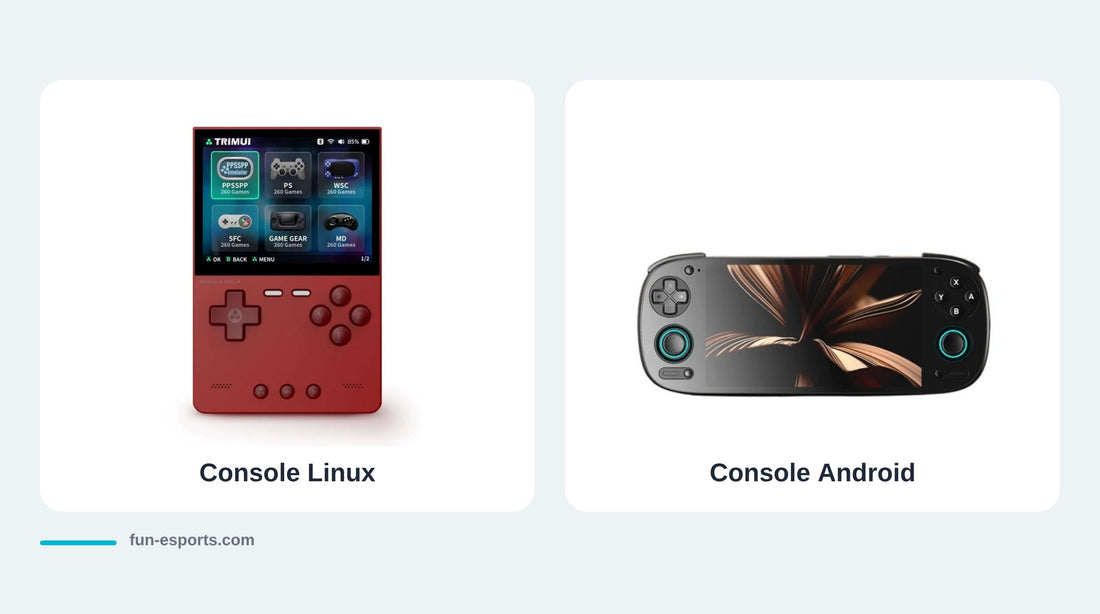
Android or Linux: which retro handheld console should you choose?
 Technical
Brancher une console rétro sur une TV 4K : signaux, scalers et latence
 Workshop
Construire son bartop ou son panneau arcade : les pièces qu'il faut vraiment
 Workshop
Restaurer une Game Boy jaunie : nettoyer, blanchir ou changer la coque
 Workshop
Choisir son premier fer à souder pour le modding rétro : USB-C, T12 ou air chaud
 Workshop
Recapper une console rétro : quand changer les condensateurs, et comment
 Workshop
Console transparente : réussir une coque « clear » sur une console d'époque
 Workshop
Écran Game Boy Color : IPS 2,45", IPS 2,6", transflectif ou AMOLED ?
 Workshop
Moderniser une Game Boy Advance SP en un seul démontage : IPS, USB-C, HDMI
 Discovery
Jeux neufs en cartouche pour consoles rétro : les sorties de 2026
 Legal
Anbernic accusée de « superfake » par l'ESA : ce que ça change en Europe
 Buying guide
Rejouer à ses cartouches Super Nintendo en 2026 : toutes les solutions
 Buying guide
Evercade Nexus : ce qui change par rapport à l'EXP-R, et pour qui
 Discovery
Consoles FPGA 2026 : Analogue Pocket, SuperStation et le retour des cartouches
 Buying guide
Retroid Pocket 6 ou AYN Odin 3 Portal : faut-il attendre avant Noël ?
 Buying guide
Console double écran 2026 : AYN Thor, Pocket Duo, RG DS, laquelle choisir
 Buying guide
Official retro gaming: every way to play the classics legally in 2026
 Buying guide
Playing wirelessly on your original Nintendo 64, Saturn or Mega Drive
 Buying guide
Licensed games and "bonus games": what mini consoles really contain
 Buying guide
My Arcade: making sense of the range, from keychain to mini arcade cabinet
 Buying guide
Neo Geo Mini or MVS Mini: what are the differences, and which one should you choose?
 Buying guide
SNES Mini and Mega Drive Mini hard to find: the official alternatives in 2026
 Buying guide
Atari 2600+ or 7800+: which one to choose, and which cartridges work?
 Buying guide
Evercade EXP-R, VS-R or Super Pocket: which Evercade console should you choose?
 Troubleshooting
The sound crackles, the picture stutters: where it comes from
 Technical
Installing ArkOS step by step: the complete guide
 Workshop
Converting a vintage console to USB-C: the three families of modules
 After-sales
My retro console won't turn on: the diagnosis
 Technical
Installing Knulli step by step: the complete guide
 Workshop
An IPS screen on a Game Boy: what it really changes
 Technical
Per-game settings: overclock, internal resolution and save states
 Technical
Installing muOS step by step: the complete guide
 After-sales
Console BIOS files: what they are, why we don't supply them
 Technical
Cutting input lag on a retro console: what really matters
 Buying guide
The official collections that run on an Android console
 After-sales
Going back to the original firmware on your retro console
 Discovery
FPGA or emulation: what's the difference, and can you see it?
 Technical
Shaders and filters: getting the CRT look back
 Troubleshooting
My cartridge isn't detected by the reader: troubleshooting
 Discovery
Fifty homebrew games worth your time
 Buying guide
Giving a retro console: the gift guide
 Technical
ES-DE, Daijishō, Beacon: which launcher for an Android console?
 Workshop
Cleaning a cartridge that no longer reads
 Buying guide
Cases and protection for a handheld console: what do you really need?
 Discovery
Antstream Arcade on an Android console: what it's worth
 Technical
Installing Onion OS on Miyoo Mini and Mini Plus: the step-by-step guide
 Technical
Copying your PlayStation 1 and PlayStation 2 games with a simple DVD drive
 Workshop
The essential retro workshop tools
 After-sales
Stick drift: understanding it and fixing it
 Workshop
Replacing a console shell: the beginner's guide
 Technical
Installing ROCKNIX step by step: the complete guide
 Technical
Dumping your Nintendo 64 and Mega Drive cartridges, step by step
 After-sales
My retro handheld gets hot: is that normal?
 Buying guide
Which cartridge reader to choose: the comparison
 After-sales
Setting your menu to French and configuring your retro handheld
 Technical
Copying your Super Nintendo cartridges, step by step
 After-sales
How to check that a microSD card isn't counterfeit
 Technical
Transfer files over Wi-Fi without removing the microSD card
 Discovery
I've just received my retro console: the first 10 things to do
 Technical
Formatting a microSD card: FAT32 or exFAT, and how to do it
 After-sales
Transferring your saves from one console to another
 Troubleshooting
My game won't launch: the 14 possible causes, and how to fix them
 Buying guide
The six traps of the retro console market in 2026
 Technical
Copying your Game Boy and Game Boy Advance cartridges, step by step
 Technical
.m3u files: handling multi-disc games properly
 Technical
Installing a custom firmware: muOS, Knulli, ArkOS, ROCKNIX, Batocera — which one for your console?
 After-sales
Cover art and a tidy game library: the scraping guide
 Buying guide
Which retro console should you choose for a child?
 Legal
Why our consoles are supplied without any games
 Technical
Retro console battery life: what drains it and how to double it
 Technical
Transferring games to your retro console: exactly where each file goes, firmware by firmware
 Technical
Converting your games to CHD: halve the size of your library
 Buying guide
4:3 or 16:9: which screen for which retro games?
 Technical
Connecting your retro console to the TV: what actually works
 Buying guide
Horizontal, vertical, clamshell or square: which retro console form factor should you choose?
 After-sales
Setting up an Android console from scratch: the installation evening
 Technical
Copying your own cartridges to your handheld console: the complete guide, system by system
 Technical
Connecting a Bluetooth controller to your retro handheld console
 After-sales
Replacing a cartridge's save battery without losing your saves
 Technical
The Best PSP Emulators on Handheld Consoles (2026 Guide)
 Technical
The Best Game Boy Advance Emulators on Handheld Consoles (2026 Guide)
 Technical
The Best Nintendo 64 Emulators on Handheld Consoles (2026 Guide)
 Technical
Saves: never lose your progress
 Technical
Alternative Firmware: Should You Install One?
 Technical
RetroArch: The Settings That Change Everything
 Buying guide
Choosing a microSD card for a retro console
 Technical
How to add games to a retro handheld console
 Buying guide
Retroid Pocket 5 or Anbernic RG557: The AMOLED Duel
 Buying guide
Anbernic RG35XX H or TrimUI Brick: The Entry-Level Duel
 Buying guide
Anbernic RG477V or Retroid Pocket Flip 2: which one should you pick?
 Buying guide
Anbernic or Retroid Pocket: which brand should you choose?
 Technical
The Best PS1 (PlayStation 1) Emulators on Handheld Consoles (2026)
 Technical
The Best Nintendo 3DS Emulators on Handheld Consoles (2026 Guide)
 Technical
The Best Game Boy Emulators on Handheld Consoles (2026)
 Technical
The Best Emulators for Android Handheld Consoles (2026)
 Technical
The Best GameCube Emulators on Android Handhelds (2026 Guide)
 Technical
The Best Dreamcast Emulators on Handheld Consoles (2026 Guide)
 Discovery
Retroid Pocket 5 Officially Unveiled: Specs, AMOLED Screen and Snapdragon
 Discovery
Anbernic RG557 Officially Unveiled: Specs, Power and AMOLED
 Technical
The Best SNES (Super Nintendo) Emulators on Handheld Consoles (2026)
 Buying guide
Manette pour smartphone : bien choisir pour le rétro et les jeux mobiles
 Buying guide
Quelle manette 8BitDo choisir selon votre console et votre usage
 Buying guide
Leverless ou stick arcade en 2026 : faut-il passer à la hitbox ?
 Buying guide
Idées cadeaux gaming et rétro-geek à moins de 50 € pour Noël 2026
 Buying guide
How to store and protect trading cards: binder, deck box or toploader?
 Buying guide
Keycaps : bien choisir profil, matière, impression et compatibilité

Pixel art: create your own designs for a Divoom display
 Buying guide
Divoom pixel art speakers: which one should you choose?
 Buying guide
Times Frame or Times Frame Pure: which Divoom floating photo frame should you choose?
 Buying guide
Retro-geek gift ideas: which Divoom to give, by budget
 Buying guide
Divoom display for streamers: Pixoo-64 II or Times Gate?
 Buying guide
Divoom: which pixel art display or speaker should you choose?
 Buying guide
Retroid Pocket Flip 2, the next generation foldable Android console
 Buying guide
Anbernic RG557: Portable Android for retro gaming
 Buying guide
Anbernic RG35XX Pro: the portable retro console that reinvents the Game Boy
 Buying guide
First Retro Gaming Console: The Beginner's Guide
 Buying guide
Windows Consoles vs Android Consoles
 Buying guide
Best retro handheld 2026: the comparison by budget
 Buying guide
The most powerful handheld consoles in 2026: the ranking
 Buying guide
The Most Anticipated Handheld Consoles of 2026
 Buying guide
Handheld consoles 2026: the complete buying guide
 Buying guide
Comparison: Gaming mouse pad vs. standard mouse pad - which to choose
 Buying guide
How to choose the perfect XXL mouse pad for your gaming setup
 Buying guide
Gaming Mouse Pads: The 5 Essentials for the Ultimate Experience
 Buying guide
The Best XXL Mouse Pads to Enhance Your Gaming Experience
 Buying guide
: How to choose a mouse pad?
No matching articles. Remove a filter or clear the search.
The console you grew up with
The kit that goes with it
Le Guide Fun-Esports rassemble tout ce qu'il faut savoir pour choisir, installer, réparer et modder une console rétro portable. Nos articles sont écrits par l'équipe, mis à jour quand le matériel ou les firmwares évoluent, et pensés pour un lecteur qui bidouille : ils disent aussi ce qu'une machine ne sait pas faire.
Choisir sa machine. Les consoles rétro portables se répartissent en deux familles. Les modèles sous Linux, à puce Allwinner ou Rockchip, visent la 8, 16 et 32 bits avec une autonomie confortable et un démarrage immédiat. Les modèles sous Android ouvrent l'accès aux systèmes plus lourds, au prix d'une configuration à faire soi-même. Notre comparateur permet de les filtrer par budget, taille d'écran et puissance, et le tableau de compatibilité firmware indique quel système alternatif correspond à quelle console.
Installer et configurer. Une console rétro se juge autant à son firmware qu'à sa fiche technique. muOS, Knulli, ArkOS, ROCKNIX, Batocera et Onion OS n'ont ni les mêmes machines compatibles ni la même philosophie : nos guides d'installation reprennent chaque procédure pas à pas, y compris le retour au firmware d'origine. Viennent ensuite le choix de la carte microSD, le formatage, l'arborescence des dossiers et les réglages RetroArch qui changent réellement le confort de jeu — latence, filtres d'écran, sauvegardes.
Réparer et modder. Écran IPS sur une Game Boy, coque à changer, drift de stick, passage en USB-C, pile de sauvegarde d'une cartouche, condensateurs : l'atelier occupe une rubrique entière, avec le niveau requis et les outils à prévoir annoncés avant de commencer.
Et les jeux ? Nos consoles sont livrées sans aucun jeu et nos cartes microSD sont vendues vides, conformément à la loi. Constituer une ludothèque légalement est possible, et c'est même plus simple qu'on ne le croit : boutiques officielles, compilations éditées, homebrew libre et copie de ses propres cartouches. Nous détaillons chaque voie sur notre page Où jouer légalement.