Card readers
A microSD card reader is the basic tool for preparing a retro handheld console: formatting the card, copying a firmware, backing up your data before an update. This selection brings together a USB-A model with a separate SD slot and a USB-C model with a zinc body, supplied with a USB-A adapter.
2 items2 available right now

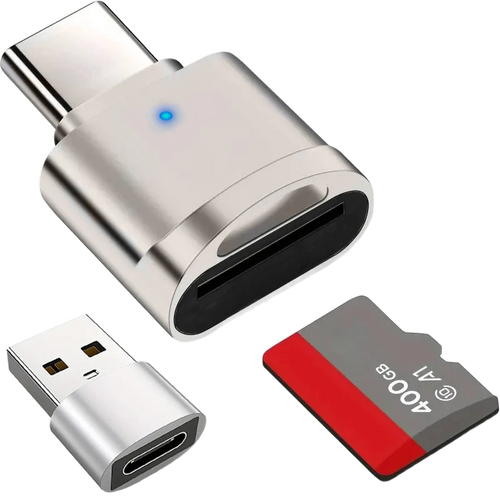
Which card reader to choose based on your computer's port
Questions fréquentes
Do I need a reader if my computer already has an SD slot?
Not always, but it helps: many built-in slots only accept full-size SD cards and force you to use an adapter, a fragile part that causes disconnections in the middle of a copy. At €3.99, a dedicated reader avoids interrupting the writing of a firmware.
USB-A or USB-C, which one should you take?
The USB-C model is the more versatile: it comes with a USB-A adapter, so it works on both types of port. The USB-A model remains worthwhile if you also need to read full-size SD cards, since it has both slots.
Can the reader damage my microSD card?
The risk comes mainly from pulling it out while it is live. Always use the software eject before unplugging, especially after writing a system image of several gigabytes. A card removed during writing can become unreadable and will have to be reformatted.