Description complète
USB card reader: prepare your console's card without any fiddling
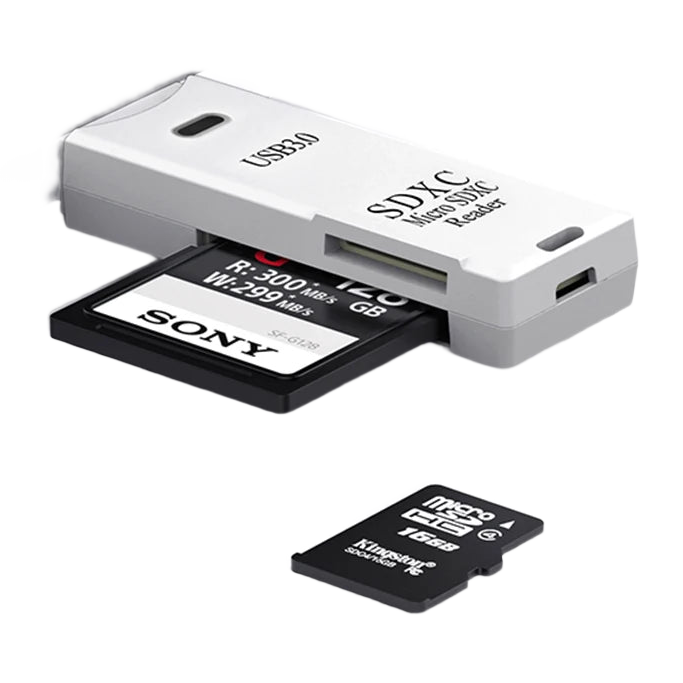
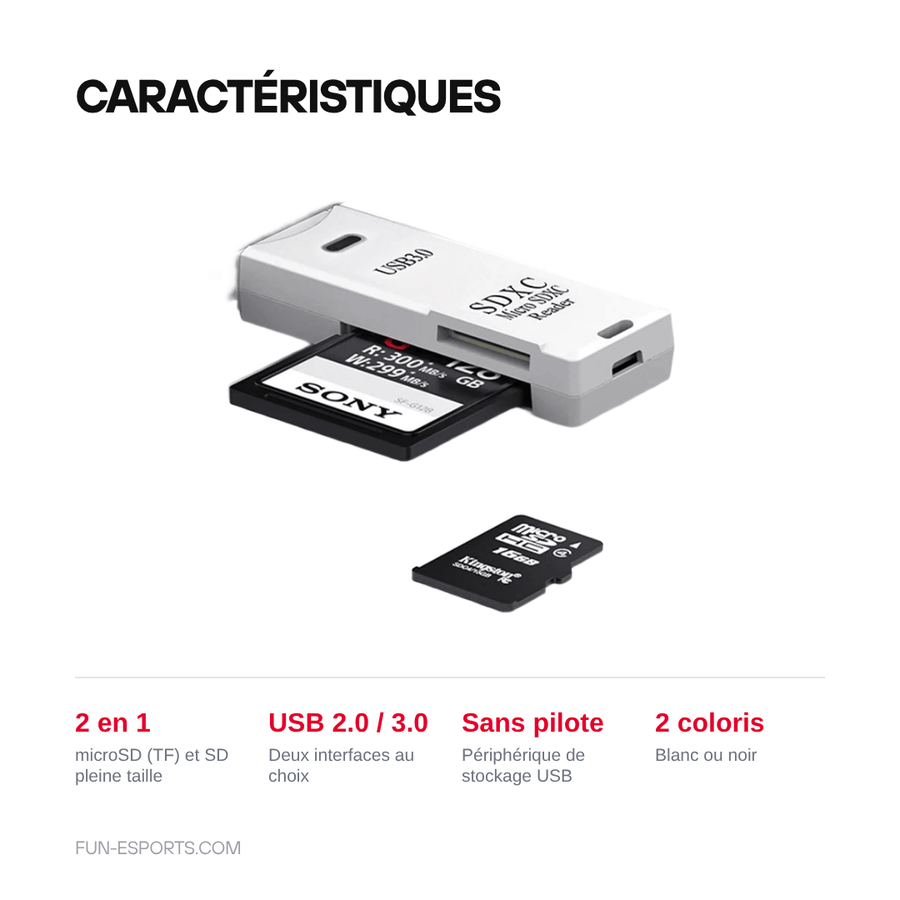
On a retro handheld console, everything starts with the memory card: it holds the firmware, the BIOS files and the game library. You still need to be able to connect it to a computer. This 2-in-1 reader accepts a microSD (TF) card and a full-size SD card, plugs into a USB Type-A port and shows up as a simple removable drive.
What it does
- Two slots: microSD and SD, without an intermediate adapter that always ends up getting lost.
- No driver to install: standard USB storage device, recognised by Windows, macOS and Linux.
- Pocket-sized: stores with your screwdrivers instead of relying on a laptop's built-in reader, when it has one.
What it doesn't do
- It comes with no memory card and contains no games, firmware or preinstalled system.
- It doesn't make a card faster: the actual speed depends on the card. The USB 2.0 version tops out much lower than the USB 3.0 version.
- It doesn't read CompactFlash, Memory Stick or xD — only microSD/TF and SD.
- It doesn't recover a faulty card and doesn't replace a proper format before writing a system image.
- USB Type-A connector only: on a computer with only USB-C ports, you need an adapter.
Compatibility
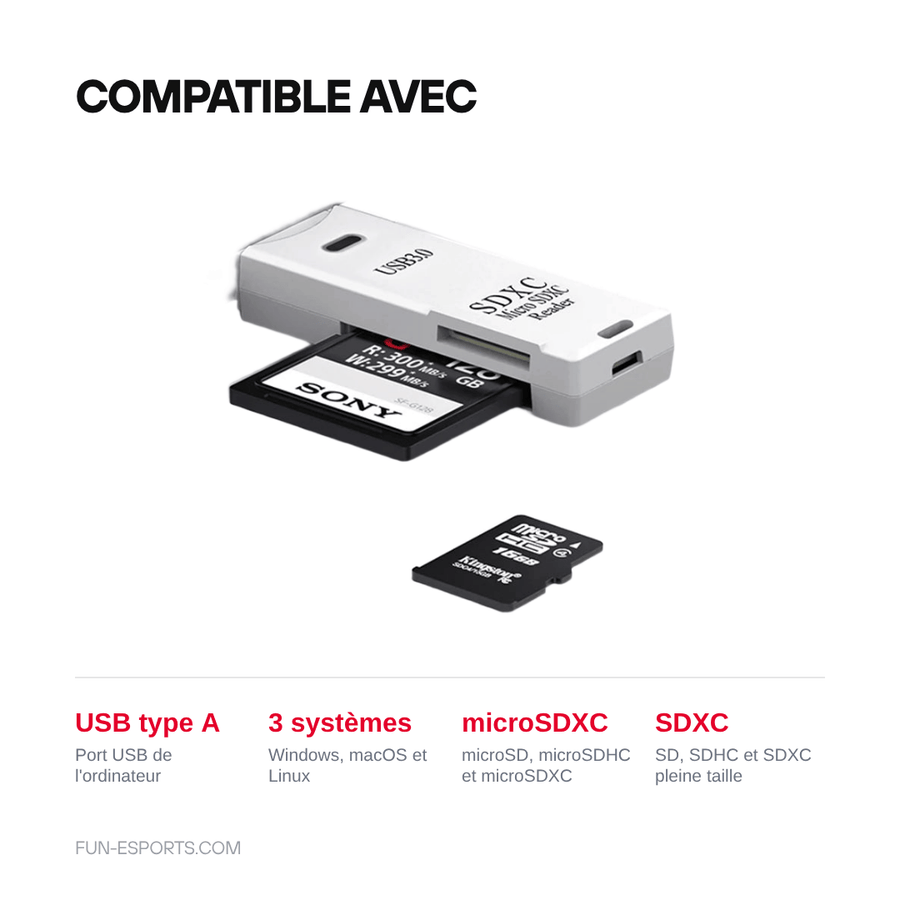
Any computer with a USB Type-A port, running Windows, macOS or Linux. Cards: microSD, microSDHC, microSDXC, SD, SDHC and SDXC. It's the tool for preparing the card of an Anbernic, Miyoo, TrimUI, Powkiddy or Retroid handheld console, or that of a Raspberry Pi. It doesn't plug into the console itself: it works on the computer side.
Skill level required
None. No disassembly, no soldering, no tools. Insert the card, plug in, copy. Formatting and writing the firmware image are then done with your operating system's usual utilities.
In the box
- One 2-in-1 USB card reader (microSD + SD), in the chosen version
Delivery in 10 to 18 days · ships within 3 to 5 days · 2-year legal guarantee · 14-day returns.
Further reading
- Choosing a microSD card for a retro console
- Checking that a microSD card isn't a counterfeit
- Formatting your microSD card: FAT32 or exFAT, and how to do it
- Where exactly each file goes, firmware by firmware
- My game won't launch: the fourteen possible causes
Our cards are shipped blank. The legal ways to build your game library are detailed on our Where to play legally page.
Read before ordering: microSD cards
USB microSD and SD card reader — flash your retro consoles
2-in-1 USB microSD and SD reader, to prepare your handheld consoles' cards from a computer.
En stock
📦Ships within 3 to 5 business days · Delivery in 10 to 18 business days · 2-year legal guarantee · 14-day returns.
ℹÀ partir de 150 €, la livraison s’effectue en Point Relais.
- 🇫🇷SAV français
réponse sous 1 jour ouvré - 🛡Garantie légale
2 ans - ↩14 jours
pour changer d’avis - 🔒Paiement sécurisé
CB · PayPal · Klarna
It all starts with the card
On a retro handheld console, the memory card isn't an accessory: it's the machine's hard drive. The firmware, BIOS files, saves and game library all live on it together. The day you need to update the system or start again from a clean card, the question is always the same: how to connect it to the computer. Many laptops no longer have a built-in reader, and the adapters supplied with cards end up at the bottom of a drawer.
Two slots, no adapter
This reader solves the problem with two slots in the same housing: microSD on one side, full-size SD on the other. Insert the card, plug the reader into a USB Type-A port, and the card shows up as a removable drive, with no driver or software to install. It fits in a tool-kit pocket, next to the screwdrivers and spudgers. The USB 3.0 version speeds up copying a well-filled card; the USB 2.0 version does the same job on a tighter budget.
What it won't do for you
A card reader is a pipe, not an accelerator: the actual speed is that of the card you put in it, and a slow card will stay slow. It doesn't recover a faulty card, doesn't replace a proper format before writing a system image, and comes with no card, no games and no firmware. Nor does it read the old CompactFlash, Memory Stick or xD formats. Listing verified on 19 August 2026.
What this accessory brings
Verified manufacturer specifications · vérifié le
Ce qu’il fait bien
- Two slots: microSD (TF) and full-size SD
- No driver to install, standard USB storage device
- Plugs straight into a USB Type-A port, no cable
- Pocket-sized, to keep with your tool kit
Ce qu’il ne fait pas
- Supplied without memory card, games or firmware
- Actual speed depends on the card, not the reader
- The USB 2.0 version is much slower than the USB 3.0 version
- Doesn't read CompactFlash, Memory Stick or xD
- USB Type-A connector: adapter needed on an all-USB-C computer
Voir toute la fiche technique+
Matière et format
- Type d’accessoire
- USB memory card reader
Compatible avec
- microSD / microSDHC / microSDXC cards
- SD / SDHC / SDXC cards
- Windows PC
- macOS
- Linux
- USB Type-A port
Dans la boîte
- One 2-in-1 USB card reader (microSD + SD)
Frequently Asked Questions
🔌 Which port does this reader plug into?
A USB Type-A port, the one found on almost all desktop and laptop computers. On a machine with only USB-C, you need an adapter.
💾 Which card formats does it accept?
microSD, microSDHC and microSDXC cards (also called TF) on one side, full-size SD, SDHC and SDXC cards on the other. No CompactFlash, Memory Stick or xD.
🎮 Can I prepare my handheld console's card with it?
Yes: that's its main use for us. Take the card out of the console, connect it to the computer, then copy your files or write the firmware image. The reader is supplied without games, in compliance with the law.
⚡ What's the difference between the USB 2.0 and USB 3.0 versions?
The port speed. The USB 3.0 version makes copying a large card much faster; the USB 2.0 version does the same job, more slowly. In both cases, the speed is capped at that of the card used.
🧰 Do I need to install a driver?
No. It's recognised as a standard USB storage device by Windows, macOS and Linux, with no installation.
📦 What's in the box?
One 2-in-1 USB card reader, in the chosen version. No memory card is included.
🚚 What are the delivery times?
Delivery in 10 to 18 days, ships within 3 to 5 days.
🛡️ What warranty applies?
2-year legal guarantee of conformity. 14-day returns. French customer service, reply within 1 business day.
Why buy here rather than on a marketplace
It is a fair question. Here is the answer, straight.
Every listing is checked before publication: real compatibility, material, dimensions, box contents. Many models never make it into the catalogue.
A question about compatibility, a fit problem, a return: you write, a human replies within 1 business day. In French.
The 2-year legal warranty of conformity is handled by us — not by a form on the other side of the world. And 14 days to change your mind, with no need to justify yourself.
We do not claim to be the cheapest. We claim that you will know exactly what you are buying before you pay.
Read this before choosing
Our guides to accessories: compatibility, protection, transport.

Pixel art: create your own designs for a Divoom display
Grid size, number of colours, outlines, animation: the guide to getting started in pixel art and displaying your own creations on a Divoom display.
2 min de lecture · publié le

Divoom pixel art speakers: which one should you choose?
Astrotoo, Ditoo-Pro, FlowToo, Tiivoo-2, Timebox-Evo, MiniToo, Fairy-OK: the seven Divoom speakers compared, by use and budget.
2 min de lecture · publié le

Times Frame or Times Frame Pure: which Divoom floating photo frame should you choose?
64 or 32 GB, three colours or just one, a dial or not: the real differences between the Times Frame and Times Frame Pure…
1 min de lecture · publié le