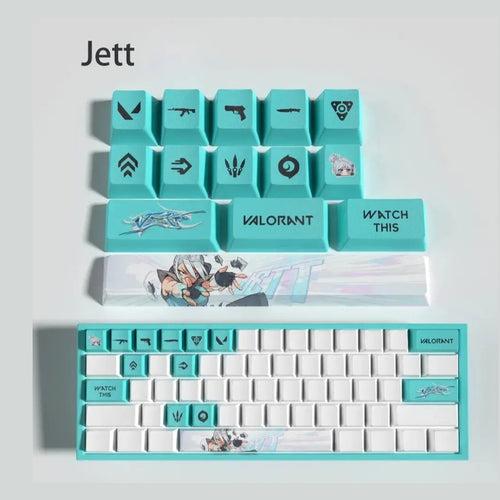
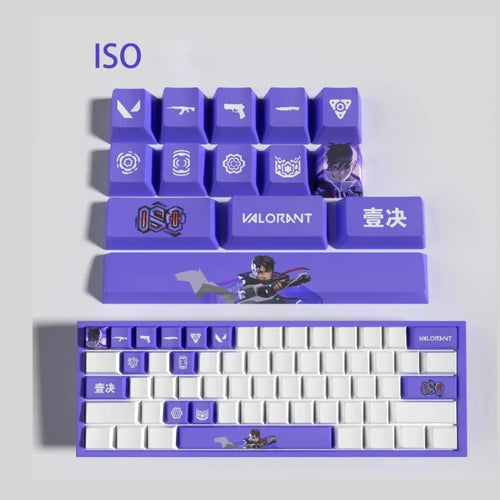
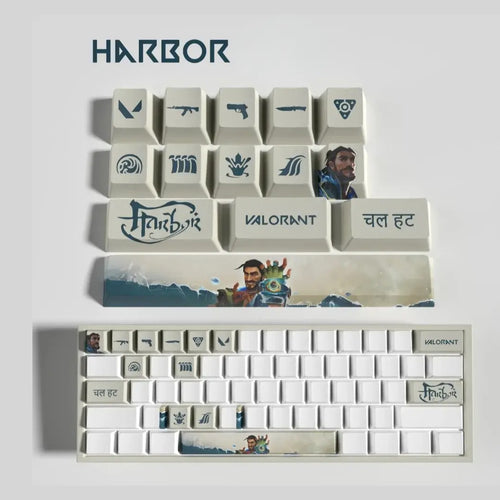
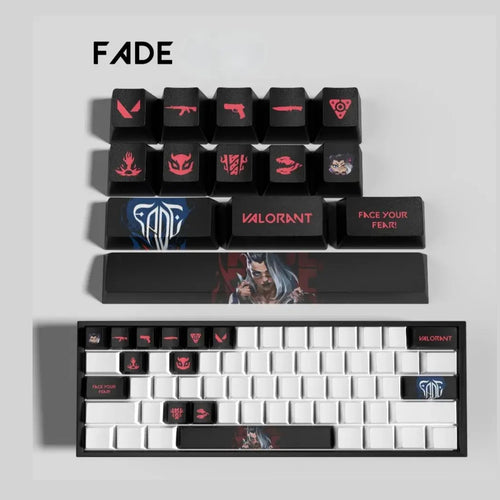
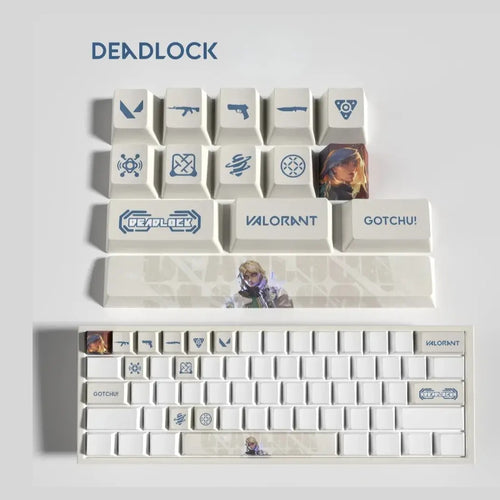
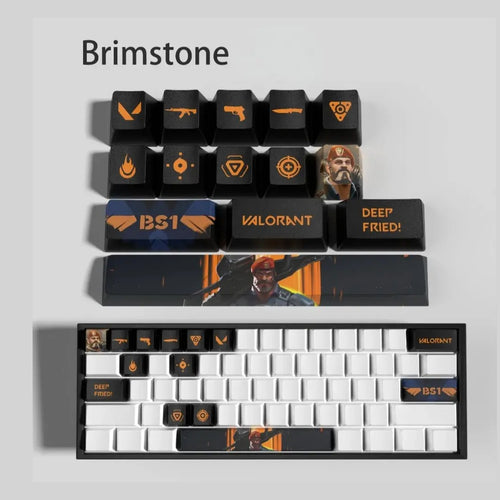
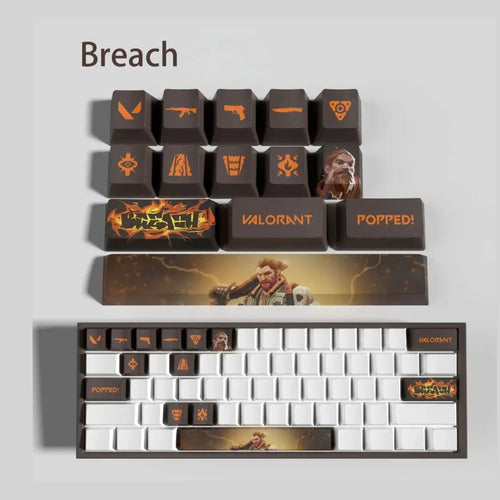
Valorant Keycaps

In Valorant, a round is decided in a few tenths of a second and your left hand barely ever leaves the same square of keys. That is exactly what these Valorant keycaps dress up: sets of 14 PBT keys broken down agent by agent, from duelist to sentinel, for mechanical keyboards. Beyond the look, the product names state varied finishes — matte, textured, sculpted or non-slip — a point that genuinely matters when your fingers stay in the same place for hours.

What you should know before buying keycaps

Profiles: OEM, Cherry, SA and XDA

The profile defines the height and curve of each row. OEM is the factory standard on most gaming keyboards, with a different tilt depending on the row. Cherry is its lower, flatter cousin, often preferred for long sessions. SA is tall, with a pronounced spherical top that changes the angle of the wrist. XDA keeps the same height across every row, which simplifies everything on a partial set.

Texture and material: why PBT dominates in FPS

ABS gives bright colours but polishes quickly: the movement keys turn smooth and shiny, exactly where you want grip. PBT is denser and keeps its dry grain far longer, resists yellowing better and copes better with sweat. Every set in this collection states PBT, and several specify a particular finish in their name: matte, textured, sculpted or non-slip.

Printing: what lasts and what wears off

  • Double-shot: two plastics moulded together, the legend runs right through the key. No wear is possible, but an illustration with gradients cannot be reproduced.
  • Dye-sublimation: the dye migrates into the PBT under heat. The artwork becomes one with the material and does not wear off, with the classic limit of dark on light only.
  • Laser engraving: the beam marks or removes material. It is crisp, durable, with a slight relief to the touch.
  • Screen or pad printing: the only affordable method for a colour-rich design, but its longevity depends entirely on the coating applied over it.

RGB backlighting

An illustrated key is opaque: light does not pass through the artwork, it escapes around the edge of the key and reflects off the plate. For a legend that lights up, you would need a shine-through key with a translucent layer, incompatible with full-surface artwork.

Compatibility: MX stem and clones

These keycaps fit switches with an MX stem, the four-armed cross that has become the de facto standard. Cherry, Gateron, Kailh, Outemu, Akko, TTC, JWK and the vast majority of optical switches in gaming keyboards copy it identically. Excluded: membrane keyboards, laptop keyboards with scissor mechanisms, Topre and Alps switches, as well as low-profile keyboards with Choc switches.

AZERTY: what American sets forget

Off-the-shelf keycaps are designed for an ANSI keyboard in QWERTY. In France, three gaps stand out. The accented characters é, è, ç, à and ù have no equivalent in an American set, whereas here they occupy the number row and a key in the right-hand block. The M sits to the right of L on AZERTY and not at the bottom of the keyboard, which offsets any imported letter row. Finally, the L-shaped ISO Enter and the extra key next to the left Shift do not exist in an ANSI set. A 14 key set escapes these constraints since it only replaces chosen keys, in standard size.

How many keys to choose

  • Fourteen keys cover the movement cluster, the four abilities, the walk key, crouch and the weapon slots. It is the format stated on every agent set in this collection.
  • Twelve keys, more common in other universes, is enough if you only want to colour movement and abilities.
  • A full set unifies the whole keyboard but means checking the space bar, the Enter key and the keys specific to ISO, a delicate exercise on AZERTY.

A useful reminder: a keycap changes no shortcut. Swapping the cap on a key alters neither the system layout nor your in-game binds. What you gain is an immediate visual and tactile landmark, which is no small thing when you need to find an ability without looking.

For a consistent setup, build on the agent's palette and stick to two shades, one dominant and one accent. Echo the dominant shade in the backlighting and on the pad, and keep the rest neutral.

Our selection

Duelists

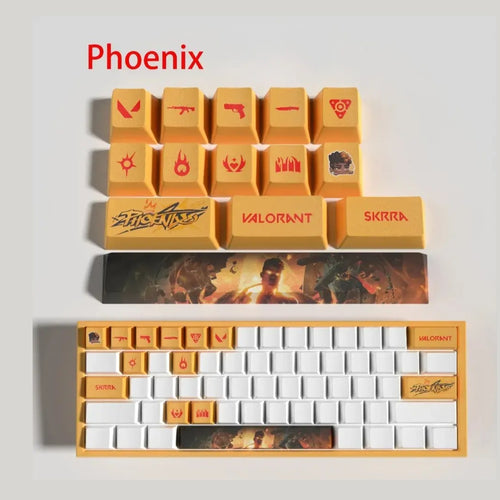
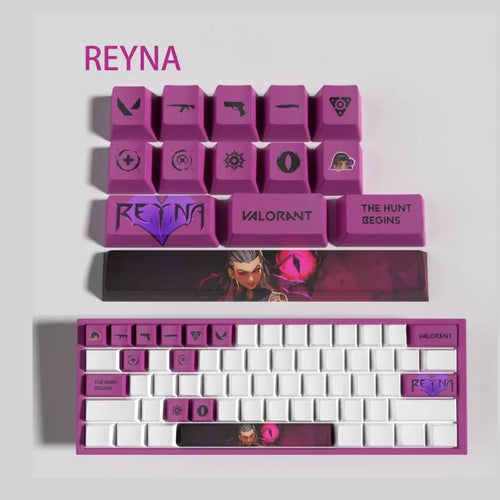
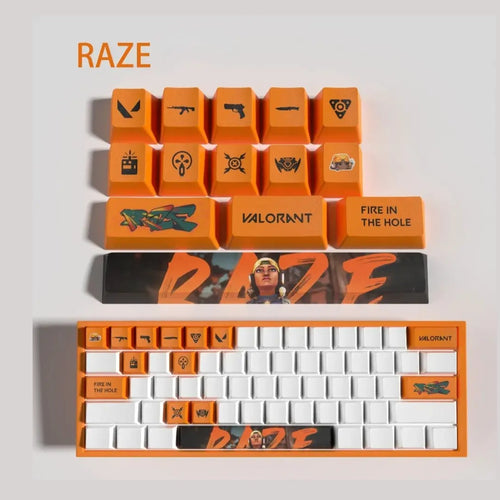
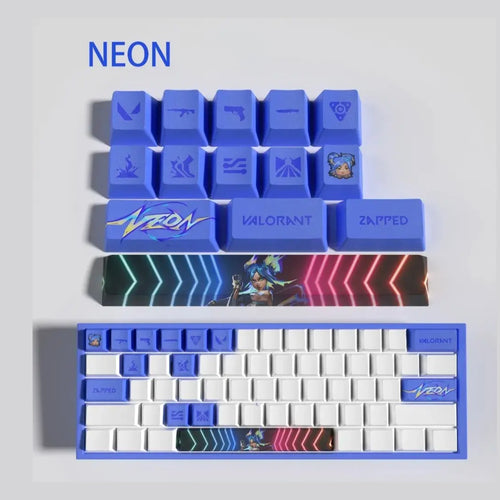
Jett is listed as 14 ultra-light PBT keys, Raze as reinforced and Reyna as glow-in-the-dark. Phoenix, Neon and ISO, in a textured finish, complete the role.

Controllers

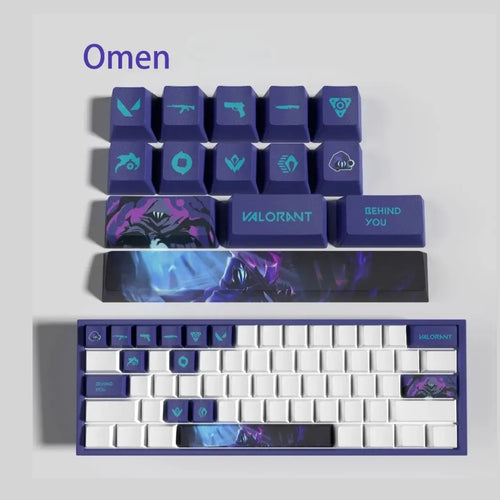
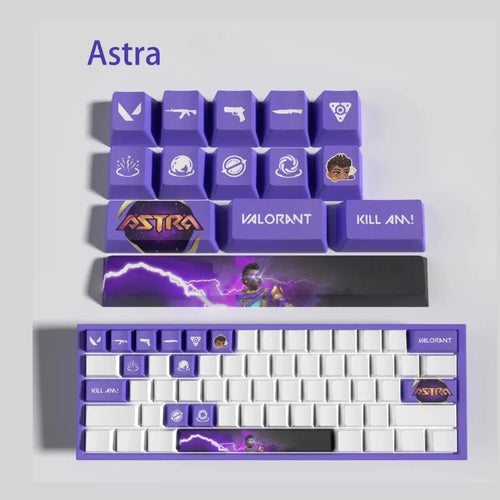
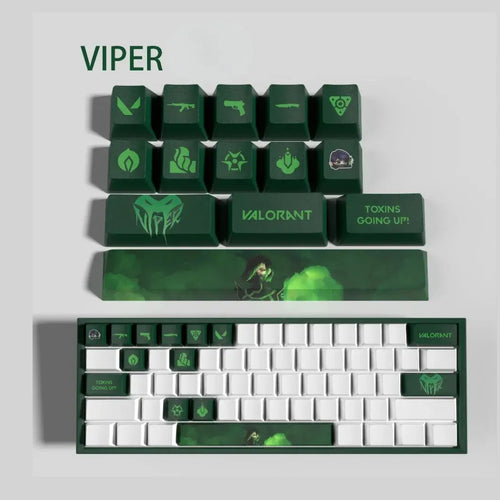
Omen comes as 14 matte PBT keys and Brimstone in a textured finish. Astra states laser engraving, Viper a washable set, and Harbor the classic 14 key PBT format.

Initiators

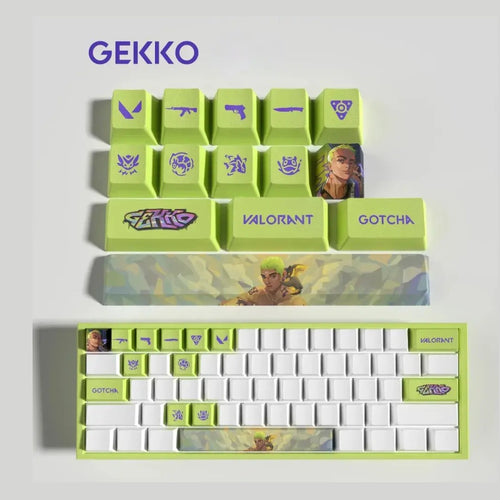
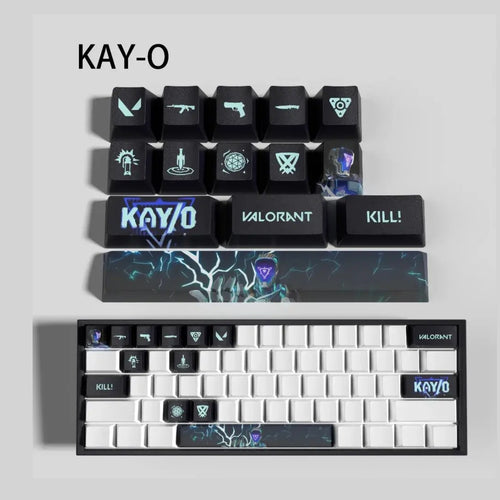
Breach is the only set listed as double-shot. Gekko goes for a non-slip finish, Fade is described as fade-resistant and KAY/O stays with the standard format.

Sentinels

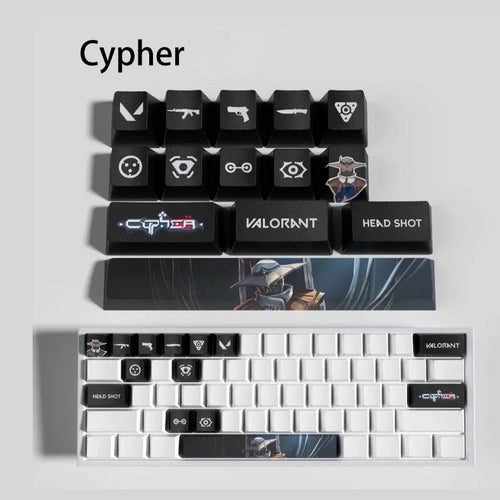
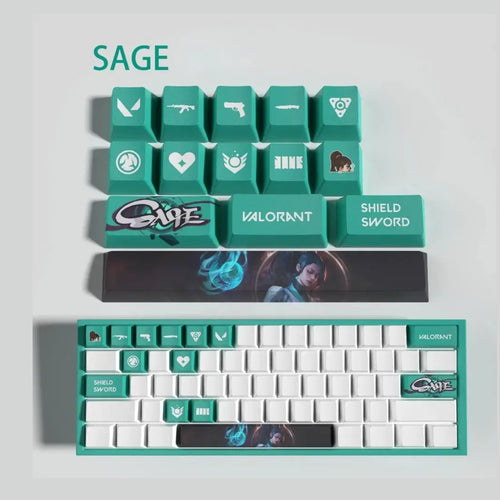
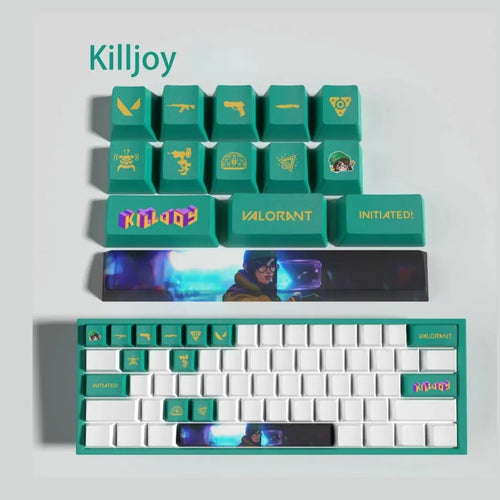
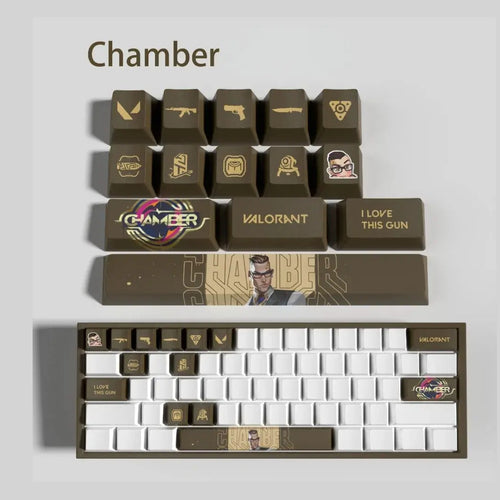
Cypher states sculpted keys, Chamber laser engraving, Sage a soft-touch finish and Deadlock a non-slip treatment, ahead of Killjoy.

Outside the roster

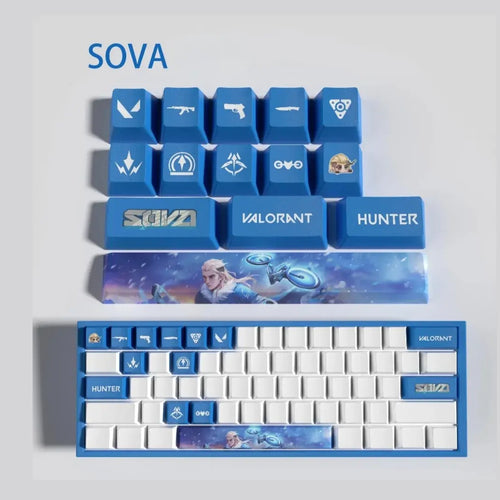
The Nova set uses the 14 key PBT format, with a name that matches no agent on the roster.

Table of sets by agent

Specifications taken from the product names. A dash indicates information that is not specified.
Set Agent role Number of keys Material Stated finish or printing
Breach Initiator 14 PBT Double-shot
Chamber Sentinel 14 PBT Laser engraving
Astra Controller 14 PBT Laser engraving
Omen Controller 14 PBT Matte
Cypher Sentinel 14 PBT Sculpted
Sage Sentinel 14 PBT Soft-touch

Frequently asked questions

How do I know if my keyboard is compatible

Remove a key and examine the switch stem. If you see a four-armed cross, you are on MX, the standard shared by Cherry, Gateron, Kailh, Outemu, Akko, TTC and most optical gaming switches. A 14 key set will then fit with no adapter. A membrane, a scissor mechanism or a Topre switch will not do.

Do these sets work on an AZERTY keyboard

Yes. They are partial sets in standard size: you decide which positions to put them on, independently of the layout. The classic problems of American sets — missing accented é è ç à ù, M placed to the right of L on AZERTY, L-shaped ISO Enter — only affect full 104 key sets meant to reproduce an entire keyboard.

How do I remove the original keys

Use a wire puller, often supplied with mechanical keyboards and gentler than plastic models. Slip the two metal loops under two opposite edges of the cap, then pull straight up without tilting. Photograph the keyboard before taking it apart.

Do these keycaps deteriorate with use

PBT resists far better than ABS the polishing that makes keys shiny after a few months. As for the artwork, it all depends on the process: laser engraving or double-shot printing is part of the material and cannot come off, whereas a print laid on the surface depends on its coating. The movement keys are always the first affected.

Will the backlighting shine through the artwork

No, except on an explicitly translucent key. Agent artwork covers the whole surface and blocks the light, which comes out around the cap. The result is a coloured halo on the plate, often cleaner than a lit legend. Set the lighting to a shade close to the agent's palette.

Going further

Explore the whole catalogue in the keycaps collection or change universe with the League of Legends keycaps. To complete the configuration, our gaming mice let you tie the whole gaming station together.
21 items21 available right now
21 products
Washable set: Valorant Viper keycaps – 14 durable PBT keycaps
Fun-Esports Washable set: Valorant Viper keycaps – 14 durable PBT keycaps Available
29,90€
Valorant Chamber Keycaps – 14 PBT keys with laser engraving
Fun-Esports Valorant Chamber Keycaps – 14 PBT keys with laser engravingAvailable
29,90€
Thermal resistance: Valorant Phoenix keycaps – 14 PBT keys
Fun-Esports Thermal resistance: Valorant Phoenix keycaps – 14 PBT keysAvailable
29,90€
Ultimate stealth: Valorant Omen keycaps – 14 matte PBT keys
Fun-Esports Ultimate stealth: Valorant Omen keycaps – 14 matte PBT keys Available
29,90€
Ultimate grip: Valorant Gekko keycaps – 14 non-slip PBT keycaps
Fun-Esports Ultimate grip: Valorant Gekko keycaps – 14 non-slip PBT keycaps Available
29,90€
Valorant Cypher Keycaps – 14 sculpted PBT keys
Fun-Esports Valorant Cypher Keycaps – 14 sculpted PBT keysAvailable
29,90€
Valorant Astra Keycaps – 14 PBT keys with precise laser engraving
Fun-Esports Valorant Astra Keycaps – 14 PBT keys with precise laser engravingAvailable
29,90€
Zen comfort: Valorant Sage Keycaps – 14 soft-touch PBT keys
Fun-Esports Zen comfort: Valorant Sage Keycaps – 14 soft-touch PBT keysAvailable
29,90€
Spectral effect: Valorant Reyna keycaps – 14 luminescent PBT keys
Fun-Esports Spectral effect: Valorant Reyna keycaps – 14 luminescent PBT keys Available
29,90€
Explosive attack: Raze Valorant keycaps – 14 reinforced PBT keycaps
Fun-Esports Explosive attack: Raze Valorant keycaps – 14 reinforced PBT keycaps Available
29,90€
Valorant Nova Keycaps – Set of 14 PBT Keycaps for Mechanical Keyboards
Fun-Esports Valorant Nova Keycaps – Set of 14 PBT Keycaps for Mechanical KeyboardsAvailable
29,90€
Valorant Neon Keycaps – Set of 14 PBT Keycaps for Mechanical Keyboards
Fun-Esports Valorant Neon Keycaps – Set of 14 PBT Keycaps for Mechanical KeyboardsAvailable
29,90€
High durability: Valorant Killjoy Keycaps – 14 PBT keys
Fun-Esports High durability: Valorant Killjoy Keycaps – 14 PBT keysAvailable
29,90€
Valorant KAY/O Keycaps – Set of 14 PBT Keycaps for Mechanical Keyboards
Fun-Esports Valorant KAY/O Keycaps – Set of 14 PBT Keycaps for Mechanical Keyboards Available
29,90€
Stealth Strike: Valorant Jett Keycaps – 14 ultra-light PBT keys
Fun-Esports Stealth Strike: Valorant Jett Keycaps – 14 ultra-light PBT keys Available
29,90€
Enhanced grip: Valorant ISO keycaps – 14 textured PBT keys
Fun-Esports Enhanced grip: Valorant ISO keycaps – 14 textured PBT keys Available
29,90€
Valorant Harbor Keycaps – Set of 14 PBT Keycaps for Mechanical Keyboards
Fun-Esports Valorant Harbor Keycaps – Set of 14 PBT Keycaps for Mechanical Keyboards Available
29,90€
Valorant Fade Keycaps – 14 PBT anti-fade keycaps
Fun-Esports Valorant Fade Keycaps – 14 PBT anti-fade keycapsAvailable
29,90€
Valorant Deadlock Keycaps – 14 Anti-slip PBT Keycaps
Fun-Esports Valorant Deadlock Keycaps – 14 Anti-slip PBT KeycapsAvailable
29,90€
Enhanced grip: Valorant Brimstone keycaps – 14 textured PBT keys
Fun-Esports Enhanced grip: Valorant Brimstone keycaps – 14 textured PBT keys Available
29,90€
Reinforced grip: Valorant Breach keycaps – 14 double-shot PBT keys
Fun-Esports Reinforced grip: Valorant Breach keycaps – 14 double-shot PBT keysAvailable
29,90€

Bien choisir son set de keycaps Valorant

Ce qu’il faut savoir avant d’acheter des keycaps

Profils : OEM, Cherry, SA et XDA

Le profil définit la hauteur et la courbure de chaque rangée. Le OEM est le standard d’origine de la plupart des claviers gaming, avec une inclinaison différente selon la rangée. Le Cherry est son cousin plus bas et plus plat, souvent préféré pour les longues sessions. Le SA monte haut, avec un dessus sphérique marqué qui modifie l’angle du poignet. Le XDA garde la même hauteur sur toutes les rangées, ce qui simplifie tout sur un set partiel.

Texture et matériau : pourquoi le PBT domine en FPS

L’ABS donne des couleurs éclatantes mais se polit rapidement : les touches de déplacement deviennent lisses et brillantes, exactement là où l’on cherche de l’adhérence. Le PBT est plus dense et conserve un grain sec bien plus longtemps, résiste mieux au jaunissement et supporte mieux la transpiration. Tous les sets de cette collection annoncent du PBT, et plusieurs précisent une finition particulière dans leur intitulé, mate, grainée, sculptée ou antidérapante.

Impression : ce qui tient et ce qui s’efface

  • Double-shot : deux plastiques moulés ensemble, la légende traverse la touche de part en part. Aucune usure possible, mais impossible de reproduire une illustration en dégradé.
  • Dye-sublimation : le colorant migre dans le PBT à la chaleur. Le motif fait corps avec la matière et ne s’efface pas, avec la limite classique du foncé sur clair uniquement.
  • Gravure laser : le faisceau marque ou retire la matière. C’est net, durable, avec un léger relief au toucher.
  • Sérigraphie ou impression tampon : la seule méthode économique pour un visuel riche en couleurs, mais sa longévité dépend entièrement du vernis appliqué par-dessus.

Rétroéclairage RGB

Une touche illustrée est opaque : la lumière ne traverse pas le motif, elle sort par le pourtour de la touche et se reflète sur la plaque. Pour une légende qui s’allume, il faudrait une touche shine-through à couche translucide, incompatible avec un visuel pleine surface.

Non, sauf pour une touche explicitement translucide. Un visuel d’agent couvre toute la surface et bloque la lumière, qui ressort autour du capuchon. Le rendu est un halo coloré sur la plaque, souvent plus propre qu’une légende éclairée. Réglez l’éclairage sur une teinte proche de la palette de l’agent.

Compatibilité : tige MX et clones

Ces keycaps se montent sur des switchs à tige MX, la croix à quatre branches devenue le standard de fait. Cherry, Gateron, Kailh, Outemu, Akko, TTC, JWK et la grande majorité des switchs optiques des claviers gaming la reprennent à l’identique. Sont exclus : les claviers à membrane, les claviers d’ordinateur portable à mécanisme ciseau, les switchs Topre et Alps, ainsi que les claviers low-profile à switchs Choc.

AZERTY : ce que les sets américains oublient

Les keycaps de série sont dessinées pour un clavier ANSI en QWERTY. En France, trois écarts sautent aux yeux. Les caractères accentués é, è, ç, à et ù n’ont aucun équivalent dans un set américain, alors qu’ils occupent chez nous la rangée des chiffres et une touche du bloc de droite. Le M est situé à droite du L en AZERTY et non en bas de clavier, ce qui décale toute rangée de lettres importée. Enfin, l’Entrée ISO en L et la touche supplémentaire du Shift gauche n’existent pas dans un set ANSI. Un set de 14 touches échappe à ces contraintes puisqu’il ne remplace que des touches choisies, au format standard.

Combien de touches choisir

  • Quatorze touches couvrent le cluster de déplacement, les quatre compétences, la touche de marche lente, l’accroupissement et les emplacements d’armement. C’est le format annoncé sur l’ensemble des sets agent de cette collection.
  • Douze touches, plus courant sur d’autres univers, suffit si vous ne souhaitez colorer que le déplacement et les compétences.
  • Un set complet uniformise tout le clavier mais impose de vérifier la barre d’espace, l’Entrée et les touches propres à l’ISO, un exercice délicat en AZERTY.

Rappel utile : une keycap ne modifie aucun raccourci. Changer le capuchon d’une touche n’altère ni la disposition du système ni les binds du jeu. Ce que vous gagnez, c’est un repère visuel et tactile immédiat, ce qui n’est pas rien quand il faut retrouver une compétence sans regarder.

Pour la cohérence du setup, appuyez-vous sur la palette de l’agent et tenez-vous à deux teintes, une dominante et un accent. Reprenez la dominante dans le rétroéclairage et sur le tapis, et gardez le reste en neutre.

Notre sélection

Duellistes

Jett est annoncé en 14 touches PBT ultralégères, Raze en renforcées et Reyna en luminescentes. Phoenix, Neon et ISO, en finition grainée, complètent le poste.

Contrôleurs

Omen est proposé en 14 touches PBT mate et Brimstone en finition grainée. Astra annonce une gravure laser, Viper un set lavable, et Harbor le format 14 touches PBT classique.

Initiateurs

Breach est le seul set annoncé en double-shot. Gekko mise sur une finition antidérapante, Fade est décrit comme anti-décoloration et KAY/O reste sur le format standard.

Sentinelles

Cypher annonce des touches sculptées, Chamber une gravure laser, Sage une finition soft-touch et Deadlock un traitement antidérapant, devant Killjoy.

Hors roster

Le set Nova reprend le format de 14 touches PBT, avec un nom qui ne correspond à aucun agent du roster.

Les sets en un coup d’œil

Caractéristiques reprises de l’intitulé des produits. Un tiret indique une information non précisée. Colonnes : Set · Rôle de l’agent · Nombre de touches · Matériau · Finition ou impression annoncée.

  • Breach — Initiateur · 14 · PBT · Double-shot
  • Chamber — Sentinelle · 14 · PBT · Gravure laser
  • Astra — Contrôleur · 14 · PBT · Gravure laser
  • Omen — Contrôleur · 14 · PBT · Mate
  • Cypher — Sentinelle · 14 · PBT · Sculptée
  • Sage — Sentinelle · 14 · PBT · Soft-touch

Comment retirer les touches d’origine

Utilisez un extracteur à fil, souvent fourni avec les claviers mécaniques et plus doux que les modèles en plastique. Passez les deux boucles métalliques sous deux bords opposés du capuchon, puis tirez à la verticale sans basculer. Photographiez le clavier avant de démonter.

Pour aller plus loin

Explorez l’intégralité du catalogue dans la collection keycaps ou changez d’univers avec les keycaps League of Legends. Pour compléter la configuration, nos souris gamer permettent d’accorder l’ensemble du poste de jeu.

Questions fréquentes

Comment savoir si mon clavier est compatible
Retirez une touche et examinez la tige du switch. Si vous voyez une croix à quatre branches, vous êtes sur du MX, le standard partagé par Cherry, Gateron, Kailh, Outemu, Akko, TTC et la plupart des switchs optiques gaming. Un set de 14 touches se posera alors sans adaptateur. Une membrane, un mécanisme à ciseau ou un switch Topre ne conviennent pas.
Ces sets fonctionnent-ils sur un clavier AZERTY
Oui. Ce sont des sets partiels au format standard : vous décidez sur quelles positions les poser, indépendamment de la disposition. Les problèmes classiques des sets américains, absence des accentuées é è ç à ù, M placé à droite du L en AZERTY, Entrée ISO en L, ne touchent que les sets complets de 104 touches censés reproduire un clavier entier.
Est-ce que ces keycaps s’abîment à l’usage
Le PBT résiste nettement mieux que l’ABS au lustrage qui rend les touches brillantes après quelques mois. Côté motif, tout dépend du procédé : une gravure laser ou une impression double-shot fait partie de la matière et ne peut pas partir, alors qu’une impression déposée en surface dépend de son vernis. Les touches de déplacement sont toujours les premières concernées.