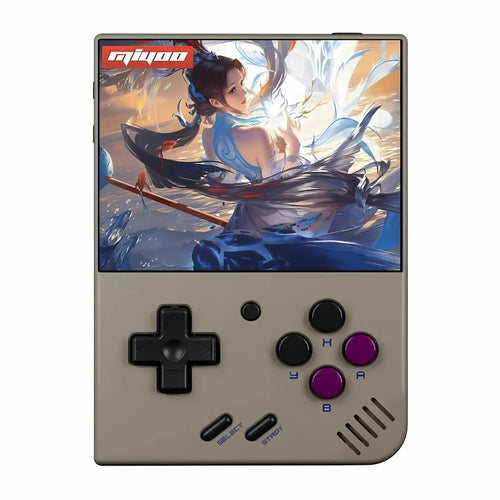
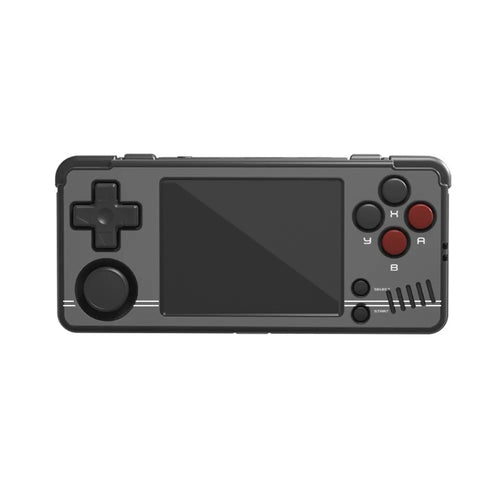
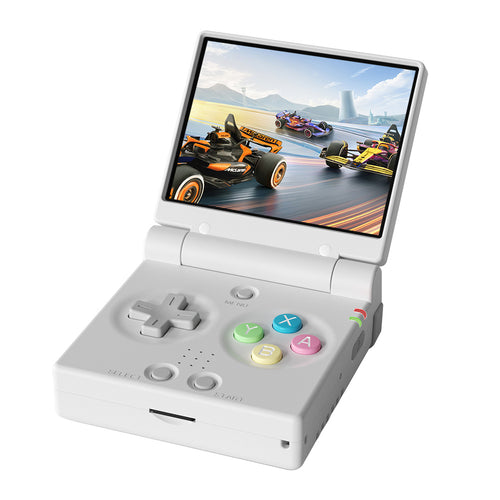
Miyoo handheld consoles : compact design, IPS screen and retro compatibility for smooth gaming anywhere.
The Miyoo console is a family of portable retro consoles centered on the simplicity , portability and excellent value for money . Highly popular with retro gaming enthusiasts, Miyoo devices rely on a pocket-sized format. precise commands and a community ecosystem (alternative firmware, themes, tutorials) which makes it easier to get started and improves the experience over time.
Miyoo flagship models
- Miyoo Mini — Ultra-compact format (~2.8" screen) designed for playing anywhere. Perfect for 8/16/32-bit and PS1 .
- Miyoo Mini Plus — ~3.5" format more comfortable, often equipped with Wi-Fi depending on revision: ideal for the same target audience (8/16/32-bit + PS1) with better display comfort.
Key takeaway: the Miyoo range focuses on 2D/PS1 retro gaming. There are no analog sticks . This is not the console recommended for heavier 3D (N64/Dreamcast/PSP).
Technical specifications & compatibility
- Sharp and bright IPS screen (2.8" on Mini, ~3.5" on Mini Plus) with resolution suitable for retro.
- Controls : precise directional pad, ABXY buttons, triggers — no analog sticks.
- System : Linux base optimized for emulation. Broad support for modern frontends.
- Connectivity : Wi-Fi (on Mini Plus depending on revision) useful for scraping cover art and updates.
- Storage : microSD for the system and your libraries. Easy to expand/replace.
- Compatibility : excellent on NES, SNES, Mega Drive, PC-Engine, Neo-Geo, GB/GBC/GBA, PS1 . Beyond (N64/Dreamcast/PSP): not recommended on Miyoo.
Advantages & disadvantages
Benefits
- Pocket-sized and feather-light — fits anywhere.
- Simple to use for 2D and PS1: you play quickly and well.
- Very competitive price/quality ratio .
- Active community : alternative firmwares, themes, guides (easy updates and customization).
Disadvantages
- No analog sticks → modern 3D games and some systems are not compatible.
- Limited power → aims for retro gaming up to PS1, not beyond.
- Original interface sometimes basic → advantage of alternative firmwares.
Miyoo vs other retro consoles
- Compared to larger “ready-to-play” Linux consoles : Miyoo is more portable , but less versatile (no heavy 3D).
- Compared to Android consoles : the latter handle 3D systems better (PSP/Dreamcast/N64), but are more expensive/bulky. Miyoo remains unbeatable for 2D/PS1 handheld gaming .
- Compared to Windows consoles : incomparable in power… and in price/weight. Miyoo targets simplicity and pure retro.
User guide: getting started
- Prepare a reliable microSD card (U3 class recommended). Always back up your data.
- Update the firmware (official or alternative) and follow a step-by-step installation guide.
- Add your games legally (personal backups). Avoid dubious bundles and opt for a clear organization by system.
- Scrape the covers via Wi-Fi (if available) or via a PC tool for a clean display per console.
- Refine the options : key mapping, simple shaders, 4:3/full screen ratio, quick saves.
- Energy : Lower the brightness and activate auto-sleep to extend battery life.
Which Miyoo should I choose?
- You want the most compact possible : Miyoo Mini (absolutely pocket-sized, quick sessions).
- You prioritize screen comfort : Miyoo Mini Plus (~3.5", increased visibility, often Wi-Fi).
- Main use : 2D retro (8/16/32-bit) + PS1 . For PSP/Dreamcast/N64, a more powerful Android console is recommended.
Where can I buy the Miyoo and at what price?
Choose reliable European retailers to benefit from secure payment, clear VAT and warranty information. as well as fast shipping . Expect prices to generally range from entry-level to mid-range. affordable range (prices fluctuate depending on demand, storage capacity and editions).
❓ Miyoo FAQ
🎯 Who is the Miyoo console for?
For those who want a pocket-sized, simple and efficient format , in order to enjoy classic 8/16/32-bit games and PS1 games without complex settings.
🧩 Which games and how do I install them?
Miyoo devices read ROMs from retro consoles (NES, SNES, Mega Drive, GBA, PS1, etc.). Copy your legally obtained backups to the microSD card, then refresh your library in your chosen frontend.
⚖️ Strengths and limitations?
+: Ultra-portable format, simplicity, price, community. -: No analog sticks, no heavy 3D, basic stock interface (alternative firmware improves the experience).
🛠️ Tips for getting started?
Use a high-quality microSD card (U3), update the firmware, scrape the covers, adjust brightness/ratio/key mapping, and enable quick backups & auto-sleep.
🛒 Where to buy the Miyoo Mini Plus?
See the product details: Miyoo Mini Plus — the ultimate retro gaming experience