Description complète
Tang Nano 20K: rebuild a console in logic, don't emulate it
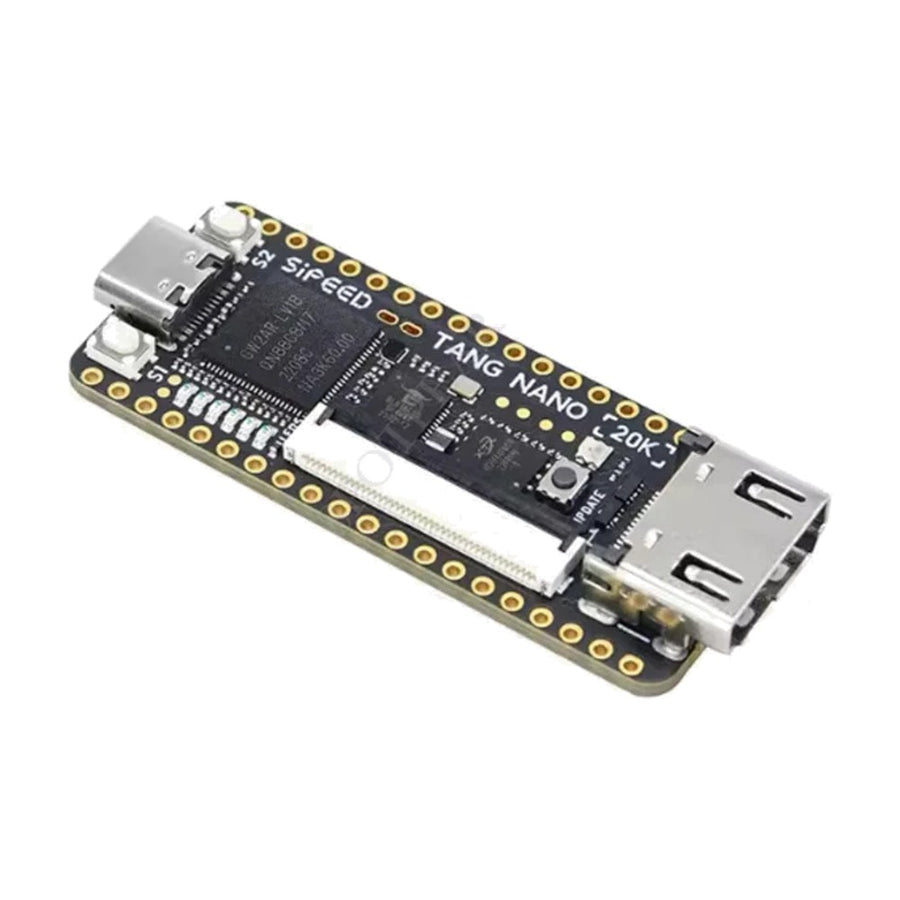
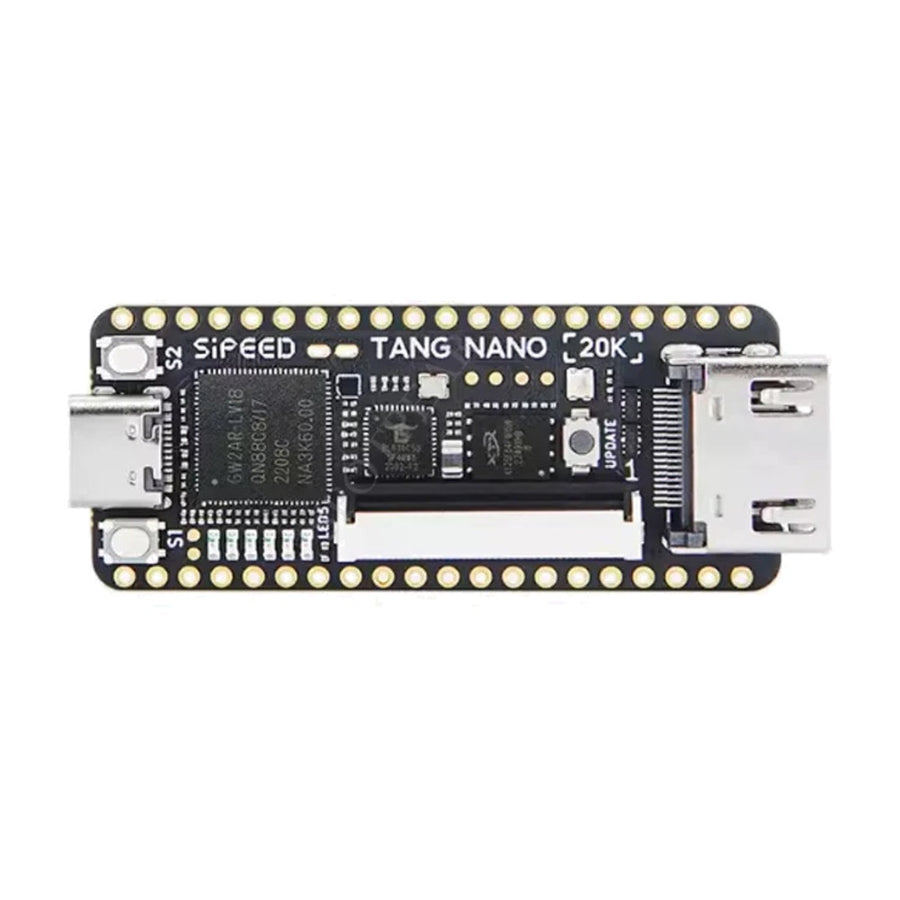
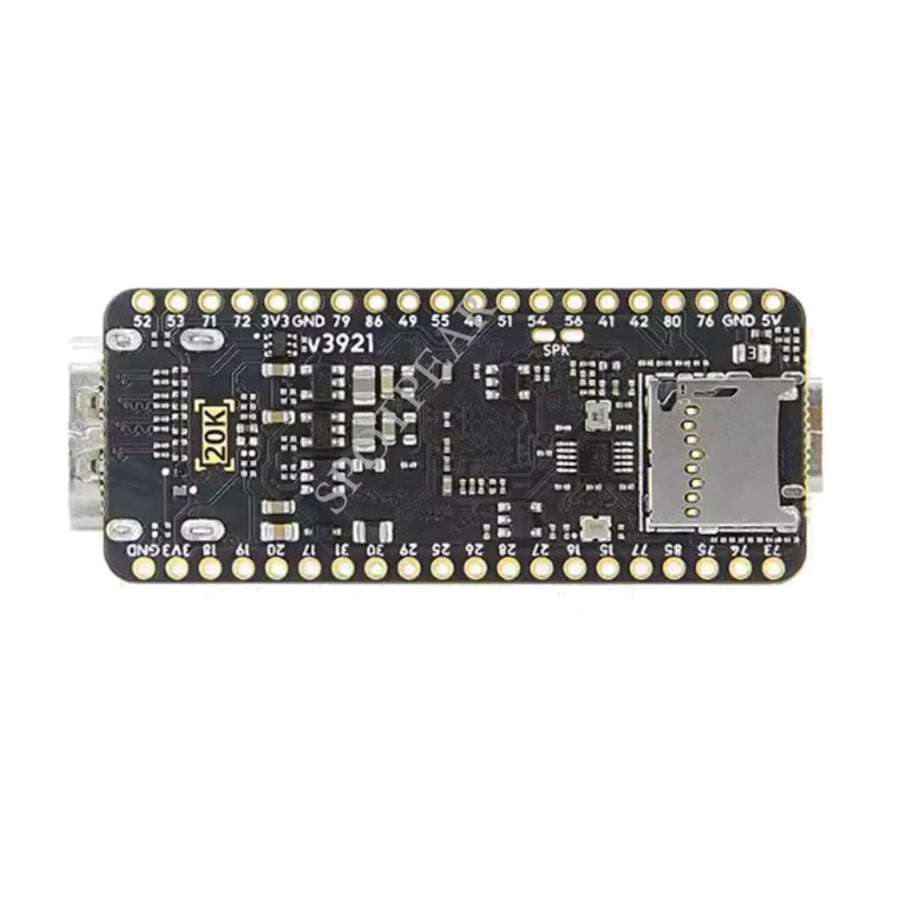
An FPGA development board the size of a USB stick, designed by Sipeed around a GOWIN GW2AR-18 chip. It is the hardware basis for retro computing projects in reconfigurable logic — NESTang, MiSTeryNano, Game Boy or Megadrive cores. HDMI output and microSD reader right on the board.
What it does
- 20,736 logic cells: 15,552 flip-flops, 828 Kbit of Block SRAM and 48 18×18 multipliers. Enough to fit the 8-bit cores and some of the 16-bit cores.
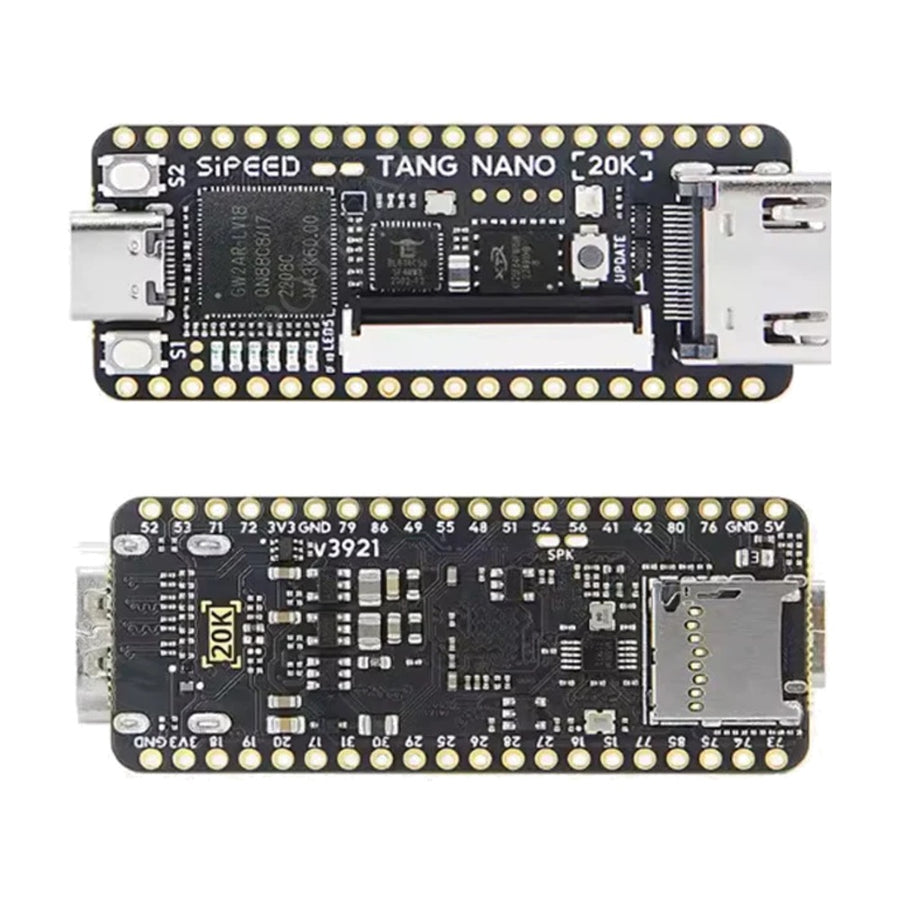
- HDMI and microSD on the board: picture on a modern TV and files loaded from the card, with no expansion board to add.
- Built-in BL616 debugger: JTAG, USB-UART and USB-SPI all run through the single USB-C cable. No programming probe to buy on top.
What it doesn't do
- This is not a ready-to-play console. No case, no controller, no mains power supply, no pre-installed system: the board comes out of its box bare.
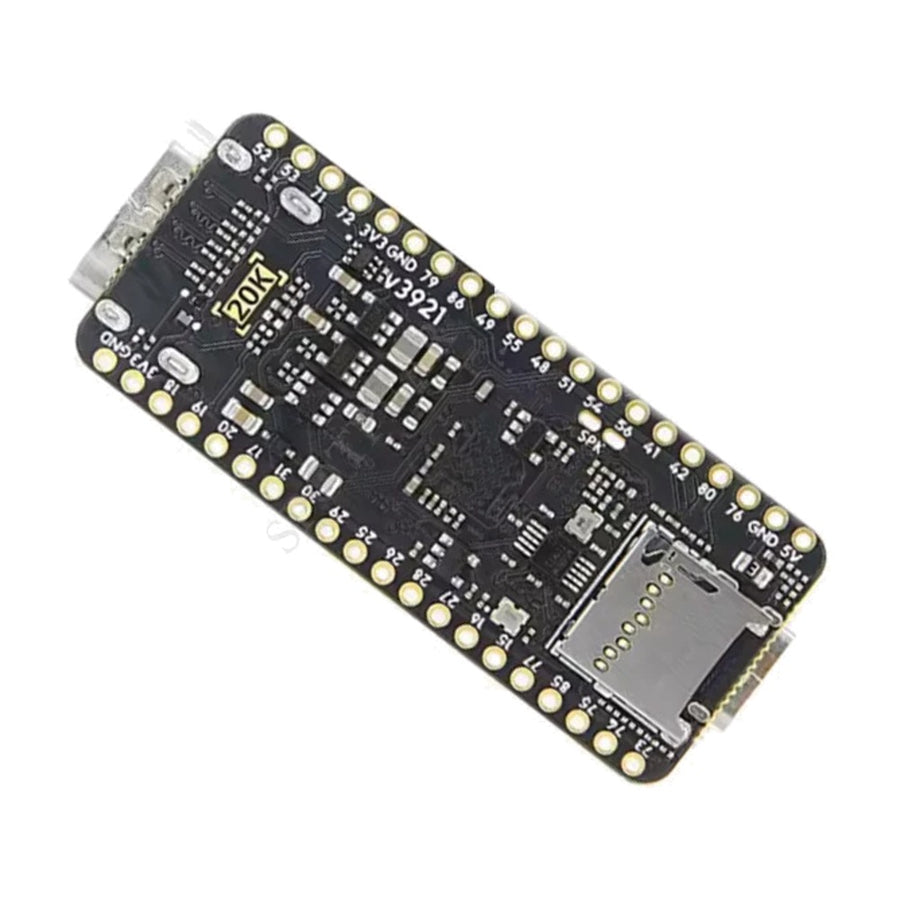
- The pin headers are supplied unsoldered. Until they are soldered, no GPIO is accessible — so no wired controller.
- 64 Mbit of SDRAM, i.e. 8 MB. Heavy cores — Neo Geo, CPS2 arcade, PlayStation — do not fit. This is not a scaled-down MiSTer FPGA.
- You need to install the GOWIN IDE on a PC and flash a bitstream yourself. Nothing starts when you power it on.
- Supplied without games, in compliance with the law. No game files are provided, pre-installed or downloadable from our website.
- The microSD card is not included.
Compatibility
Documented open projects around this board: NESTang (NES), MiSTeryNano (Atari ST, Amiga), and the Game Boy and Megadrive cores published by the GOWIN community. Display on any HDMI TV or monitor. Storage on a FAT32-formatted microSD card. Powered via the USB-C port. 40-pin RGB LCD connector available for an external screen.
What is not covered: MiSTer FPGA cores, which are written for the DE10-Nano's Cyclone V and do not compile on this chip.
Skill level required
Advanced. You need to be able to hand-solder two pin headers, install the GOWIN IDE (Windows or Linux), fetch a project from a public repository and compile it or flash its bitstream. You will need a 30 to 60 W soldering iron, flux and a PC. Without these three steps, the board does nothing.
In the box
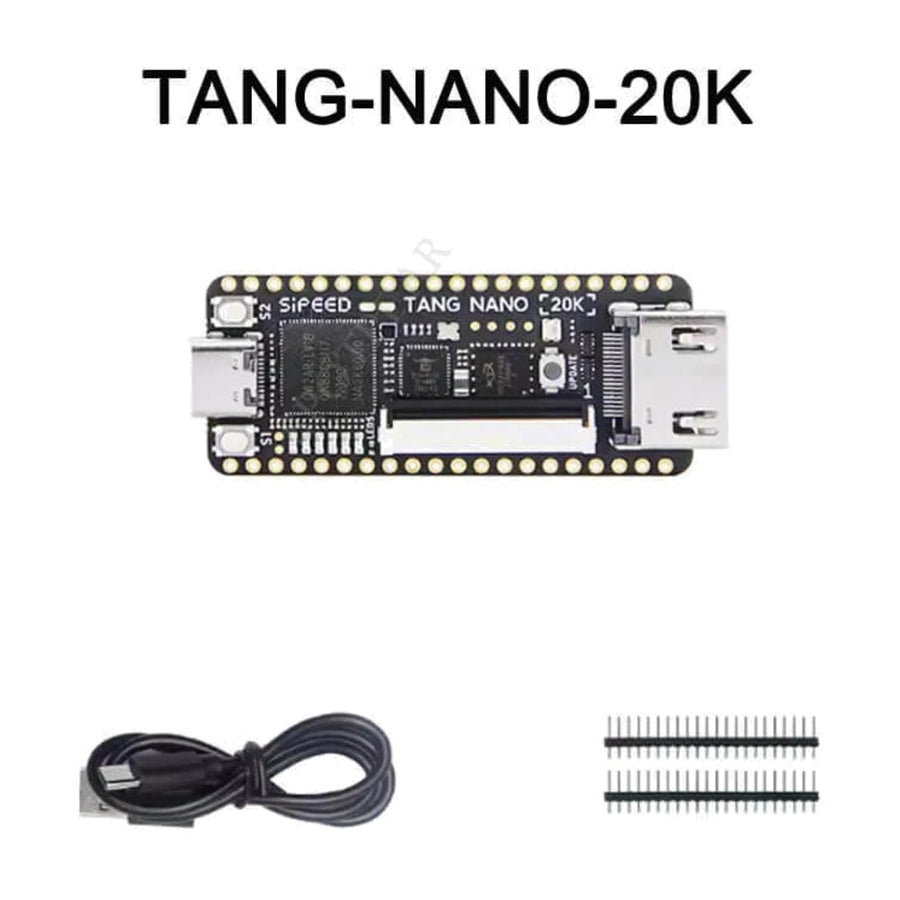
- 1 Sipeed Tang Nano 20K board, headers unsoldered
- 1 USB-C cable
- 2 black pin headers to solder
Read before ordering: Premium & FPGA Consoles
Sipeed Tang Nano 20K FPGA board — GOWIN GW2AR-18, HDMI output and microSD reader
Bare FPGA board for retro projects — soldering, IDE and bitstream are up to the buyer.
En stock
📦Delivery in 10 to 18 days · ships within 3 to 5 days
ℹÀ partir de 150 €, la livraison s’effectue en Point Relais.
- 🇫🇷SAV français
réponse sous 1 jour ouvré - 🛡Garantie légale
2 ans - ↩14 jours
pour changer d’avis - 🔒Paiement sécurisé
CB · PayPal · Klarna
The process: from bare board to running core
You solder the two headers, plug in the USB-C cable, install the GOWIN IDE, fetch a published project and flash its bitstream. From then on, the board no longer imitates a console: it reproduces its logic, port by port, in the FPGA fabric. It takes a few evenings of work, not just unboxing.
The board: why the 20K rather than another
Sipeed put on this board the three things entry-level FPGAs lack: an HDMI output, a microSD reader and a built-in debugger. No JTAG probe to buy, no daughter board to stack. That is what made it the platform for NESTang and MiSTeryNano rather than a Tang Nano 9K.
Support: documentation and French-speaking customer service
The manufacturer's documentation, pinouts and projects are public and open. On our side: French customer service with a reply within 1 business day, the 2-year legal guarantee of conformity and 14 days to change your mind. We do not provide games, bitstreams or programming assistance.
What this accessory brings
Verified manufacturer specifications · vérifié le
Ce qu’il fait bien
- GOWIN GW2AR-18 FPGA: 20,736 logic cells, 828 Kbit of Block SRAM
- HDMI output and microSD reader right on the board
- Built-in BL616 debugger: JTAG, USB-UART and USB-SPI via the USB-C cable
- USB-C powered, 22.55 × 54.04 mm, 44 g
- Built-in MAX98357A audio amplifier and RGB LED
Ce qu’il ne fait pas
- This is not a ready-to-play console: no case, no controller, no mains power supply
- Pin headers supplied unsoldered: no GPIO accessible without soldering
- Only 8 MB of SDRAM: Neo Geo, CPS2 arcade and PlayStation out of reach
- No pre-installed system: GOWIN IDE and bitstream flashing are up to you
- MiSTer FPGA cores do not compile on this chip
- Supplied without games, in compliance with the law
- microSD card not included
Voir toute la fiche technique+
Matière et format
- Type d’accessoire
- FPGA development board
Compatible avec
- HDMI TV or monitor
- FAT32 microSD card (not included)
- NESTang project (NES)
- MiSTeryNano project (Atari ST, Amiga)
- 40-pin RGB LCD screen
Dans la boîte
- 1 Sipeed Tang Nano 20K board, headers unsoldered
- 1 USB-C cable
- 2 black pin headers to solder
Frequently Asked Questions
🔧 Do I need to solder anything?
Yes. The two pin headers are supplied unsoldered. Until they are soldered, no GPIO pin is accessible — so no wired controller. Standard hand soldering with a 30 to 60 W iron and flux is all it takes.
🎮 Does it play straight out of the box?
No. This is a bare development board: no system is pre-installed. You need to install the GOWIN IDE on a PC, fetch an open project (NESTang, MiSTeryNano…) and flash its bitstream.
🔌 Which systems can it run?
The cores published by the GOWIN community: NES, Game Boy, Megadrive, Atari ST, Amiga. The 8 MB of SDRAM put Neo Geo, CPS2 arcade and PlayStation out of reach.
⚙️ Is it compatible with MiSTer FPGA cores?
No. MiSTer cores are written for the Cyclone V chip on the DE10-Nano board and do not compile on a GOWIN GW2AR-18. These are two separate ecosystems.
📦 What's in the box?
1 Sipeed Tang Nano 20K board with its unsoldered headers, 1 USB-C cable and 2 black pin headers to solder. No case, controller, mains power supply or microSD card.
📺 How do I connect the board to a TV?
Through the HDMI connector on the board, with a standard HDMI cable (not included). A 40-pin RGB LCD connector also lets you attach an external screen.
🚚 What are the delivery times?
Delivery in 10 to 18 days, ships within 3 to 5 days.
🛡️ Which guarantee applies?
2-year legal guarantee of conformity. 14-day returns. French customer service, reply within 1 business day.
Why buy here rather than on a marketplace
It is a fair question. Here is the answer, straight.
Every listing is checked before publication: real compatibility, material, dimensions, box contents. Many models never make it into the catalogue.
A question about compatibility, a fit problem, a return: you write, a human replies within 1 business day. In French.
The 2-year legal warranty of conformity is handled by us — not by a form on the other side of the world. And 14 days to change your mind, with no need to justify yourself.
We do not claim to be the cheapest. We claim that you will know exactly what you are buying before you pay.
Read this before choosing
Our guides to accessories: compatibility, protection, transport.

Pixel art: create your own designs for a Divoom display
Grid size, number of colours, outlines, animation: the guide to getting started in pixel art and displaying your own creations on a Divoom display.
2 min de lecture · publié le

Divoom pixel art speakers: which one should you choose?
Astrotoo, Ditoo-Pro, FlowToo, Tiivoo-2, Timebox-Evo, MiniToo, Fairy-OK: the seven Divoom speakers compared, by use and budget.
2 min de lecture · publié le

Times Frame or Times Frame Pure: which Divoom floating photo frame should you choose?
64 or 32 GB, three colours or just one, a dial or not: the real differences between the Times Frame and Times Frame Pure…
1 min de lecture · publié le