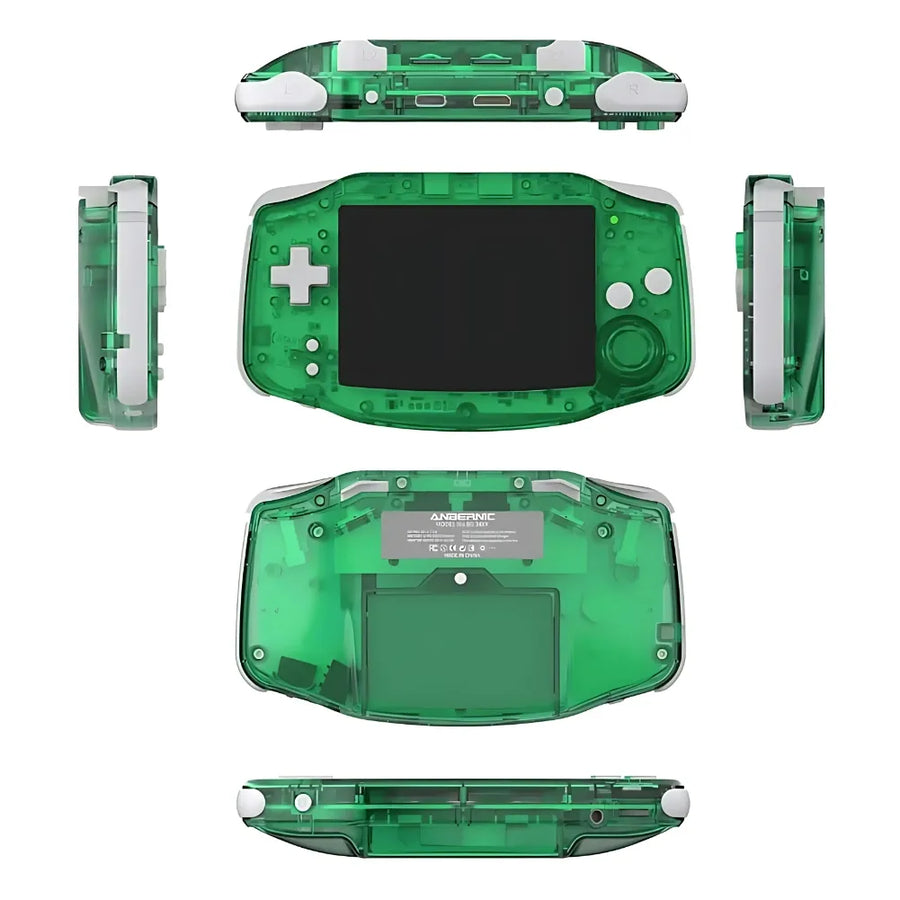
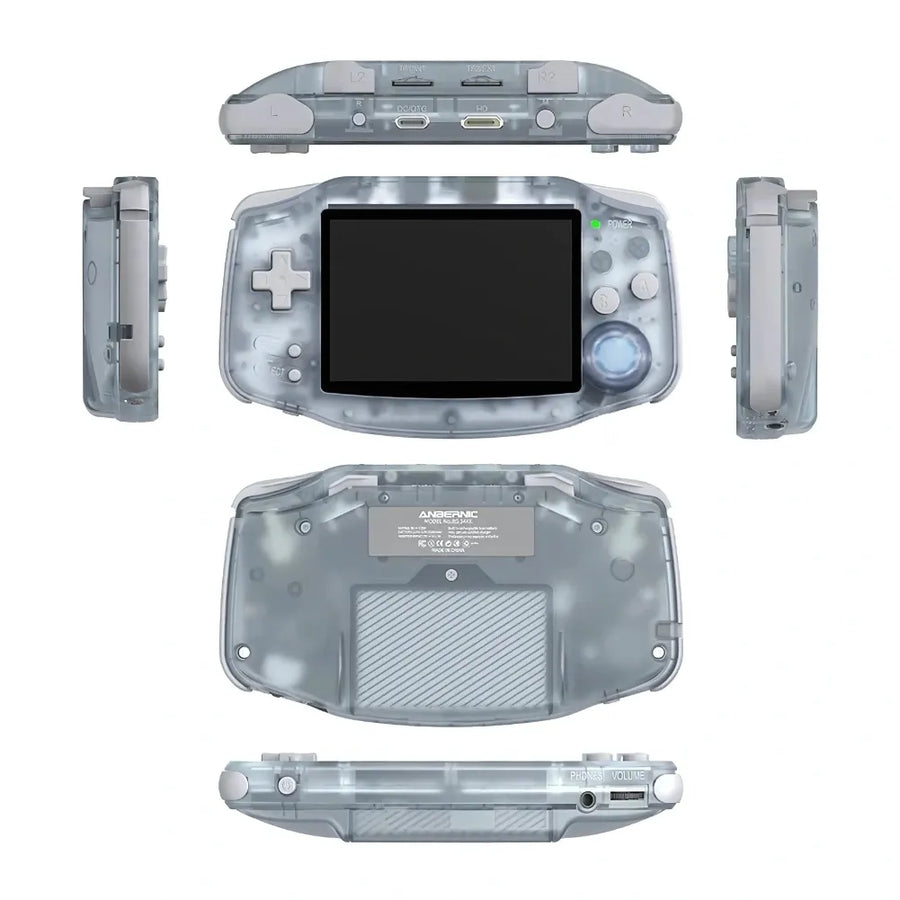

Description complète
Anbernic RG 34XX – Retro Handheld Console
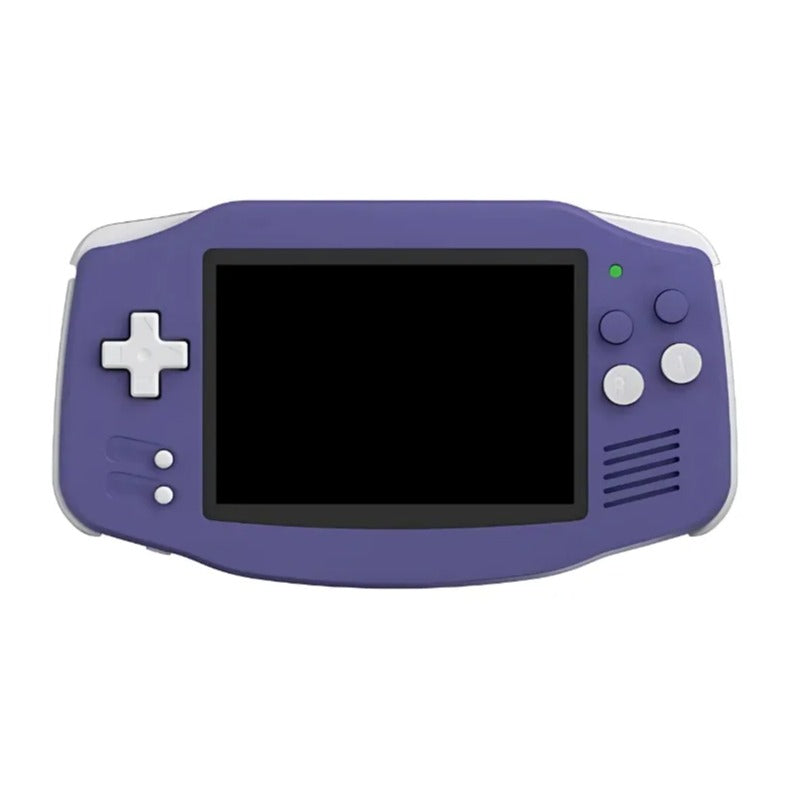
Rediscover the joy of retro gaming with the Anbernic RG 34XX, a handheld console that combines elegant design with outstanding performance. With its high-resolution IPS screen and powerful processor, it guarantees an immersive gaming experience wherever you are. Its compatibility with more than 30 emulators lets you relive video game classics smoothly and precisely. It joins our Anbernic consoles built for gaming on the go.
Highlights of the Anbernic RG 34XX
- Powerful performance: H700 quad-core ARM Cortex-A53 processor for smooth games.
- High-quality screen: 3.4-inch IPS, 720x480 resolution for vivid visuals.
- Expandable storage: Compatible with TF/MicroSD cards up to 512GB.
- Full connectivity: Wi-Fi and Bluetooth for multiplayer options or TV output.
Why choose the Anbernic RG 34XX console?
The Anbernic RG 34XX is far more than a retro console. It lets you relive your favourite games with modern performance while offering ideal portability so you can play anywhere. With its long-lasting battery and HDMI compatibility, enjoy your classics on the big screen or on the move. It's perfect for retro gaming enthusiasts and demanding collectors. For 16-bit classics, browse our consoles for Super Nintendo games and our guide to SNES emulators.
Technical specifications
- Screen: 3.4-inch IPS, 720x480 resolution.
- Processor: H700 quad-core ARM Cortex-A53, 1.5GHz.
- RAM: 1GB LPDDR4.
- Storage: 32GB internal with TF/MicroSD support up to 512GB.
- Connectivity: Wi-Fi 2.4/5GHz, Bluetooth 4.2.
- Battery life: 3500mAh lithium-polymer battery, 7 hours.
- Emulators: Compatible with 30+ emulators.
- Languages: Multi-language (English, French, Japanese, etc.).
What's in the box
- 1 x Anbernic RG 34XX console.
- 1 x USB charging cable.
- 1 x User manual.
- 1 x Screen protector.
- 1 x Carrying strap.
Usage tips
To get the most out of your console, update the emulators regularly via a TF/MicroSD card. Connect it to a TV over HDMI for an immersive experience, or use a Bluetooth controller to play comfortably. Clean the screen regularly with a soft cloth to preserve its visual quality. A quality microSD card and a carrying case are the ideal companions for the console.
Discover our full collection
Explore all our gaming consoles for every gamer and find the console that perfectly matches your expectations. To choose between models, use our handheld console comparison tool.
Anbernic RG34XX
Anbernic RG34XX: portable retro console, IPS screen, 30+ emulators.
Ce que ça change pour vous
- Votre bibliothèque SNES et antérieur dans la poche
- Rien à configurer, ça marche
Ce qu’il y a dedans
- Allwinner H700 - 1 Go LPDDR4
- 3.4 pouces - IPS
- Double microSD externe - Wi-Fi 5
En stock
📦Delivery in 10 to 15 days
ℹÀ partir de 150 €, la livraison s’effectue en Point Relais.
- 🇫🇷SAV français
réponse sous 1 jour ouvré - 🛡Garantie légale
2 ans - ↩14 jours
pour changer d’avis - 🔒Paiement sécurisé
CB · PayPal · Klarna

A retro console with modern performance
With its H700 quad-core ARM Cortex-A53 processor, the Anbernic RG34XX guarantees exceptional smoothness for all your retro games. Its 3.4-inch IPS screen with a 720x480 resolution offers clear and vibrant visuals, immersing you in your favorite games with optimal quality.

Wide compatibility and generous storage
The Anbernic RG34XX is compatible with over 30 emulators, covering systems from 8-bit to the PS1. With its two TF/MicroSD card slots, it can store up to 512GB, providing ample space for all your game collections and multimedia content.

Portable design and advanced connectivity
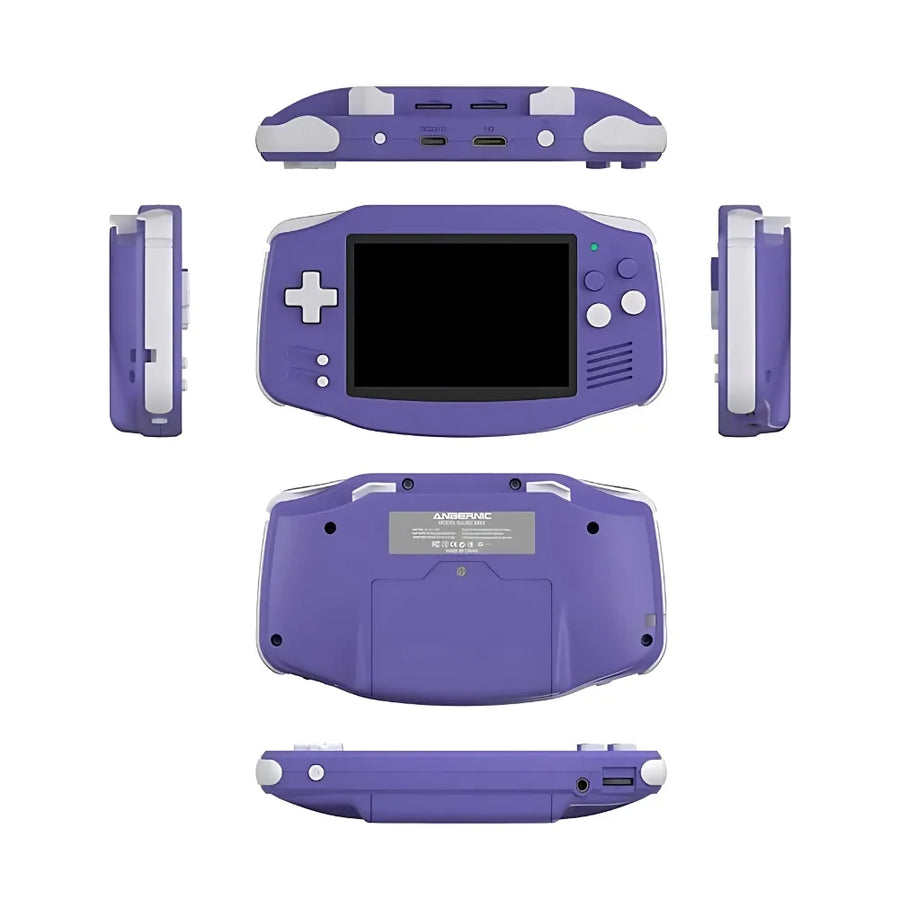
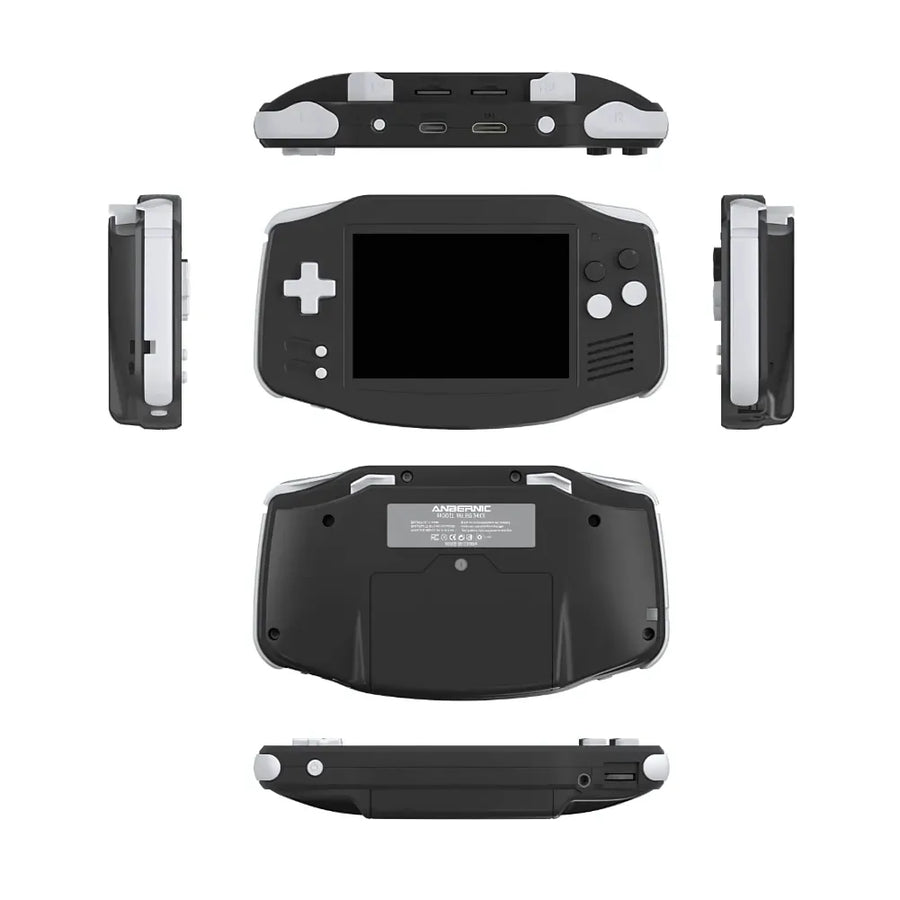
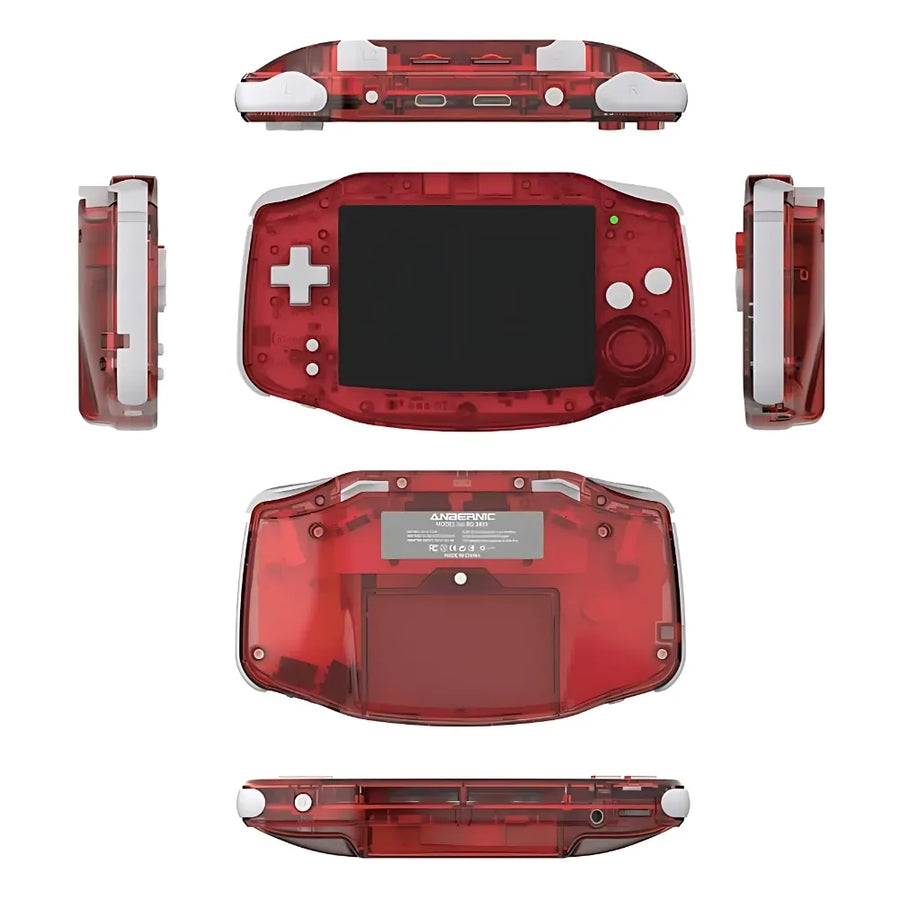
Compact and lightweight, the RG34XX is easy to take anywhere. It offers Bluetooth and Wi-Fi connectivity, as well as support for wireless controllers and an HDMI connection for playing on a big screen. With a 7-hour battery life, it's perfect for long gaming sessions, wherever you are.
What this console runs
Specifications verified on the original firmware · vérifié le
Fluide, sans réglage · 2 systèmes
- SNES et antérieur
- PlayStation 1
Jouable, mais il faut bricoler
- Nintendo 64
- Dreamcast
- Sega Saturn
- Nintendo DS
- PSP
Hors de portée
- GameCube
- PlayStation 3
- Switch
- Wii U
- PlayStation 2
- Nintendo 3DS
- Nintendo Wii
Voir toute la fiche technique+
Écran
- Taille de l’écran
- 3.4 pouces
- Format d’image
- 3:2
- Résolution
- 720 × 480
- Type de dalle
- IPS
Puissance et mémoire
- Puce (SoC)
- Allwinner H700
- Processeur
- ARM Cortex-A53 — 4 cœurs, 1.5 GHz
- Puce graphique
- Mali-G31 MP2 — 650 MHz
- Mémoire vive
- 1 Go LPDDR4
- Stockage
- Double microSD externe
- Système d’exploitation
- Linux (firmware Anbernic)
- Batterie
- 3500 mAh
Commandes
- L1/R1
- L2/R2
- Boutons de volume
- Vibration
- Aucun stick
- Gâchettes côte à côte
- Croix directionnelle en haut
Connectique
- Wi-Fi 5
- Bluetooth 4.2
- USB-C
- Sortie vidéo
- Prise casque
- Lecteur de carte SD
Format
- Poids
- 188 g
- Dimensions
- 144.6 × 81.8 × 24.8 mm
- Matériau
- Plastique
Frequently Asked Questions
What is the Anbernic RG34XX console?
The RG34XX is a dual-system (Linux + Android) retro handheld console equipped with a 3.5″ IPS screen, a quad-core ARM processor and extensive emulator support.
What are the main technical characteristics?
3.5″ IPS screen (640×480), ARM Cortex-A7 quad-core CPU, 512 MB RAM, microSD slot up to 256 GB, 3000 mAh battery, Bluetooth 4.0, headphone jack and mini HDMI.
Which emulators are compatible?
NES, SNES, Mega Drive, Game Boy, GBA, PSP, PS1, MAME, NeoGeo, PC Engine, Wonderswan, NDS (via DraStic), and many others.
How do I transfer and organize my games?
Format a microSD card to FAT32/exFAT, create folders (/NES, /GBA, /PSP, etc.), copy your own game files into them, then restart the console to find them in the menu.
How do I install or change the firmware?
Download the official or custom firmware (Ubuntu-based or Android), place the update.img file at the root of a microSD card, start by holding “Volume +” and follow the on-screen instructions.
What is the battery life and how can it be improved?
Approximately 6–7 hours in retro mode. To save battery: reduce brightness, turn off Wi-Fi/Bluetooth and close background applications.
How do I connect the RG34XX to a TV or controllers?
Connect via mini HDMI to HDMI for the TV. For Bluetooth controllers, enable Bluetooth, put the controller in pairing mode, and pair it in the settings.
Where can I find the manual and technical support?
The official manual is available as a PDF on the Anbernic website or on RetroReiz: https://retroreiz.de/storage/2024/12/Handbuch-RG34XX.pdf. For support, consult the Anbernic forums and dedicated Discord groups.
Why buy here rather than on a marketplace
It is a fair question. Here is the answer, straight.
Every listing is checked before publication: chip, screen, systems actually emulated, condition on delivery. Many models that come out never make it into the catalogue.
A question, a firmware problem, a return: you write, a human replies within 1 business day. In French.
The 2-year legal warranty of conformity is handled by us — not by a form on the other side of the world. And 14 days to change your mind, with no need to justify yourself.
We do not claim to be the cheapest. We claim that you will know exactly what you are buying before you pay.
Read this before choosing
Our guides to this console and to what it runs.

Anbernic RG557: Portable Android for retro gaming
Anbernic RG557: the portable Android that puts AMOLED at the service of retro (and more)
3 min de lecture · publié le

Anbernic RG35XX Pro: the portable retro console that reinvents the Game Boy
3 min de lecture · publié le

Pixel art: create your own designs for a Divoom display
Grid size, number of colours, outlines, animation: the guide to getting started in pixel art and displaying your own creations on a Divoom display.
2 min de lecture · publié le