

Description complète
Data Frog Y5A and Y3A Max: a wireless arcade stick for fighting and arcade games
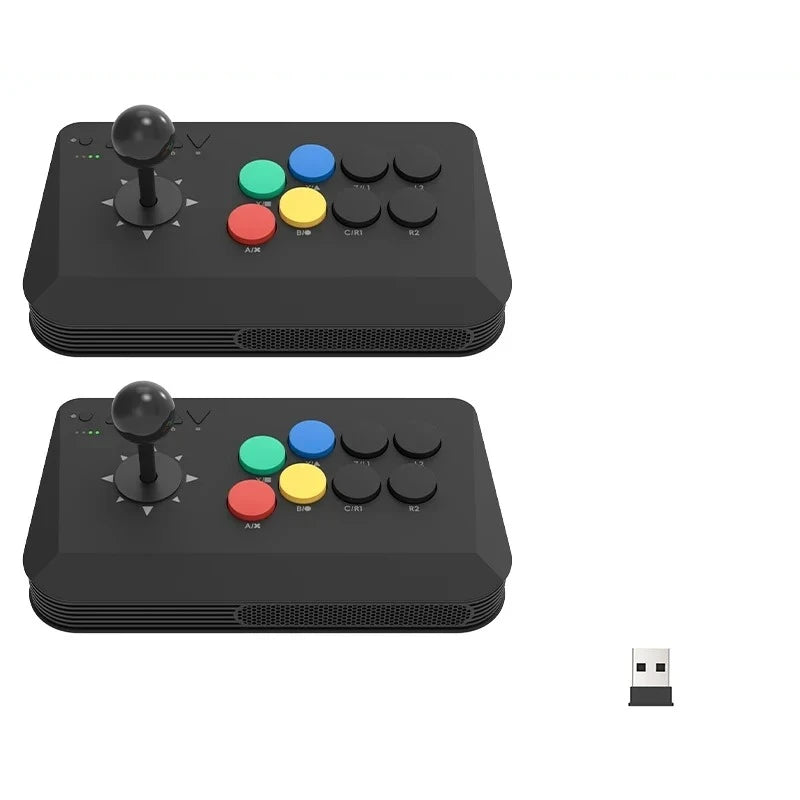
A wireless arcade stick for fighting games and emulated arcade, in two models. The Y5A connects three ways, Bluetooth, 2.4 GHz and wired USB-C, and supports Switch and Switch 2 as well as PC. The simpler Y3A Max goes through its 2.4 GHz receiver on PC and Android. Both have a turbo button and mechanical switch buttons.
What it does
- Three links on the Y5A: Bluetooth, 2.4 GHz receiver and USB-C cable, chosen with a selector on the back.
- Semi-automatic or automatic turbo: assigned button by button, and cleared all at once with Turbo + Map.
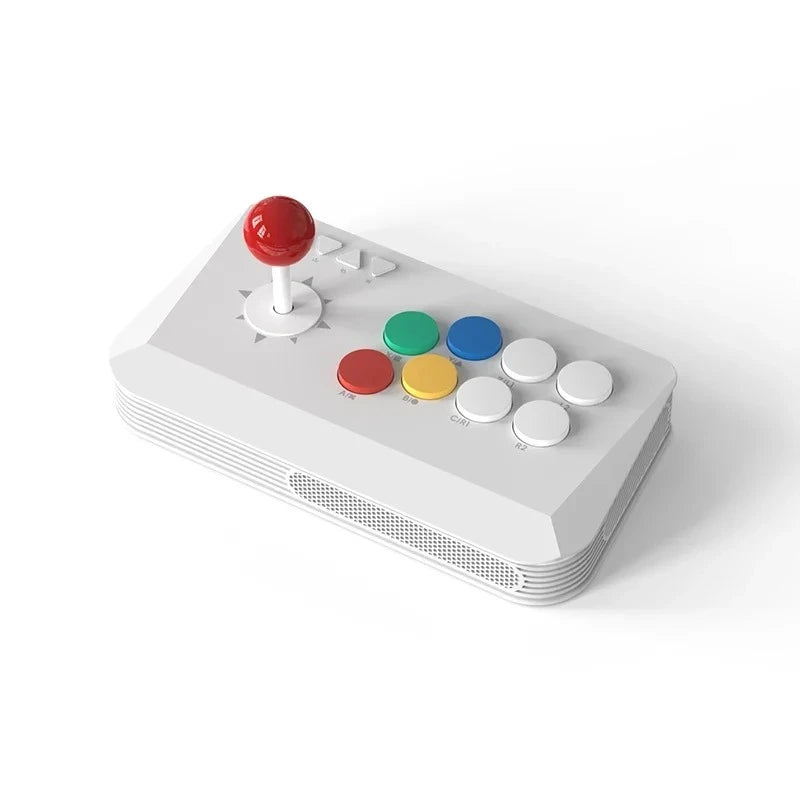
- Configurable lever: it can act as the D-pad (default), the left stick or the right stick, depending on the game.
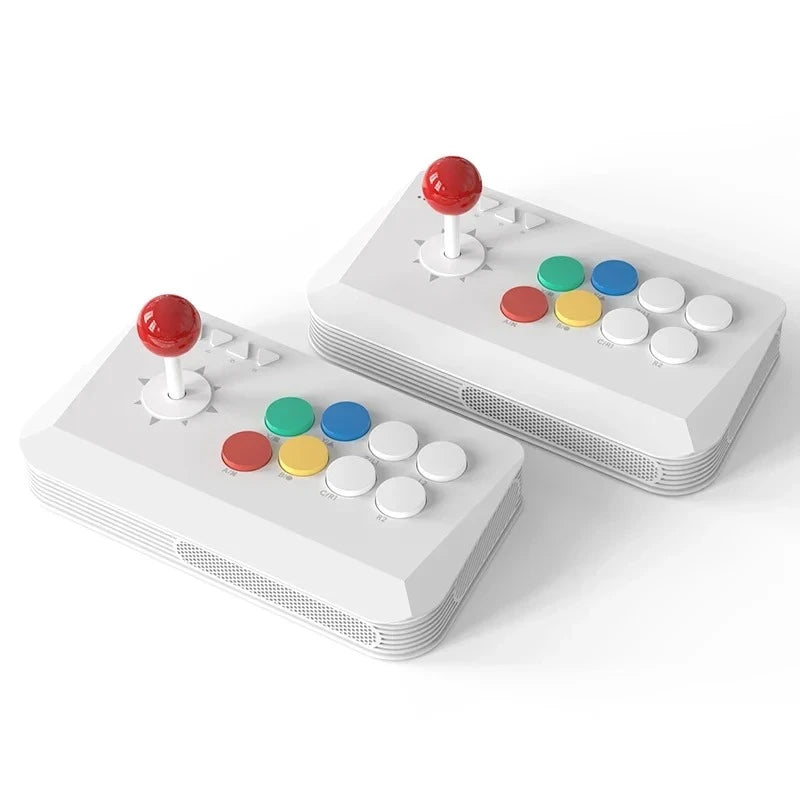
- 27 mm buttons in a Vewlix layout: tactile mechanical switches, with a crisp arcade cabinet press.
- Sloped wrist rest and pads in the four corners under the base.
- 2.4 GHz receiver stored in the battery compartment, so it does not get lost.
What it doesn't do
- The Y3A Max does not work on Switch or Switch 2: only the Y5A supports them. The Y3A Max is limited to its 2.4 GHz receiver.
- No PS4, PS5 or Xbox: none of these systems is in the stated compatibility.
- Soldered buttons: swapping them for other arcade buttons means desoldering.
- No macros or saved profiles: turbo is not remembered after power-off.
- Runs on one AAA battery: keep a spare for long wireless sessions.
- Noisy buttons and lever, and a stick light enough to slide on a smooth table during heavy play.
- Supplied without games, in compliance with the law.
Compatibility
Y5A: Switch and Switch 2 (Bluetooth, or cable on the dock), Windows and Mac (2.4 GHz, Bluetooth or cable, X-Input), Android (Bluetooth, 2.4 GHz or cable), PS3 wired. Y3A Max: Windows PC and Android, TV boxes included, through its 2.4 GHz receiver. Neither model is stated for PS4, PS5 or Xbox.
Getting started
The lever arrives in parts: screw on the ball top and fit the cover before playing. On the Y5A, pick the link with the rear selector (BT, NS for Switch, or receiver), then hold HOME for 3 seconds to pair. On Switch, confirm from the controllers menu. Firmware is updated from a PC by holding Menu while plugging in.
In the box
- 1 or 2 arcade sticks depending on the chosen version
- 1 2.4 GHz wireless receiver per stick
- 1 detachable USB-C cable (Y5A)
- The lever in parts to assemble (ball top, cover, washer)
- 1 manufacturer's manual
See also: our retro controllers.
Data Frog Y5A and Y3A Max wireless arcade stick for PC, Android and Switch 2 — turbo
Y5A : Bluetooth, 2,4 GHz et USB-C, Switch et Switch 2 compris. Y3A Max : récepteur 2,4 GHz pour PC et Android.
En stock
📦Livraison en 10 à 18 jours · expédition sous 3 à 5 jours
ℹÀ partir de 150 €, la livraison s’effectue en Point Relais.
- 🇫🇷SAV français
réponse sous 1 jour ouvré - 🛡Garantie légale
2 ans - ↩14 jours
pour changer d’avis - 🔒Paiement sécurisé
CB · PayPal · Klarna
Un vrai stick pour les jeux de combat
Sortir un quart de cercle ou un dragon punch à la croix d'une manette, c'est possible, mais c'est sur un levier qu'on a appris. Le Y5A et le Y3A Max reprennent la disposition Vewlix des bornes, avec des boutons de 27 mm à switch mécanique. Le levier peut même jouer le rôle d'un stick analogique pour les jeux qui ne lisent pas la croix.
Deux modèles, deux usages
Le Y5A est le modèle polyvalent : Bluetooth, récepteur 2,4 GHz ou câble USB-C, avec la Switch et la Switch 2 dans sa compatibilité. Le Y3A Max, noir, se contente du récepteur 2,4 GHz et vise le PC, Android et les boîtiers TV. Pour jouer sur Switch, c'est donc le Y5A qu'il faut choisir, seul ou en lot de deux.
Les limites d'un stick abordable
Ce n'est pas un stick de tournoi. Les boutons sont soudés, donc pas de remplacement par des boutons d'une autre marque sans fer à souder. L'ensemble est léger et peut glisser sur une table lisse, et les boutons comme le levier font du bruit. En échange, on gagne le sans-fil, le turbo et la compatibilité Switch du Y5A.
What this controller can do
Verified manufacturer specifications · vérifié le
Ce qu’elle fait bien
- Y5A : Bluetooth, 2,4 GHz et filaire USB-C
- Y5A : compatible Switch et Switch 2
- Bouton turbo semi-automatique ou automatique
- Levier utilisable en croix, stick gauche ou stick droit
- Boutons de 27 mm à switch mécanique, disposition Vewlix
- Récepteur 2,4 GHz rangé dans le stick
- Micrologiciel mis à jour depuis un PC
Ce qu’elle ne fait pas
- Y3A Max : pas de Switch ni de Switch 2, récepteur 2,4 GHz uniquement
- Pas de PS4, PS5 ni Xbox
- Boutons soudés : remplacement par dessoudage
- Pas de macros, turbo non mémorisé
- Fonctionne sur pile AAA
- Boutons et levier sonores, stick léger qui peut glisser
- Livrée sans jeux, conformément à la loi
Voir toute la fiche technique+
Contrôle
- Croix directionnelle
- Levier arcade, réglable en croix, stick gauche ou stick droit
Connexion et réactivité
- Logiciel de configuration
- Aucun ; mise à jour du micrologiciel depuis un PC (Y5A)
Frequently Asked Questions
🎮 Lequel choisir pour jouer sur Switch 2 ?
Le Y5A. Il se connecte à la Switch et à la Switch 2 en Bluetooth, ou au câble sur le dock. Le Y3A Max ne prend pas en charge la Switch : il fonctionne uniquement avec son récepteur 2,4 GHz sur PC et Android.
💻 Fonctionne-t-il sur PC sans pilote ?
Oui. En 2,4 GHz, en Bluetooth ou au câble, le Y5A se présente comme une manette X-Input, reconnue par Windows, Steam et les émulateurs sans installation. Le Y3A Max se branche par son récepteur 2,4 GHz.
🕹️ Le levier peut-il remplacer un stick analogique ?
Oui sur le Y5A : il peut se comporter comme la croix directionnelle, réglage par défaut, comme le stick gauche ou comme le stick droit. Utile pour les jeux qui n'acceptent pas la croix dans les menus.
🔋 Comment est-il alimenté ?
Par une pile AAA logée sous le stick, à côté du récepteur 2,4 GHz. Le port USB-C sert au jeu en filaire et aux mises à jour du micrologiciel.
🔧 Peut-on changer les boutons ?
Pas simplement : les boutons sont soudés à la carte. Les remplacer par des boutons d'une autre marque demande de dessouder puis ressouder.
📦 Que contient le colis ?
Le ou les sticks selon la version choisie, un récepteur 2,4 GHz par stick, le levier en pièces à monter et la notice. Le Y5A est livré avec un câble USB-C détachable.
🚚 Quels sont les délais de livraison ?
Livraison en 10 à 18 jours, expédition sous 3 à 5 jours.
🛡️ Quelle garantie s'applique ?
Garantie légale de conformité de 2 ans. Retour sous 14 jours.
Why buy here rather than on a marketplace
It is a fair question. Here is the answer, straight.
Every listing is checked before publication: platforms actually supported, stick technology, connectivity, what the controller does not do. Many models never make it into the catalogue.
A question, a pairing problem, a return: you write, a human replies within 1 business day. In French.
The 2-year legal warranty of conformity is handled by us — not by a form on the other side of the world. And 14 days to change your mind, with no need to justify yourself.
We do not claim to be the cheapest. We claim that you will know exactly what you are buying before you pay.
Read this before choosing
Our guides to controllers and what they can drive.

Pixel art: create your own designs for a Divoom display
Grid size, number of colours, outlines, animation: the guide to getting started in pixel art and displaying your own creations on a Divoom display.
2 min de lecture · publié le

Divoom pixel art speakers: which one should you choose?
Astrotoo, Ditoo-Pro, FlowToo, Tiivoo-2, Timebox-Evo, MiniToo, Fairy-OK: the seven Divoom speakers compared, by use and budget.
2 min de lecture · publié le

Times Frame or Times Frame Pure: which Divoom floating photo frame should you choose?
64 or 32 GB, three colours or just one, a dial or not: the real differences between the Times Frame and Times Frame Pure…
1 min de lecture · publié le