Description complète
USB arcade encoder: your joystick and buttons seen as a controller
Building a bartop, a control panel or an arcade cabinet calls for a part nobody notices: the board that connects the joystick and buttons to the machine. This zero-delay USB encoder does just that, and does it well. Plugged in over USB, it is recognised as a generic controller, with no driver to install, on PC as well as on Raspberry Pi.
What it does
- Driver-free recognition: the board identifies itself as a standard USB HID device. Windows, Linux and Raspberry Pi see it as a controller as soon as it is plugged in.
- Solder-free wiring: each direction and each button connects by hand to a wire fitted with a connector. Two connector sizes to choose from depending on your buttons, 2.8 mm or 4.8 mm.
- One or two players: the 2-player versions cover a full panel, with each player having their own wiring.
What it doesn't do
- It includes no joystick, no buttons and no panel: it is the control board and its wiring, nothing else.
- It does not work on home consoles that check whether the controller is genuine. It is a generic USB device, designed for computers and single-board computers.
- It does not plug into an original retro console: the output is USB, not a vintage controller port format.
- The “board only” variant comes without a wiring harness: only choose it if you already have your own.
- The two connector sizes are not interchangeable: a 2.8 mm wire won't stay on a 4.8 mm tab.
Compatibility
Designed for Windows PCs, Linux and Raspberry Pi: arcade emulators such as MAME or FinalBurn Neo, and the RetroPie, Batocera and Recalbox distributions. On the panel side, it works with standard arcade joysticks and buttons fitted with flat tabs (Faston connectors). Before ordering, check the size of your tabs: both sizes are in circulation depending on the manufacturer, so measure them or compare them with an existing connector. Current home consoles and original retro consoles are not covered.
Skill level required
No soldering, no cutting. Wiring is done one wire at a time: each cable in the harness pushes onto the tab of the matching button or microswitch, then the board plugs in over USB. Allow around thirty minutes for a one-player panel, with most of the time spent identifying each button and checking the mapping in the emulator. A pair of fine pliers helps with slightly tight connectors, but nothing is essential.
In the box
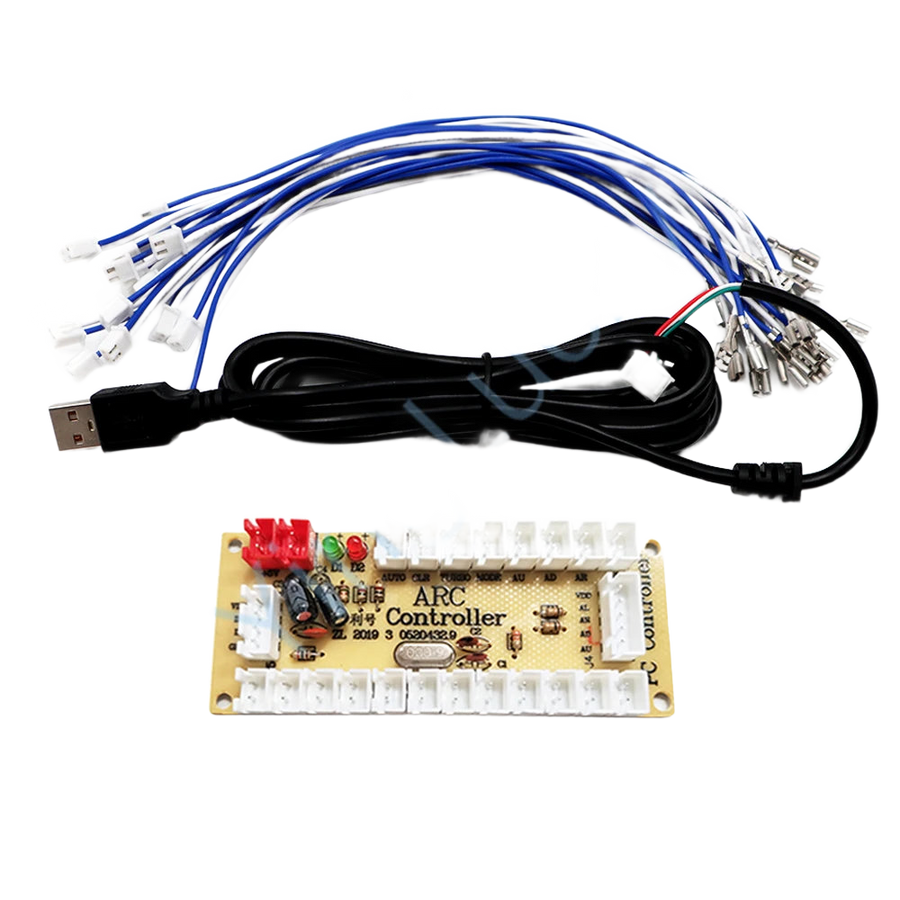
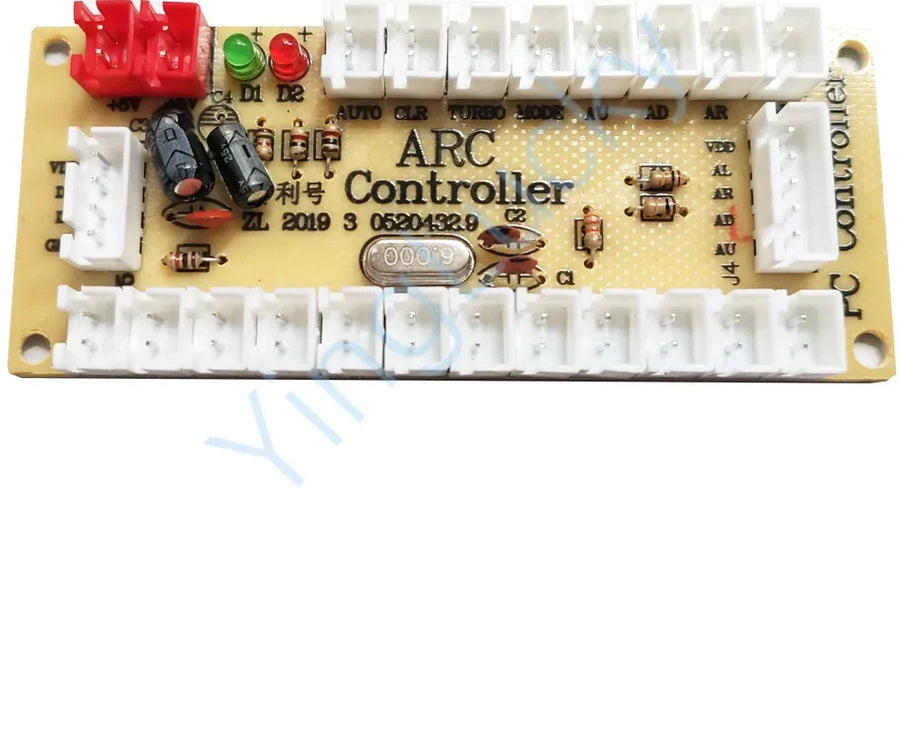
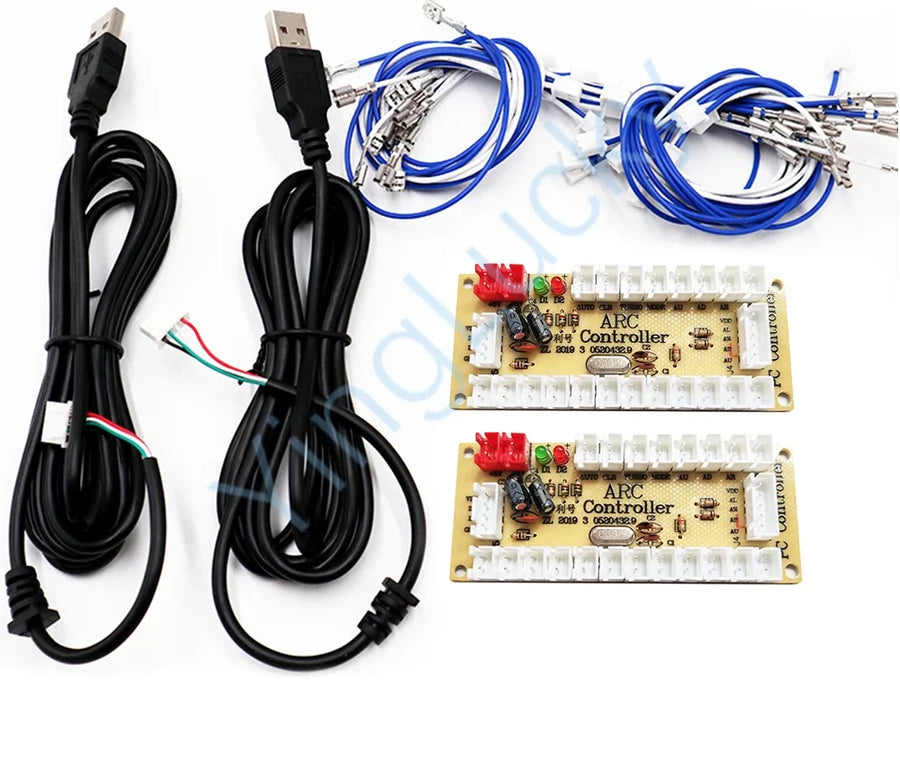
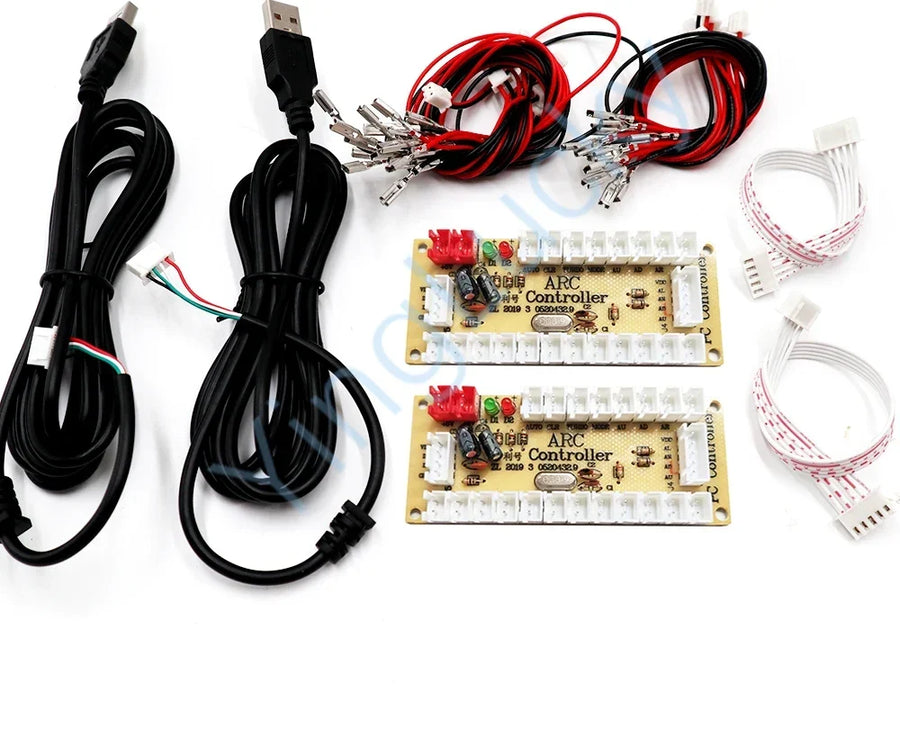
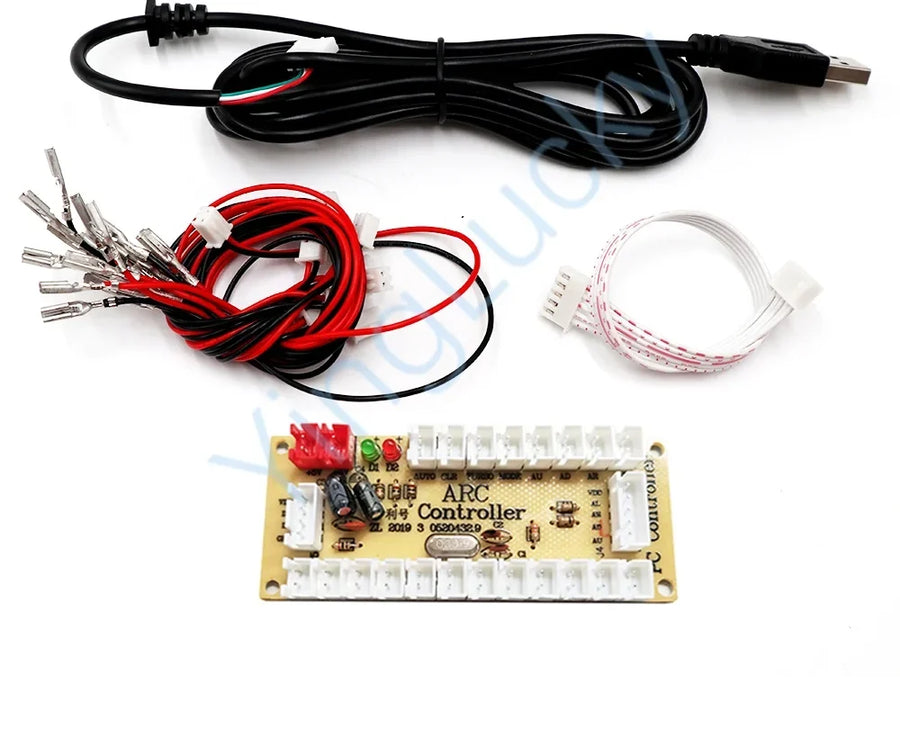
- 1 zero-delay USB encoder board, or 2 boards on the 2-player versions
- 1 USB cable to connect to the computer
- 1 wiring harness with connectors, in the chosen size (2.8 mm or 4.8 mm)
- “Board only” variant: the board alone, with no cable or harness
Listing checked on 19/08/2026. Delivery in 10 to 18 days · ships within 3 to 5 days · 2-year legal guarantee of conformity · 14-day returns.
Read before ordering: Retro peripherals
Zero-delay USB arcade encoder: joystick and buttons for PC
The board that turns an arcade joystick and buttons into a USB controller, with no driver and no soldering.
En stock
📦Ships within 3 to 5 business days · Delivery in 10 to 18 business days · 2-year legal guarantee of conformity · 14-day returns.
ℹÀ partir de 150 €, la livraison s’effectue en Point Relais.
- 🇫🇷SAV français
réponse sous 1 jour ouvré - 🛡Garantie légale
2 ans - ↩14 jours
pour changer d’avis - 🔒Paiement sécurisé
CB · PayPal · Klarna
From bare panel to a responsive cabinet
A control panel is a joystick, six or eight buttons and a drilled plate. As long as nothing connects all that to the machine, the whole thing is useless. The encoder is the part that closes the circuit: the wires run from the buttons to the board, and the board talks over USB. In around thirty minutes, a lifeless panel becomes a complete arcade controller, recognised by the emulator.
Zero delay: what it means
“Zero delay” refers to a board that passes on the state of the contacts without filtering or grouping them, unlike some cheap adapters that add processing time you can feel in fighting games. On this board, each button has its own connector and reports independently: that is what makes simultaneous inputs possible, which are essential for more precise moves.
The right connector size above all
The only possible buying mistake with this product is the connector size. The flat tabs on arcade buttons come in 2.8 mm and 4.8 mm depending on the manufacturer, and a harness won't fit the other size. Measure a tab, or compare it with a connector you own, before choosing your variant. If in doubt, write to us: reply within 1 business day.
What this accessory brings
Verified manufacturer specifications · vérifié le
Ce qu’il fait bien
- Recognised as a standard USB controller with no driver
- Wiring with connectors, no soldering or cutting
- One connector per button: simultaneous inputs possible
- 1- or 2-player versions, 2.8 mm or 4.8 mm connectors
- Compatible with MAME, RetroPie, Batocera and Recalbox
Ce qu’il ne fait pas
- No joystick, buttons or panel supplied
- Does not work on consoles that check whether the controller is genuine
- Does not plug into the controller port of an original retro console
- The “board only” variant comes without a wiring harness
- The 2.8 mm and 4.8 mm connector sizes are not interchangeable
Voir toute la fiche technique+
Matière et format
- Type d’accessoire
- USB arcade encoder
Compatible avec
- Windows PC
- Linux
- Raspberry Pi
- MAME
- FinalBurn Neo
- RetroPie
- Batocera
- Recalbox
- Arcade buttons and joysticks with flat connectors
Dans la boîte
- 1 zero-delay USB encoder board (2 boards on the 2-player versions)
- 1 USB cable to connect to the computer
- 1 wiring harness with connectors in the chosen size (2.8 mm or 4.8 mm)
- “Board only” variant: the board alone, with no cable or harness
Frequently Asked Questions
🔌 Do I need to install a driver?
No. The board identifies itself as a standard USB HID device: Windows, Linux and Raspberry Pi recognise it as a controller as soon as it is plugged in. All that's left is to map the buttons in your emulator.
🎮 Which machines does this encoder work with?
Windows PCs, Linux and Raspberry Pi, and therefore MAME, FinalBurn Neo, RetroPie, Batocera or Recalbox. Home consoles that check whether the controller is genuine and original retro consoles are not covered.
📏 2.8 mm or 4.8 mm connectors: which should I choose?
The one that matches the flat tabs on your buttons and microswitches. Both sizes exist depending on the manufacturer: measure the tab or compare it with a connector you already have. The two sizes are not interchangeable.
🔧 Do I need to solder?
No. Each wire in the harness pushes onto the tab of the button or microswitch by hand. No soldering, no cutting of the panel.
📦 What's in the box?
The encoder board, a USB cable to the computer and a wiring harness with connectors in the chosen size. The 2-player versions include two boards and two harnesses. The “board only” variant comes without a harness.
🕹️ Are the joystick and buttons included?
No. This item is the control board and its wiring. The joystick, buttons and panel need to be planned for separately.
🚚 What are the delivery times?
Delivery in 10 to 18 days · ships within 3 to 5 days.
🛡️ What guarantee applies?
2-year legal guarantee of conformity. 14-day returns. A question about the listing? Reply within 1 business day.
Why buy here rather than on a marketplace
It is a fair question. Here is the answer, straight.
Every listing is checked before publication: real compatibility, material, dimensions, box contents. Many models never make it into the catalogue.
A question about compatibility, a fit problem, a return: you write, a human replies within 1 business day. In French.
The 2-year legal warranty of conformity is handled by us — not by a form on the other side of the world. And 14 days to change your mind, with no need to justify yourself.
We do not claim to be the cheapest. We claim that you will know exactly what you are buying before you pay.
Read this before choosing
Our guides to accessories: compatibility, protection, transport.

Pixel art: create your own designs for a Divoom display
Grid size, number of colours, outlines, animation: the guide to getting started in pixel art and displaying your own creations on a Divoom display.
2 min de lecture · publié le

Divoom pixel art speakers: which one should you choose?
Astrotoo, Ditoo-Pro, FlowToo, Tiivoo-2, Timebox-Evo, MiniToo, Fairy-OK: the seven Divoom speakers compared, by use and budget.
2 min de lecture · publié le

Times Frame or Times Frame Pure: which Divoom floating photo frame should you choose?
64 or 32 GB, three colours or just one, a dial or not: the real differences between the Times Frame and Times Frame Pure…
1 min de lecture · publié le