




Description complète
IPS screen kit for WonderSwan Color: a lit screen at last
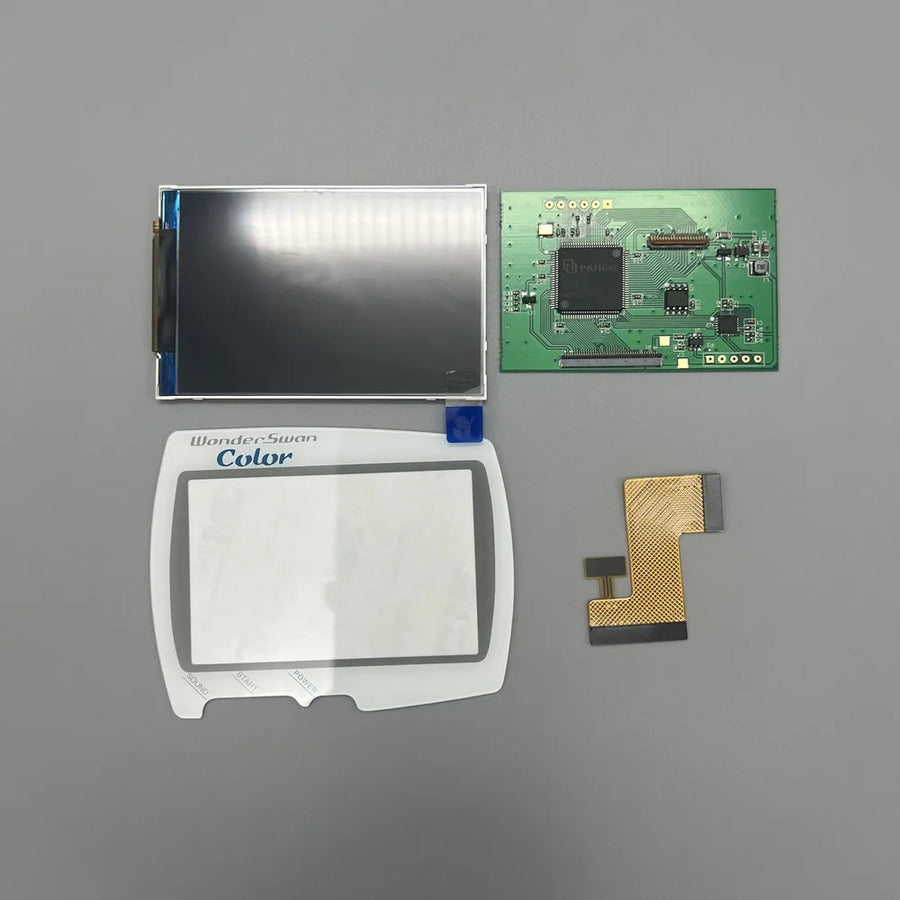
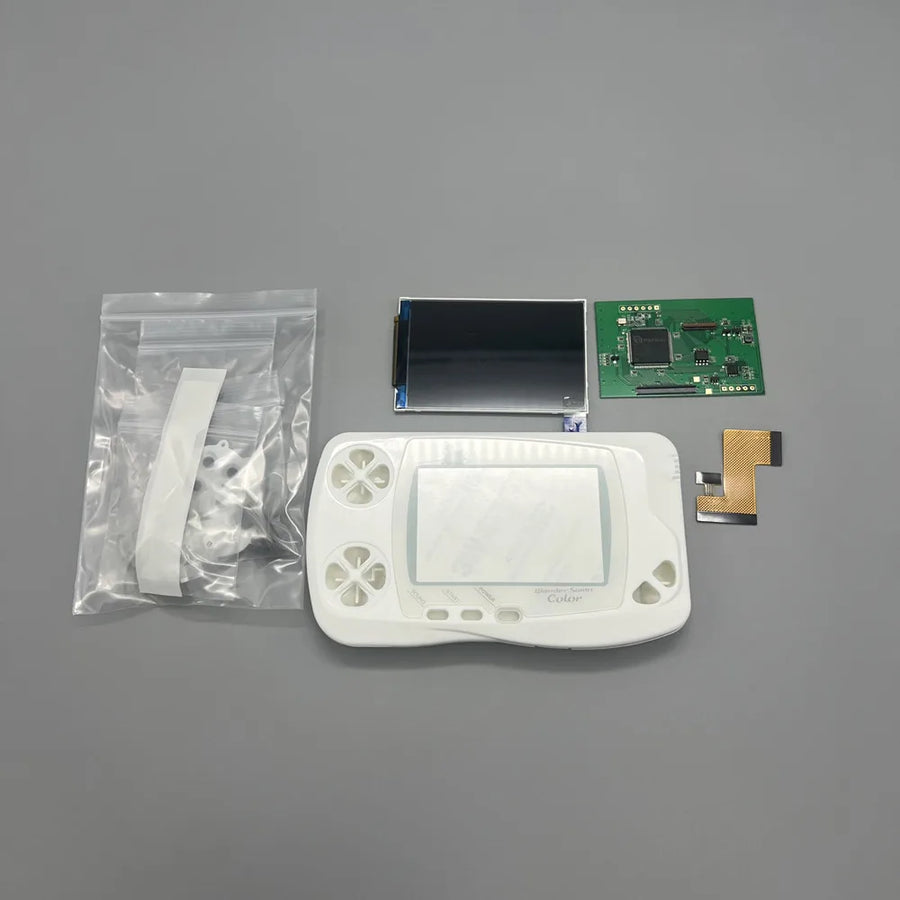
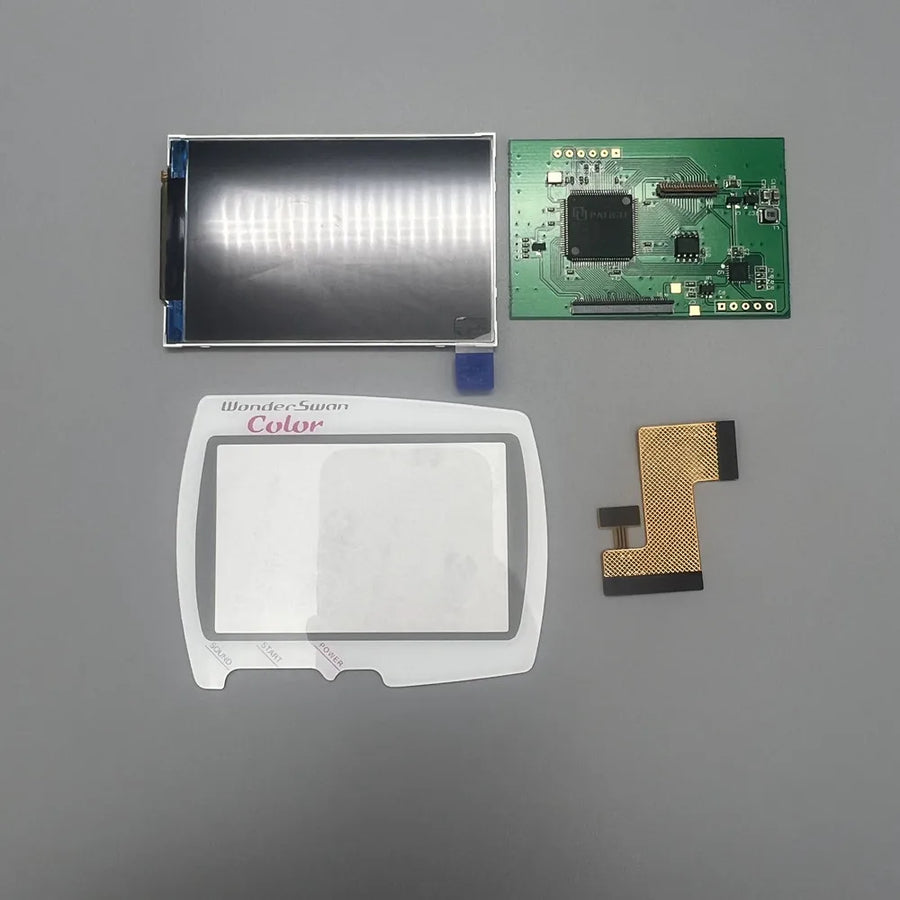
The WonderSwan Color has a reflective screen with no backlight: dark, low in contrast, unreadable without good light. This kit replaces it with a backlit IPS panel at the original size, which fits into the shell without cutting. It comes on its own, with a coloured lens or with a complete shell.
What it does
- Backlight: the picture is readable in the dark as in broad daylight, without hunting for light.
- Original size: the screen fills the same window as the old one, and the console keeps its look.
- No cutting: no plastic to modify in the shell.
- Three options: screen only, screen with coloured lens, or screen with black, white or clear shell.
What it doesn't do
- The resolution remains that of the console (224 × 144): the picture is more readable, not more detailed.
- It is not suitable for the monochrome WonderSwan or the SwanCrystal.
- The “Without lens” variant is supplied without a protective lens: reuse yours or provide one.
- It does not repair a faulty motherboard, sound or buttons.
Compatibility
WonderSwan Color only. Not covered: monochrome WonderSwan (first generation) and SwanCrystal, whose screens and shells are different.
Skill level required
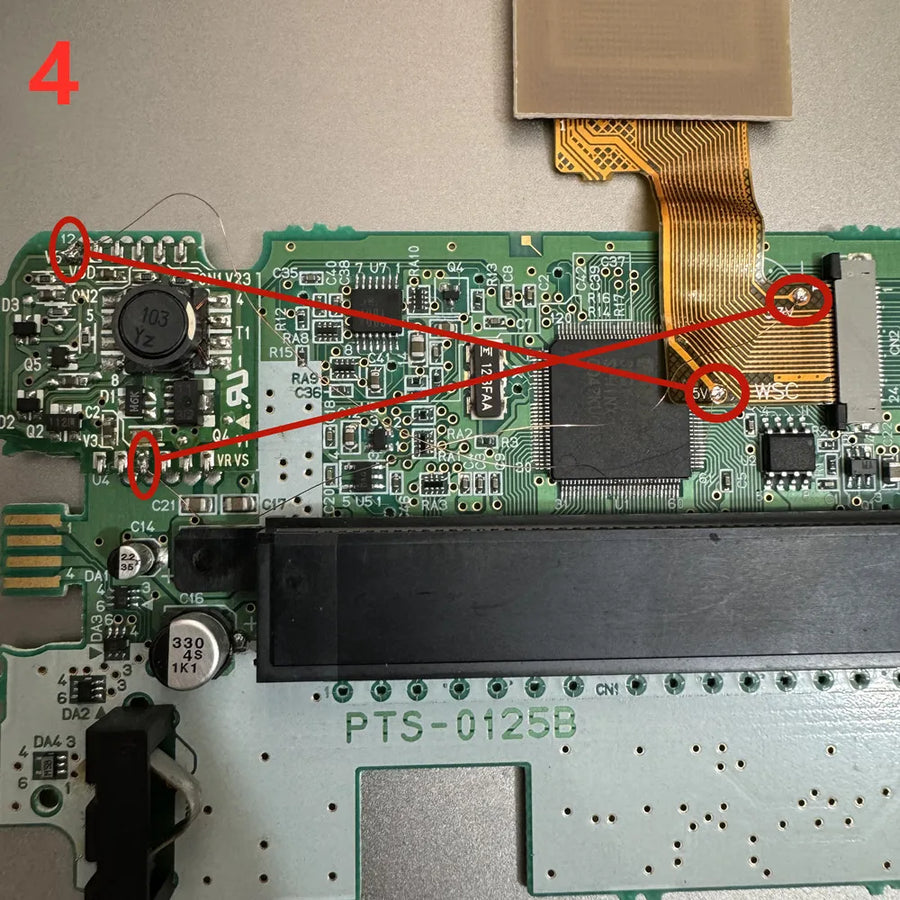
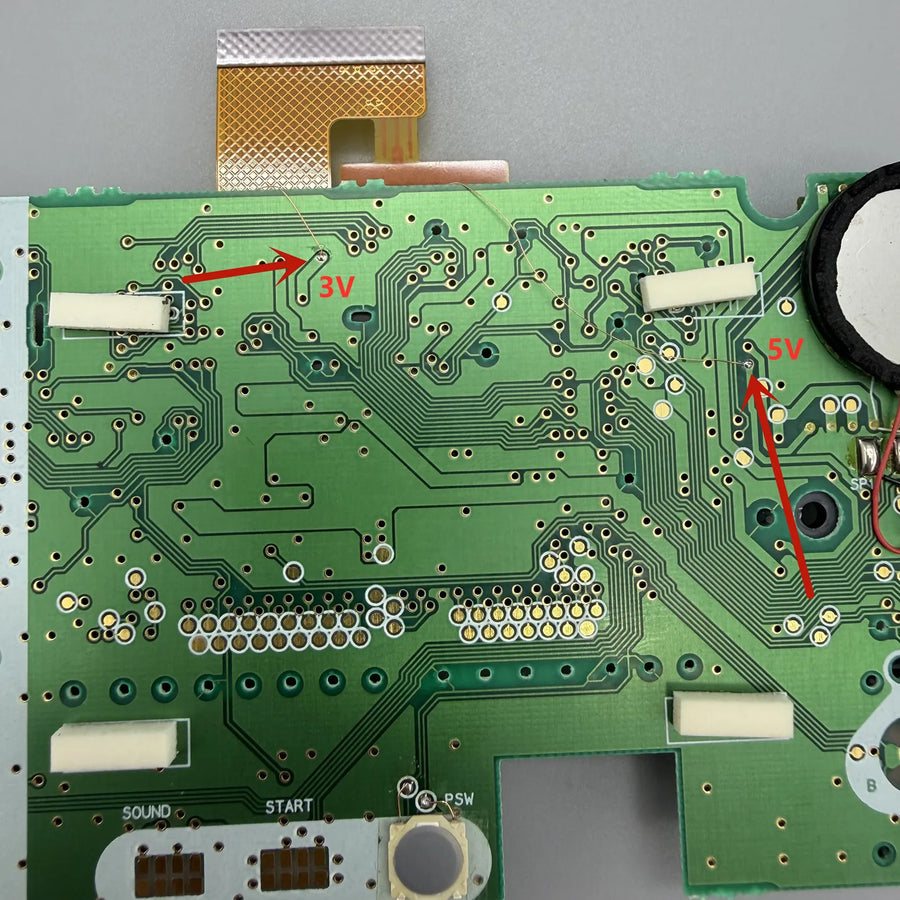
Intermediate to advanced. You need to fully disassemble the console, remove the original screen, connect the new panel and then reassemble. No shell cutting. Depending on your console, soldering may be necessary: if you do not solder, write to our customer service before ordering.
In the box
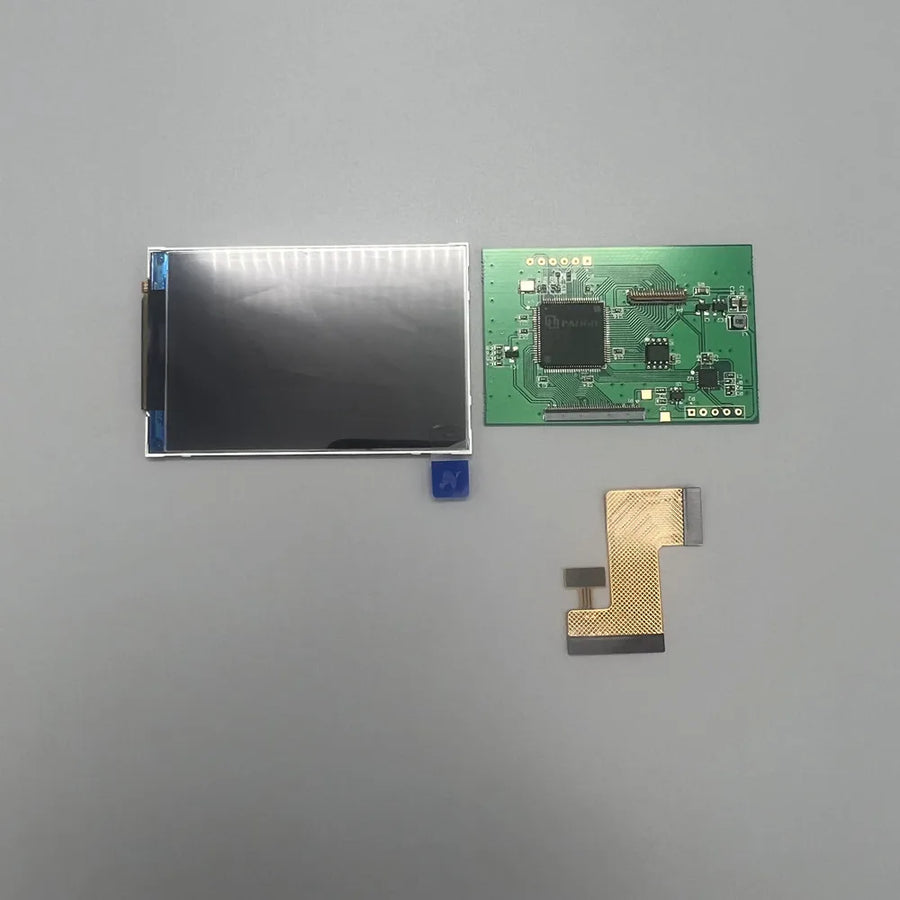
- 1 IPS screen kit for WonderSwan Color.
- Depending on the variant: a coloured lens, or a black, white or clear shell.
Delivery in 10 to 18 days · dispatched within 3 to 5 days · 2-year legal guarantee · 14-day returns.
IPS screen kit for WonderSwan Color — no shell cutting, original size
Backlit IPS screen at original size for WonderSwan Color, with no shell cutting.
En stock
📦Dispatched within 3 to 5 business days · Delivery in 10 to 18 business days · 2-year legal guarantee · 14-day returns.
ℹÀ partir de 150 €, la livraison s’effectue en Point Relais.
- 🇫🇷SAV français
réponse sous 1 jour ouvré - 🛡Garantie légale
2 ans - ↩14 jours
pour changer d’avis - 🔒Paiement sécurisé
CB · PayPal · Klarna
The job: lighting up a WonderSwan Color
On an original WonderSwan Color, you are constantly hunting for the right angle and light to make out the picture. Open the console, remove the old screen, connect the IPS panel in its place and close it up. The console switches on to a lit, high-contrast screen, readable in the evening as in broad daylight, without changing anything about its look.
The part: original size, no cutting
Many screen kits require you to file down the shell. This one matches the size of the original screen and fits without cutting. It can be ordered on its own, with a coloured lens, or with a complete black, white or clear shell, to refresh the console's look at the same time as its screen.
Before opening: what to plan for
Have a suitable screwdriver, a plastic spudger and a clean work surface ready, as dust under the lens is the enemy of this installation. Depending on the console, a solder joint may be added. To find out whether the job is within your reach, our customer service replies within 1 business day, before ordering as well as after.
What this accessory brings
Verified manufacturer specifications · vérifié le
Ce qu’il fait bien
- Backlit screen, readable in the dark
- Original size, no shell cutting
- Screen only, with lens or with shell
- Several lens and shell colours
Ce qu’il ne fait pas
- Original resolution unchanged (224 × 144)
- Not compatible with monochrome WonderSwan and SwanCrystal
- Without lens variant: lens to be provided
- Full disassembly of the console required
Voir toute la fiche technique+
Matière et format
- Type d’accessoire
- IPS screen
Compatible avec
- WonderSwan Color
Dans la boîte
- 1 IPS screen kit
- Depending on the variant: 1 coloured lens or 1 shell
Frequently Asked Questions
🔧 Do I need to solder to install this screen?
Depending on the console, soldering may be necessary. If you do not solder, write to our customer service before ordering.
🎮 Which consoles is it compatible with?
With the WonderSwan Color only. The monochrome WonderSwan and the SwanCrystal have different screens.
✂️ Do I need to cut the shell?
No. The screen matches the original size and fits into the shell without modification.
📦 Which variant should I choose?
Screen only (without lens) if you keep your lens, screen with coloured lens to change the front, screen with shell to re-dress the whole console.
🧰 What tools do I need?
A screwdriver suited to the console's screws, a plastic spudger to lift the lens and, if needed, a fine-tip soldering iron.
🔍 Will the picture be more detailed?
No. The console still displays 224 × 144 pixels. The picture becomes lit, high in contrast and readable from every angle.
🚚 What are the delivery times?
Delivery in 10 to 18 days, dispatched within 3 to 5 days.
🛡️ What guarantee applies?
2-year legal guarantee of conformity. 14-day returns. Customer service replies within 1 business day.
Why buy here rather than on a marketplace
It is a fair question. Here is the answer, straight.
Every listing is checked before publication: real compatibility, material, dimensions, box contents. Many models never make it into the catalogue.
A question about compatibility, a fit problem, a return: you write, a human replies within 1 business day. In French.
The 2-year legal warranty of conformity is handled by us — not by a form on the other side of the world. And 14 days to change your mind, with no need to justify yourself.
We do not claim to be the cheapest. We claim that you will know exactly what you are buying before you pay.
Read this before choosing
Our guides to accessories: compatibility, protection, transport.

Pixel art: create your own designs for a Divoom display
Grid size, number of colours, outlines, animation: the guide to getting started in pixel art and displaying your own creations on a Divoom display.
2 min de lecture · publié le

Divoom pixel art speakers: which one should you choose?
Astrotoo, Ditoo-Pro, FlowToo, Tiivoo-2, Timebox-Evo, MiniToo, Fairy-OK: the seven Divoom speakers compared, by use and budget.
2 min de lecture · publié le

Times Frame or Times Frame Pure: which Divoom floating photo frame should you choose?
64 or 32 GB, three colours or just one, a dial or not: the real differences between the Times Frame and Times Frame Pure…
1 min de lecture · publié le