Description complète
USB digital microscope: see the trace before you put the iron down
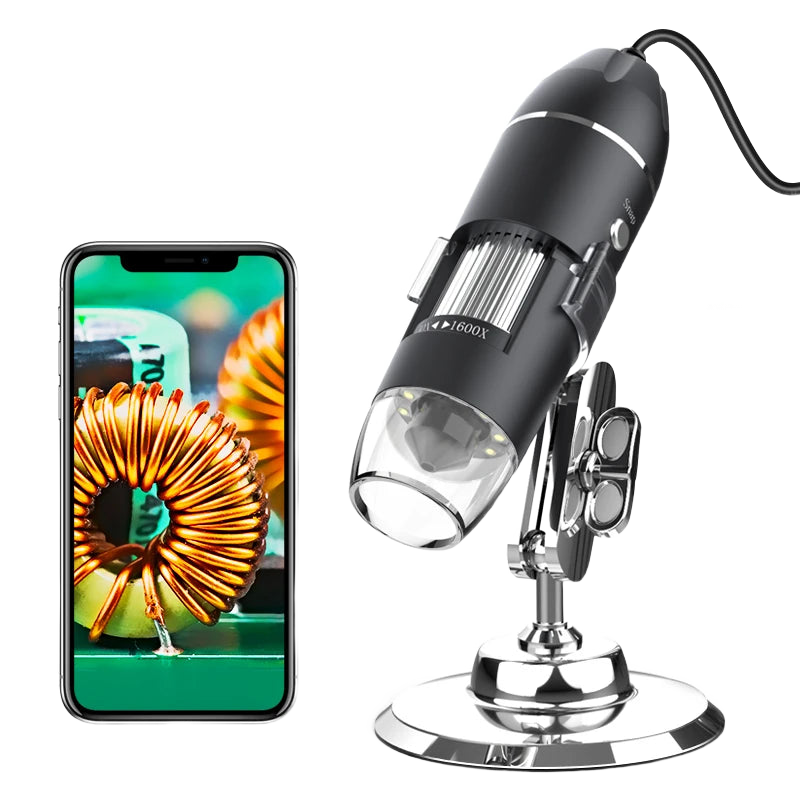
A torn trace on a Game Boy Advance board, a cold joint on an IPS screen connector, a leaking SMD capacitor on a PS1: to the naked eye, you see nothing, you guess. This USB digital microscope sends the magnified image to a PC, Mac or Android smartphone screen, with an adjustable ring of 8 LEDs that lights the area without casting shadows. You look at the screen, not the board.
What it does
- Inspection before repair: spot a cut trace, a solder bridge, a cold joint or a trace of corrosion before heating anything.
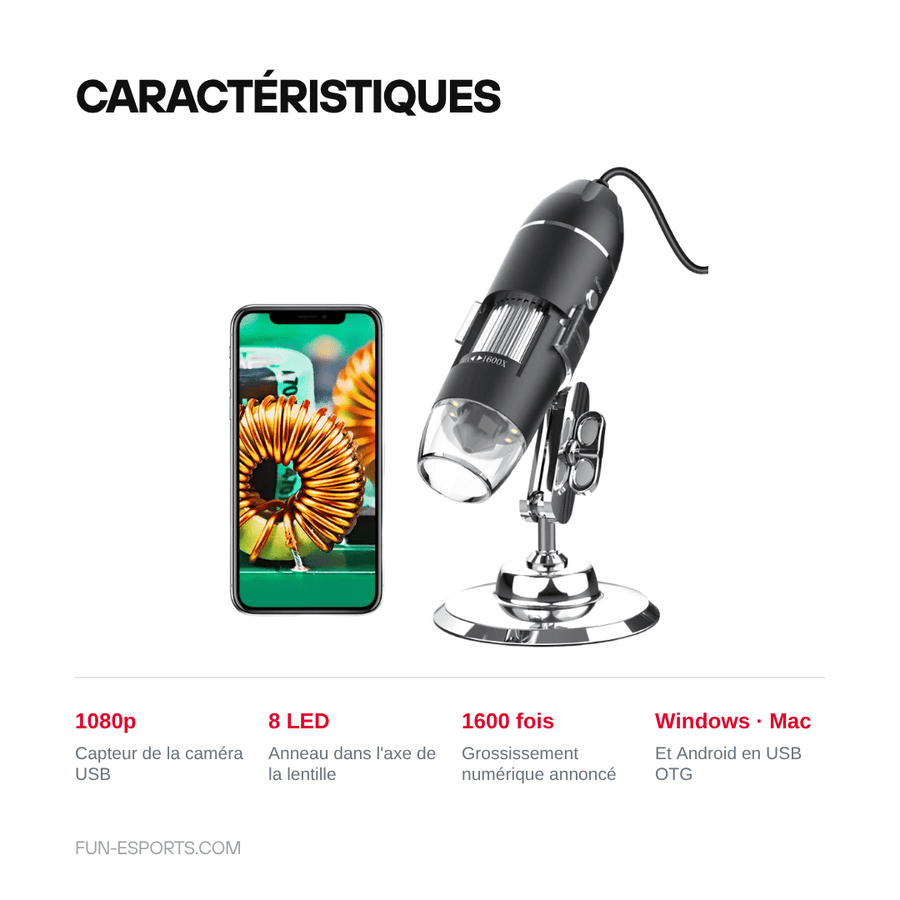
- 1080p sensor: the image goes via USB to the screen you already use, with no extra box or screen to buy.
- Ring of 8 LEDs: the light comes from the lens axis, which removes the shadow of the iron and your finger on the area being viewed.
- Reading markings: identify an SMD component reference, a fuse number or a polarity mark that is unreadable to the naked eye.
- Three platforms: the supplier states Windows, Mac and Android. There is no hardware to install: it is a USB camera.
What it doesn't do
- It is not a stereo microscope. The image is monocular and displayed on a screen, so it has no depth and a slight lag: soldering under the lens takes practice. For inspection and checking, it is perfect; for continuous fine rework, a binocular microscope remains more comfortable.
- The advertised magnification is not an optical value. The supplier's original title claims “1600X” while its own technical sheet states “500X to 1500X”: it is a digital figure that depends on the size of your screen and the cropping. We therefore do not present either figure as a guarantee.
- No built-in screen and no battery: you need a computer or phone switched on and connected to use it. The supplier confirms there is no battery.
- iPhone and iPad are not in the stated compatibility. On Android, USB OTG support is required — not all phones have it.
- Plastic body, entry-level workshop product: no micrometric stage, no polarised ring light, no motorised focus.
Compatibility
A generic workshop tool: it does not mount on any console and does not depend on any model. It works on anything that ends up on the workbench — Game Boy, Game Boy Advance, PS1, PS2 and Dreamcast boards, modern handheld consoles, arcade sticks, USB encoders, ribbon cables and connectors. On the computer side, the supplier states Windows, Mac and Android; on Android, the phone must support USB OTG. iOS is not stated and we do not promise it. Declared certifications: CE, FCC, RoHS.
Skill level required
No prerequisites for the tool: plug in the USB, open the camera app, adjust the focus wheel. It is the work around it that requires experience. To be bought separately: a computer or an Android phone with USB OTG support, a temperature-controlled soldering iron, solder, flux, desoldering braid and something to hold the board — a helping hand or a soldering mat. Usage tip: start by observing, set the height and focus with nothing under the lens, then practise the technique on a dead board before working on a console you care about.
In the box
- 1 USB digital microscope with a ring of 8 LEDs, supplier reference X4D.
- It connects via USB to the computer or phone.
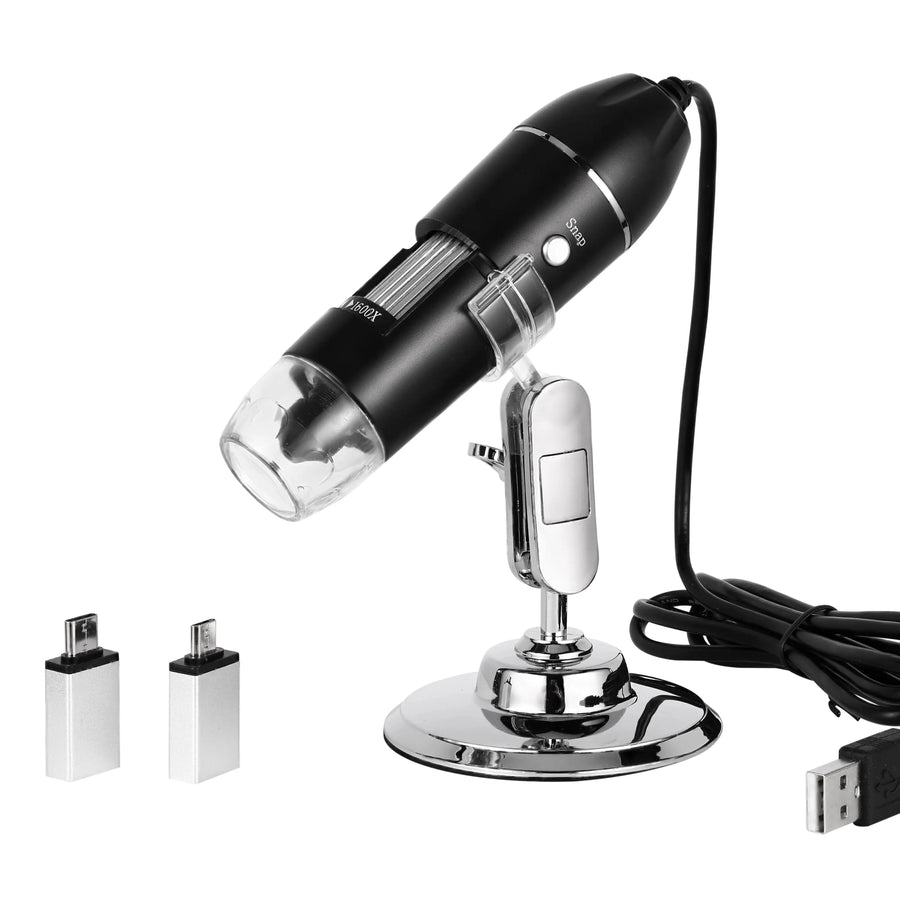
- The exact details of the stand and accessories are not specified by the supplier. We prefer to say so rather than announce contents we don't have.
- No battery, no screen, no computer, no soldering iron: none of these are supplied.
Read before ordering: Console accessories
Delivery in 10 to 18 days · ships within 3 to 5 days · 2-year legal guarantee of conformity · 14-day returns.
USB digital microscope for soldering — 8 LEDs, 1080p sensor
1080p USB camera and ring of 8 LEDs: the board appears magnified on your screen before the iron touches it.
En stock
📦Ships within 3 to 5 business days · Delivery in 10 to 18 business days · 2-year legal guarantee of conformity · 14-day returns.
ℹÀ partir de 150 €, la livraison s’effectue en Point Relais.
- 🇫🇷SAV français
réponse sous 1 jour ouvré - 🛡Garantie légale
2 ans - ↩14 jours
pour changer d’avis - 🔒Paiement sécurisé
CB · PayPal · Klarna
The job: stop repairing blind
On a Game Boy Advance or PS1 board, half of all faults can be seen before they are repaired: a green, oxidised trace under a battery that has leaked, a solder bridge between two pins, a dull joint that never took properly. To the naked eye, you see nothing and heat at random. With a camera magnifying it on the screen, you look first and decide afterwards. It is often the step that saves you from desoldering a perfectly healthy component.
The part: a USB camera, not a binocular microscope
The principle is simple: a 1080p sensor, a manual-focus lens and a ring of 8 LEDs, all connected via USB to the screen you already have. The ring light matters as much as the magnification: coming from the lens axis, it removes the shadow of the iron and your finger on the work area. It is an inspection tool first and foremost, whereas a stereo microscope remains the tool for prolonged rework. At this price, the difference in comfort costs you practice, not results.
Good to know before you order
Two points deserve to be stated clearly. The magnification shown is digital: the supplier writes 1600X in its title and 500X to 1500X in its own technical sheet, and the result depends mainly on the size of your screen. We therefore do not present either figure as a promise. Secondly, there is no built-in screen and no battery: you need a PC, a Mac or an Android phone with USB OTG support to use it, and iOS is not stated. Listing verified on 19 August 2026.
What this accessory brings
Verified manufacturer specifications · vérifié le
Ce qu’il fait bien
- Inspection before repair: cut trace, solder bridge, cold joint, corrosion
- 1080p sensor sent to the screen you already have, no dedicated monitor
- Ring of 8 LEDs in the lens axis: no shadow from the iron or your finger
- Reading SMD markings, references and polarity marks
- USB camera: Windows, Mac and Android stated, no extra hardware
Ce qu’il ne fait pas
- Monocular image on a screen: no depth, slight lag — less comfortable than a binocular microscope for continuous soldering
- Digital, not optical, magnification: the supplier states 1600X in its title and 500X to 1500X in its technical sheet
- No built-in screen and no battery: computer or phone required
- iPhone and iPad not stated; on Android, USB OTG required
- Plastic body, entry-level product: no micrometric stage, no motorised focus
Voir toute la fiche technique+
Matière et format
- Type d’accessoire
- USB digital microscope (inspection tooling)
Compatible avec
- Windows PC (USB camera)
- Mac (USB camera)
- Android smartphone or tablet with USB OTG support
- Retro console boards: Game Boy, Game Boy Advance, PS1, PS2, Dreamcast…
- Arcade sticks, USB encoders, ribbon cables and connectors
- iOS not stated by the supplier
Dans la boîte
- 1 USB digital microscope with a ring of 8 LEDs, supplier reference X4D
- USB connection to computer or phone
- Details of stand and accessories not specified by the supplier — [TO BE CHECKED]
- No battery, screen, computer or soldering iron
Frequently Asked Questions
🔍 What magnification do you really get?
The magnification is digital, not optical: it depends on the size of your screen and the cropping. The supplier states 1600X in its title and 500X to 1500X in its technical sheet. We do not present either figure as a guarantee: expect magnification that is more than enough to read an SMD marking and see a solder bridge.
🖥️ Is there a screen or a battery?
No, neither. It is a USB camera: the image is displayed on a Windows PC, a Mac or an Android phone, which also powers it.
📱 Does it work with an iPhone?
The supplier states Windows, Mac and Android only. iOS is not on the list, so we do not promise it. On Android, the phone must support USB OTG.
🔧 Can you solder while looking at the screen?
Yes, but it takes practice: the image is monocular, so it has no depth, and there is a slight lag. For inspection and checking, it is immediate. For continuous fine rework, a stereo microscope remains more comfortable.
🎮 Which consoles can it be used on?
All of them: it is a generic workshop tool, it does not mount inside any console. It works just as well on a Game Boy Advance board as on a PS1, an arcade stick or a USB encoder.
🧰 What else do I need?
A computer or an Android phone with USB OTG support, a temperature-controlled soldering iron, solder, flux, desoldering braid, and something to hold the board: a helping hand or a soldering mat.
🚚 What are the delivery times?
Delivery in 10 to 18 days, ships within 3 to 5 days.
🛡️ What guarantee applies?
2-year legal guarantee of conformity. 14-day returns. Reply within 1 business day.
Why buy here rather than on a marketplace
It is a fair question. Here is the answer, straight.
Every listing is checked before publication: real compatibility, material, dimensions, box contents. Many models never make it into the catalogue.
A question about compatibility, a fit problem, a return: you write, a human replies within 1 business day. In French.
The 2-year legal warranty of conformity is handled by us — not by a form on the other side of the world. And 14 days to change your mind, with no need to justify yourself.
We do not claim to be the cheapest. We claim that you will know exactly what you are buying before you pay.
Read this before choosing
Our guides to accessories: compatibility, protection, transport.

Pixel art: create your own designs for a Divoom display
Grid size, number of colours, outlines, animation: the guide to getting started in pixel art and displaying your own creations on a Divoom display.
2 min de lecture · publié le

Divoom pixel art speakers: which one should you choose?
Astrotoo, Ditoo-Pro, FlowToo, Tiivoo-2, Timebox-Evo, MiniToo, Fairy-OK: the seven Divoom speakers compared, by use and budget.
2 min de lecture · publié le

Times Frame or Times Frame Pure: which Divoom floating photo frame should you choose?
64 or 32 GB, three colours or just one, a dial or not: the real differences between the Times Frame and Times Frame Pure…
1 min de lecture · publié le