Full description
Ezreal Keycaps: installation explained key by key
Swapping twelve keys takes no screwdriver, no soldering and no electronics knowledge at all. The Ezreal set comes with its own puller, and the job is done with the keyboard lying flat, in a few minutes. Here is the full process, from removing the stock caps to the first press on your new row.
What you have on hand before you start
- 12 keys: enough to dress up the most-viewed rows of the keyboard.
- Puller included: the ring that replaces your fingernails and spares the sides of the caps.
- MX cross stem: take a look under a stock key, the cross should be visible on the switch.
Step 1 — remove the stock caps
Slide the ring diagonally around the key until both hooks sit under opposite edges. Then pull straight up, without rocking the tool from side to side: it's that sideways movement that bends the stems. A stubborn key always gives way if you take a slightly lower grip.
Step 2 — clip on the Ezreal set
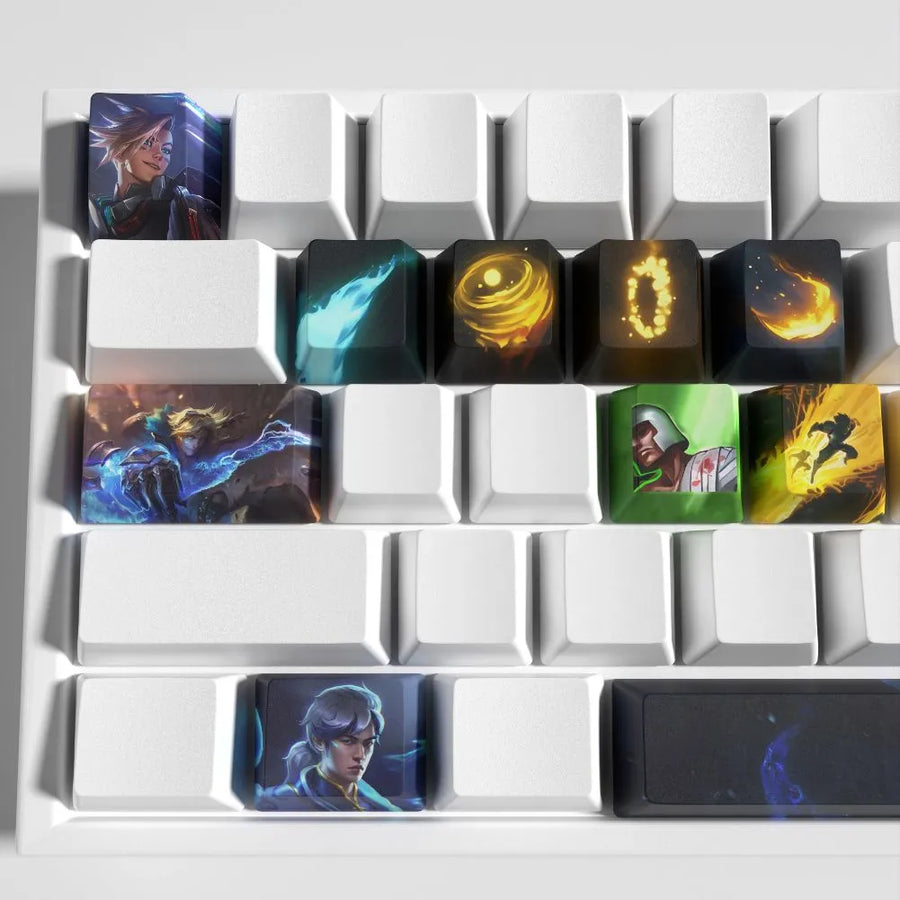
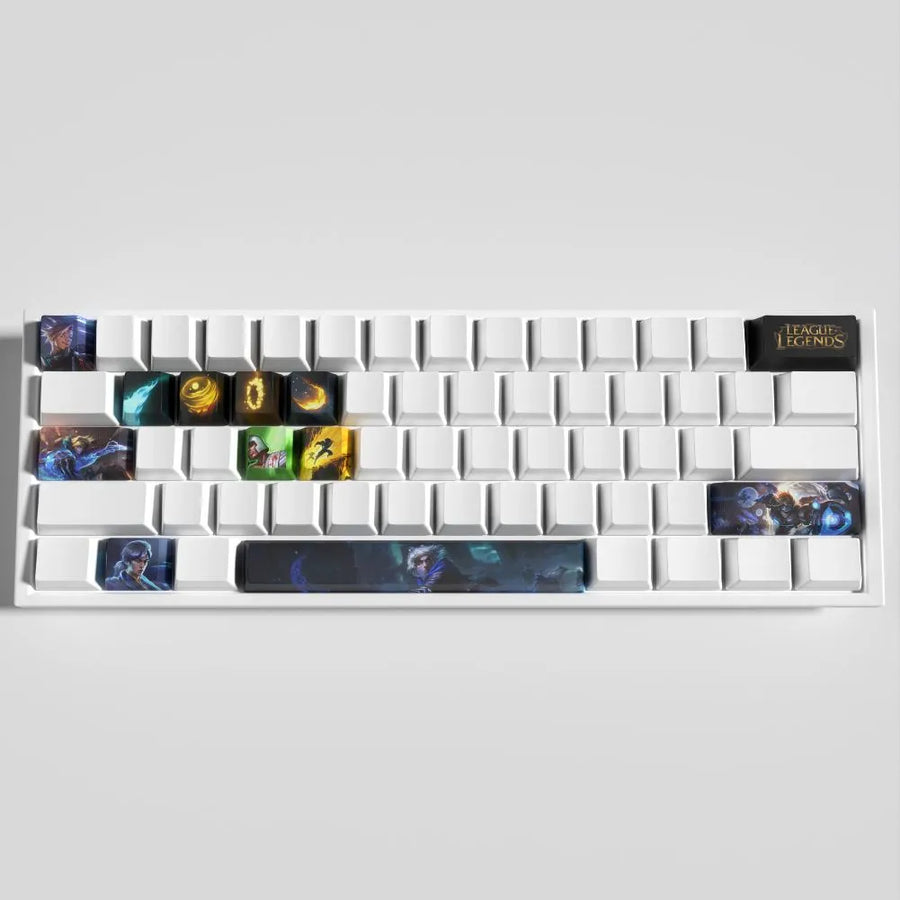
Hold the cap above the cross, line it up by eye, then press with your thumb until you hear a small muffled click. The OEM profile has a set orientation: the tallest side faces the screen. Work down row by row starting from the top, so you don't have to go back over an alignment you've already set.
A flash of gold on glacier blue
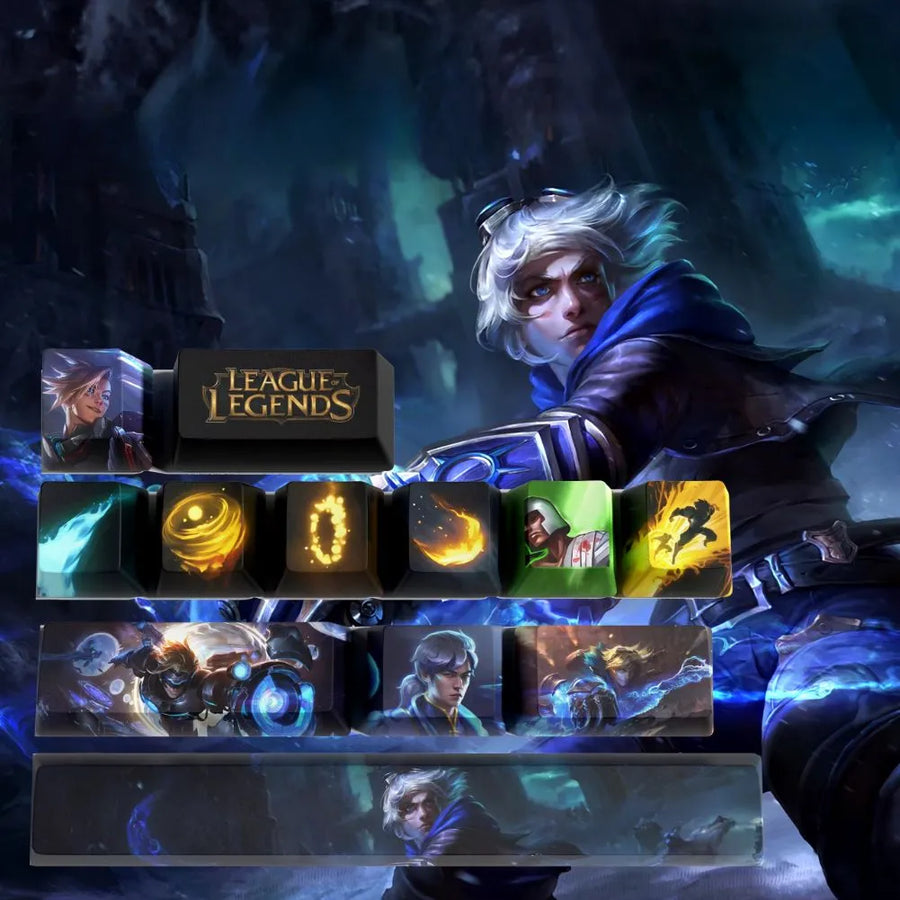
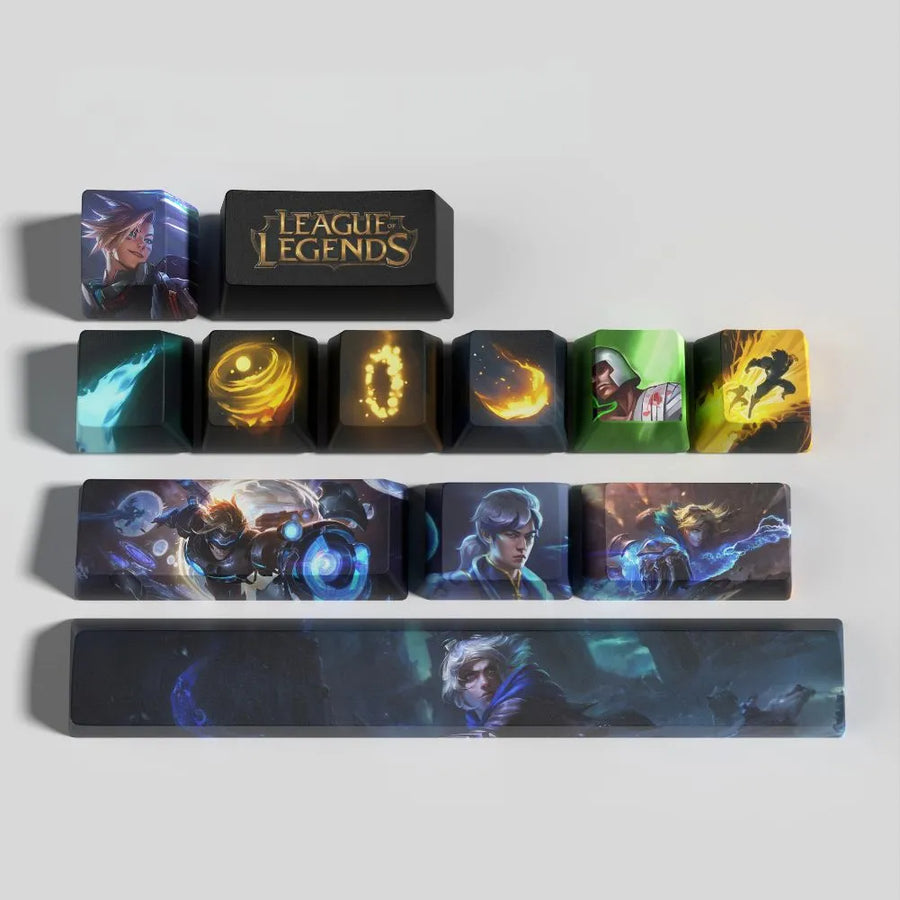
The set borrows its palette from the Prodigal Explorer's wardrobe: cool blues, off-white and gold accents that recall the runes of his arcane gauntlet. DYE-SUB printing infuses the design into the PBT instead of laying it on the surface, so the artwork doesn't rub off under your thumb.
Extending the color scheme
In the same family of blues, Nami keycaps lean aquatic, while Azir keycaps put gold front and center. For a lighter, more understated option, take a look at the Janna keycaps.
Two questions before you start
Can the puller damage a key?
No, as long as you pull straight up. The ring spreads the force over two opposite sides, whereas a fingernail forces a single edge.
Do you need to open the keyboard to install the set?
Never. Everything is done from the top, with the keyboard plugged in, and you can test each key as you go.
Set of 12 keys with puller.
Ezreal League of Legends Keycaps – Step-by-Step Install with Puller
Ezreal set: 12 PBT keycaps and a puller included, to get your first keycap swap right in a few minutes.
In stock
📦Delivery in 10 to 18 days · dispatched within 3 to 5 days.
ℹÀ partir de 150 €, la livraison s’effectue en Point Relais.
- 🇫🇷French customer service
reply within 1 business day - 🛡Legal warranty
2 years - ↩14 days
to change your mind - 🔒Secure payment
Card · PayPal · Klarna

Ezreal, the champion you pick first
Ezreal is often the first carry a player learns: mobile, readable, forgiving, he sees you through your first games as well as thousands of hours. The artwork stays in that spirit of adventure — the gauntlet, the bolt of energy, the explorer setting off after something bigger than himself. The set follows the same logic on the desk: 12 keycaps, one area to mark, and a first act of customisation that calls for no skill and no extra tool. Plenty of mechanical keyboards have never been touched by their owner; this one is modified from above, in a few minutes, and put back as it was.

Fitting, step by step
One: pull off a keycap and look at the switch. If a raised cross appears, it is an MX cross-stem and the set clips onto it — Cherry MX, Gateron, Kailh, Outemu. Two: slide the included puller diagonally around the cap, then pull straight up, without forcing it sideways. Three: put each cap back on an equivalent row, because the OEM profile changes angle from one row to the next and a step can be felt where they meet. Everything is done from above, without opening the keyboard, and the 12 keycaps go wherever you like, on AZERTY as on QWERTY. Dye-sublimated PBT takes it in its stride: the pattern is in the material, not laid on top.

What the step-by-step does not cover
No amount of careful fitting makes up for an incompatibility: on a membrane keyboard or on low-profile scissor-mechanism keys there is no MX cross-stem, and nothing clips on. Nor is it a full set — 12 keycaps cover one area, they do not cover the keyboard, and keys with a manufacturer-specific width are not included. The OEM profile does not match a keyboard built in Cherry, XDA or SA. The set is not backlit: dye-sublimated PBT is opaque, the light passes around the keycaps and not through the legends. Finally, the Ezreal artwork is a creation inspired by the League of Legends universe, with no connection to the game's publisher.
What this set contains
Verified specifications · vérifié le
Ce qu’il fait bien
- 12 touches en PBT, un plastique plus dense que l'ABS monté d'origine sur la plupart des claviers
- Motif appliqué par sublimation DYE-SUB : le colorant pénètre la matière, sans couche en relief ni bord à écailler
- Surface mate, sans finition brillante au départ
- Profil OEM et tige croisée MX : remplacement à hauteur identique sur Cherry MX, Gateron, Kailh et Outemu
- Extracteur de keycaps fourni, pose par le dessus sans ouvrir le clavier
Ce qu’il ne fait pas
- Ne remplace pas un clavier complet : 12 touches habillent une zone, les autres rangées gardent leurs capuchons d'origine
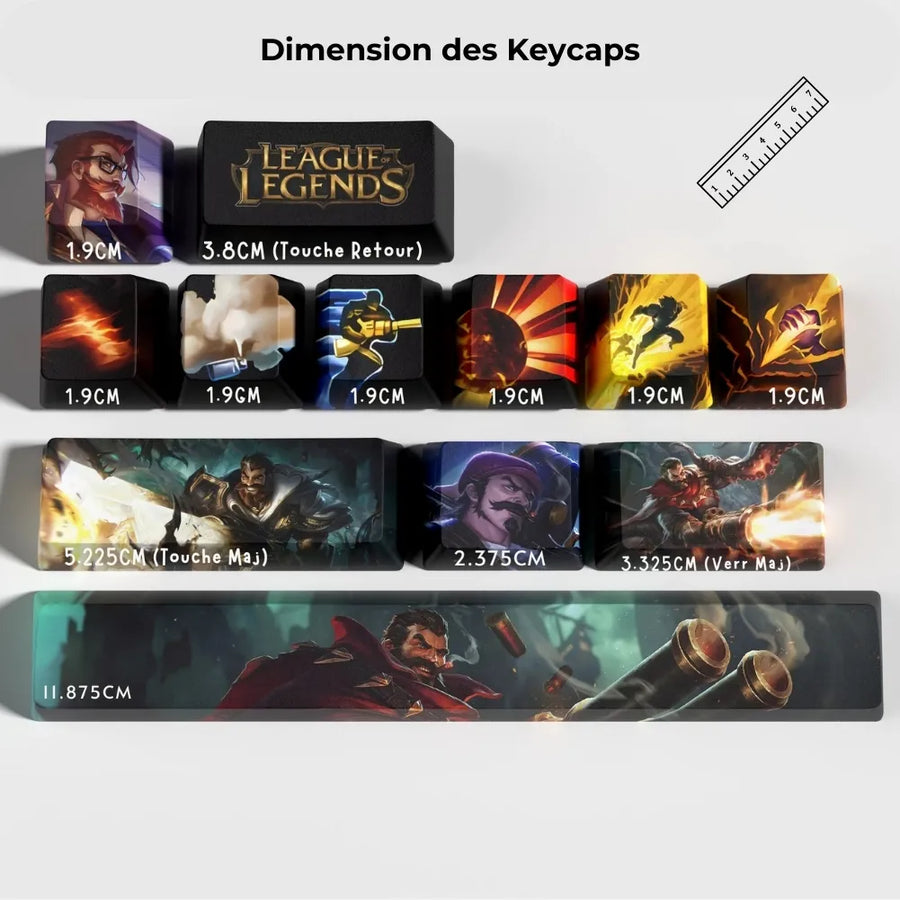
- Tailles fournies : 7 touches 1U (1,9 cm), une 1,25U, une Verr Maj 1,75U, une Retour arrière 2U, une Maj 2,75U (5,225 cm) et une barre d'espace 6,25U
- Claviers compacts 65 %, 75 %, 96 % et 98 touches : leur Maj droite est raccourcie à 1,75U ou 2,25U, la Maj 2,75U du set ne s'y monte pas. Les 7 touches 1U se posent sans difficulté
- Clavier AZERTY ISO : la touche 2U fournie correspond au Retour arrière, pas à la touche Entrée, qui est en L sur un clavier français
- Ne convient pas aux claviers à membrane, aux claviers à touches basses (low profile) ni aux switches à tige propriétaire
- Les légendes ne sont pas rétroéclairées : le PBT est opaque, la lumière du switch passe autour de la touche
- Le profil OEM ne s'aligne pas avec un clavier monté dans un autre profil (Cherry, SA, XDA, DSA) : une marche reste visible
- Création de fan art inspirée de l'univers League of Legends : ce set n'est pas un produit sous licence officielle
Voir toute la fiche technique+
Fabrication
- Matériau
- PBT
- Profil des touches
- OEM
- Impression
- Sublimation (DYE-SUB)
- Nombre de touches
- 12
Compatibilité
- Type de tige
- Tige croisée MX (Cherry MX, Gateron, Kailh, Outemu)
- Univers
- League of Legends — Ezreal
Compatible avec
- Claviers mécaniques à tiges MX en croix
- Switches Cherry MX
- Switches Gateron
- Switches Kailh
- Switches Outemu
- Claviers montés au profil OEM
Dans la boîte
- 12 keycaps en PBT
- 1 extracteur de keycaps
Informations et sécurité
Consignes d'utilisation et informations légales du produit
Tapis et keycaps : bon usage
- Tapis : une légère odeur de caoutchouc peut être présente à l'ouverture. Elle disparaît en quelques jours à l'air libre.
- Tapis de sol : posez-le sur un sol propre et sec et vérifiez qu'il ne glisse pas.
- Keycaps : petites pièces, ne convient pas aux enfants de moins de 3 ans.
Origine, responsable et contact
- Produit et emballage d'origine fabricant : les inscriptions peuvent être en chinois ou en anglais. Les caractéristiques du produit sont décrites en français sur cette page.
- Utilisez ce produit uniquement pour l'usage décrit sur cette page, en suivant les consignes ci-dessous.
- Responsable de la mise sur le marché dans l'UE : JMR-Service (Fun-Esports). Pour ses coordonnées complètes, reportez-vous à nos CGV.
- Un problème de sécurité (surchauffe, odeur de brûlé, pièce cassée) ? Arrêtez d'utiliser le produit et écrivez-nous à contact@fun-esports.com.
- Garantie, retours et rétractation : voir notre page Garantie et retours.
Frequently Asked Questions
Is this set compatible with my keyboard?
Fitting is on an MX cross-stem. Pull off one keycap: if the switch shows a raised cross, the 12 keycaps clip onto it. That covers Cherry MX, Gateron, Kailh and Outemu. A membrane keyboard or one with low-profile scissor-mechanism keys is not concerned.
How many keycaps does the set contain, and which ones?
12 keycaps in standard size, with no fixed layout: you choose the positions, from the movement block to the ability keys. Keys with a manufacturer-specific width are not included.
What does this set's artwork show?
A free reading of Ezreal's world: the register of the explorer, the gauntlet and the bolt of energy, in a graphic treatment rather than an official portrait. It is an inspired creation, drawn to fit the surface of a keycap and therefore simplified compared with in-game artwork.
Which keys should you mark when you play Ezreal?
A carry's logic: the movement block first, then the ability keys and the one you repeat most. Nothing is imposed — the 12 keycaps are interchangeable and can be moved as often as you like.
What are the set's weight and dimensions?
The manufacturer states neither weight nor dimensions. Both fields stay empty rather than showing an estimate. What's in the box is stated as 12 keycaps and one puller.
Is this an official League of Legends product?
No. This is an illustration inspired by the League of Legends universe, not a licensed product. The keycaps remain ordinary keyboard caps, independent of the game.
Why buy here rather than on a marketplace
It is a fair question. Here is the answer, straight.
Every listing is checked before publication: key material, profile, stem type, number of keys, box contents. Many sets never make it into the catalogue.
A question about compatibility with your keyboard, a missing key, a return: you write, a human replies within 1 business day. In French.
The 2-year legal warranty of conformity is handled by us — not by a form on the other side of the world. And 14 days to change your mind, with no need to justify yourself.
We do not claim to be the cheapest. We claim that you will know exactly what you are buying before you pay.
Read this before choosing
Our guides to keyboards and keycaps: profiles, stems, materials.

Manette pour smartphone : bien choisir pour le rétro et les jeux mobiles
Trois formats de manettes pour téléphone, et les critères qui départagent : port USB-C, version d'iOS ou d'Android, longueur du téléphone avec sa coque,…
9 min de lecture · publié le

Quelle manette 8BitDo choisir selon votre console et votre usage
Récepteur pour console d'origine, SN30 Pro ou Pro 3 sur Switch, Ultimate 2C ou Ultimate 2 sur PC : le tableau usage par usage…
11 min de lecture · publié le

Leverless ou stick arcade en 2026 : faut-il passer à la hitbox ?
Vous hésitez à passer au leverless ? Fonctionnement, modes SOCD et règles de tournoi en 2026, jeux concernés, temps d'adaptation, switchs et cartes GP2040-CE,…
9 min de lecture · publié le