Description complète
Replacement speaker: bring the sound back to a Game Boy that has gone silent
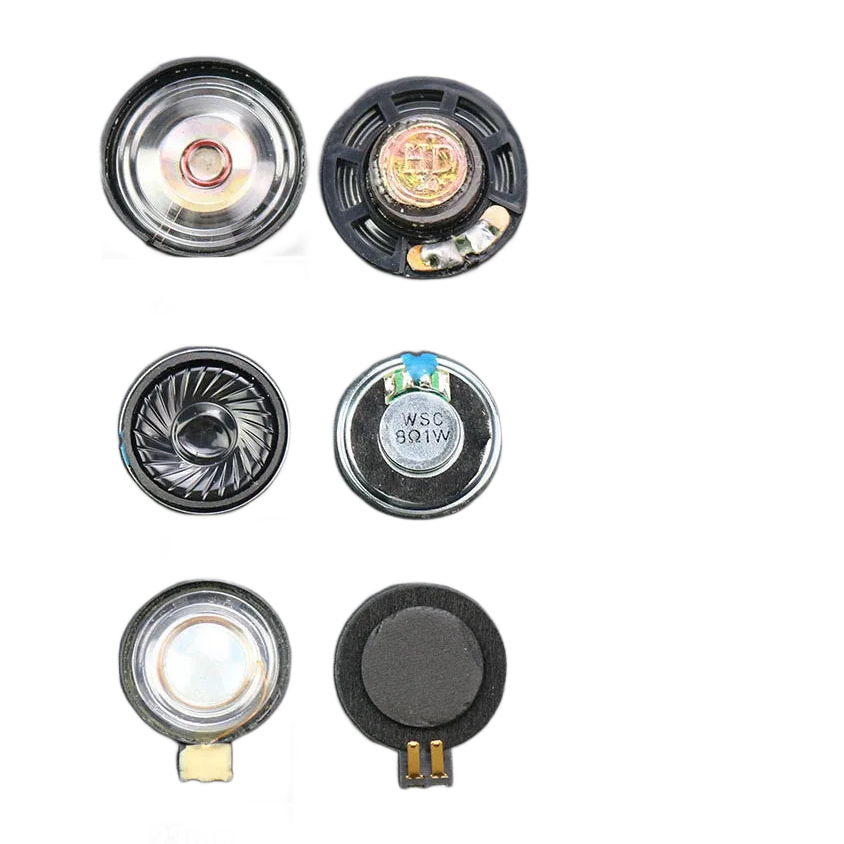
On a console more than twenty years old, the speaker is one of the first parts to give up the ghost: torn membrane, crackling sound, volume that collapses or nothing at all. This replacement speaker takes the place of the original one in the Game Boy, Game Boy Color, Game Boy Advance and Game Boy Advance SP. One variant per console family: the size is not the same from one machine to another.
What it does
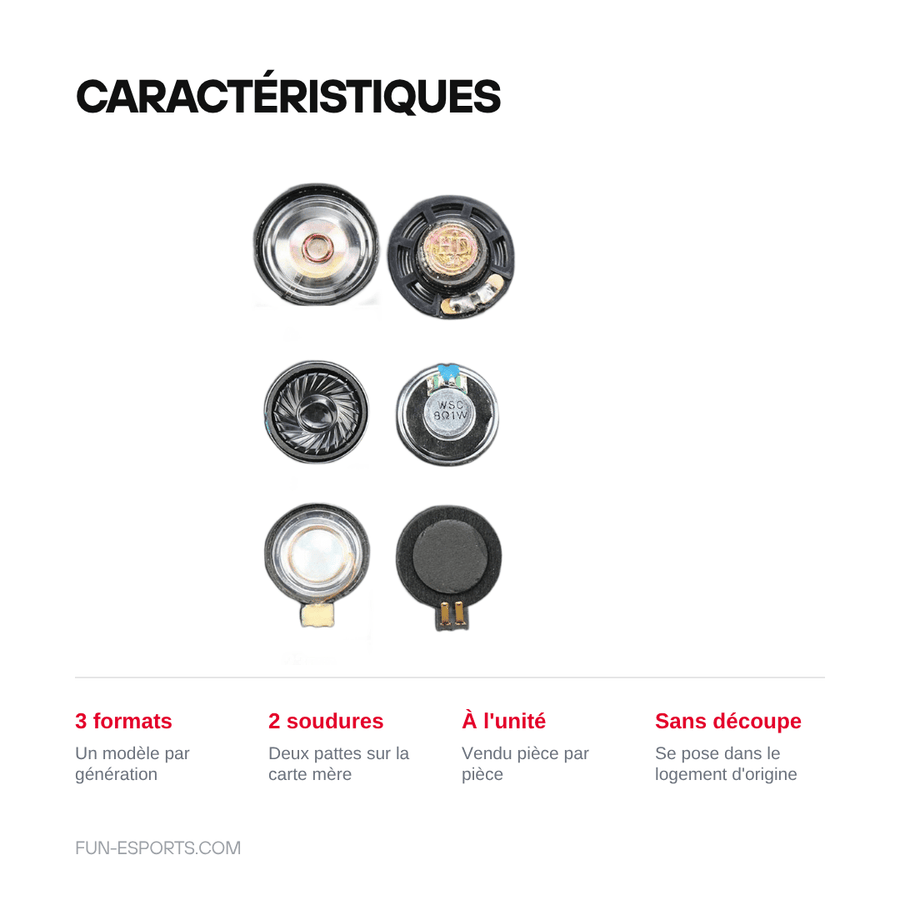
- Replaces the original speaker: same housing in the shell, two solder points on the motherboard.
- One variant per console family: Game Boy and Game Boy Pocket, Game Boy Color and Game Boy Advance, or Game Boy Advance SP — you choose the size that matches your machine.
- Sold individually: a simple spare part, useful for a one-off repair as well as for a full restoration with shell and screen.
What it doesn't do
- It cannot be installed without soldering: the console must be opened and the original speaker desoldered.
- It does not fix an amplification fault. If the crackling comes from the volume potentiometer, a tired capacitor or a broken trace, changing the speaker won't make any difference.
- The volume gain claimed by the supplier has not been measured: take it as a sales claim, not as a guaranteed specification.
- It does not include any wire, connector, tool or disassembly instructions.
- It is not suitable for the DS, DS Lite, 3DS or Game Boy Micro, nor for consoles from other brands.
Compatibility
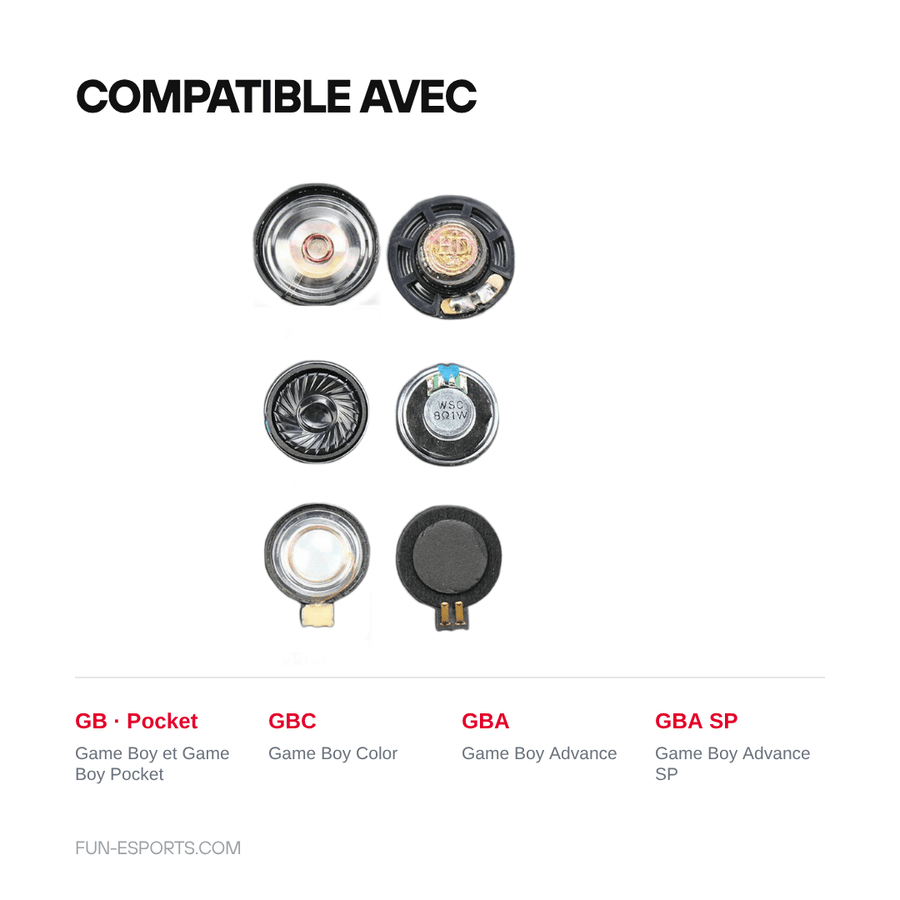
Three variants, one per machine family: “Game Boy / Game Boy Pocket”, “Game Boy Color / Game Boy Advance” and “Game Boy Advance SP”. The diameter stated by the supplier is 23 mm or 28 mm depending on the model: before ordering, open the console and measure the speaker in place, as it is the only reliable check. The DS, DS Lite, 3DS, Game Boy Micro and handheld consoles from other manufacturers are not covered.
Skill level required
Intermediate. You need to open the shell (tri-wing screwdriver for the external screws, Phillips for the internal screws), free the motherboard, desolder the two legs of the original speaker and then solder the new one in its place. A fine-tip iron, desoldering braid and a plastic spudger are all you need. If you have never desoldered before, practise first on a scrap board.
In the box
- 1 replacement speaker, matching the variant chosen.
Read before ordering: Retro peripherals
Delivery in 10 to 18 days · ships within 3 to 5 days · 2-year legal guarantee · 14-day returns.
Listing verified on 19 August 2026.
Replacement speaker for Game Boy, GBC, GBA and GBA SP — solder-in
Solder-in spare part for Game Boy, Game Boy Color, Game Boy Advance and Game Boy Advance SP.
En stock
📦Ships within 3 to 5 business days · Delivery in 10 to 18 business days · 2-year legal guarantee · 14-day returns.
ℹÀ partir de 150 €, la livraison s’effectue en Point Relais.
- 🇫🇷SAV français
réponse sous 1 jour ouvré - 🛡Garantie légale
2 ans - ↩14 jours
pour changer d’avis - 🔒Paiement sécurisé
CB · PayPal · Klarna
Sound returns to the shell
A Game Boy that crackles or stays silent almost always has a speaker problem. The membrane tears, the coil oxidises, and the sound goes before the console does. Replacing it gives clean audio back to a machine that otherwise still works perfectly. It is the cheapest repair in the catalogue, and one of the most satisfying once the shell is closed again.
A simple part, three sizes
The Game Boy, Game Boy Color, Game Boy Advance and Game Boy Advance SP do not use the same speaker: the diameter and housing change from one family to another. That is why we offer three variants rather than a universal part that fits nowhere. Fitting is identical in all three cases: two solder points, no cutting, no modification to the shell.
What we tell you before you buy
This part cannot be fitted without a soldering iron, and it only fixes one problem: the speaker itself. If the sound is distorted because of the volume potentiometer, a tired capacitor or a broken trace, replacing it won't change anything. The volume gain claimed by the supplier has not been measured by us. Listing verified on 19 August 2026.
What this accessory brings
Verified manufacturer specifications · vérifié le
Ce qu’il fait bien
- Replaces the original speaker in its housing, without modifying the shell
- Three sizes: Game Boy and Game Boy Pocket, Game Boy Color and Game Boy Advance, Game Boy Advance SP
- Two solder points on the motherboard, no extra wiring
- Sold individually, for a one-off repair or a full restoration
Ce qu’il ne fait pas
- Soldering required: two legs to desolder and then solder back
- Does not fix an amplification fault (volume potentiometer, capacitor, broken trace)
- Volume gain claimed by the supplier, not measured by us
- Supplied on its own: no wire, connector, tool or disassembly instructions
- Not compatible with DS, DS Lite, 3DS and Game Boy Micro
Voir toute la fiche technique+
Matière et format
- Type d’accessoire
- Replacement speaker
Compatible avec
- Game Boy
- Game Boy Pocket
- Game Boy Color
- Game Boy Advance
- Game Boy Advance SP
Dans la boîte
- 1 replacement speaker matching the variant chosen
Frequently Asked Questions
🔧 Do I need to solder to install this speaker?
Yes. The original speaker is soldered to the motherboard by two legs: you need to desolder it, then solder the new one in its place. A fine-tip iron and desoldering braid are all you need.
🎮 Which variant should I choose for my console?
Three variants: Game Boy and Game Boy Pocket, Game Boy Color and Game Boy Advance, Game Boy Advance SP. The size differs from one family to another, so pick the one that matches your machine.
📏 What is the exact diameter of the speaker?
The supplier states 23 mm or 28 mm depending on the console model. Before ordering, open the console and measure the part in place: it is the only reliable check.
🔊 Is it really more powerful than the original?
That is what the supplier claims, but we have not measured it. Consider it a replacement speaker, not a guaranteed volume upgrade.
📦 What's in the box?
One replacement speaker, matching the variant chosen. No wire, connector, tool or instructions.
🧰 What tools do I need?
A tri-wing screwdriver for the external screws, a Phillips screwdriver for the internal screws, a plastic spudger, a fine-tip soldering iron and desoldering braid.
🚚 What are the delivery times?
Delivery in 10 to 18 days, ships within 3 to 5 days.
🛡️ What guarantee applies?
2-year legal guarantee of conformity. 14-day returns. French customer service, reply within 1 business day.
Why buy here rather than on a marketplace
It is a fair question. Here is the answer, straight.
Every listing is checked before publication: real compatibility, material, dimensions, box contents. Many models never make it into the catalogue.
A question about compatibility, a fit problem, a return: you write, a human replies within 1 business day. In French.
The 2-year legal warranty of conformity is handled by us — not by a form on the other side of the world. And 14 days to change your mind, with no need to justify yourself.
We do not claim to be the cheapest. We claim that you will know exactly what you are buying before you pay.
Read this before choosing
Our guides to accessories: compatibility, protection, transport.

Pixel art: create your own designs for a Divoom display
Grid size, number of colours, outlines, animation: the guide to getting started in pixel art and displaying your own creations on a Divoom display.
2 min de lecture · publié le

Divoom pixel art speakers: which one should you choose?
Astrotoo, Ditoo-Pro, FlowToo, Tiivoo-2, Timebox-Evo, MiniToo, Fairy-OK: the seven Divoom speakers compared, by use and budget.
2 min de lecture · publié le

Times Frame or Times Frame Pure: which Divoom floating photo frame should you choose?
64 or 32 GB, three colours or just one, a dial or not: the real differences between the Times Frame and Times Frame Pure…
1 min de lecture · publié le