Description complète
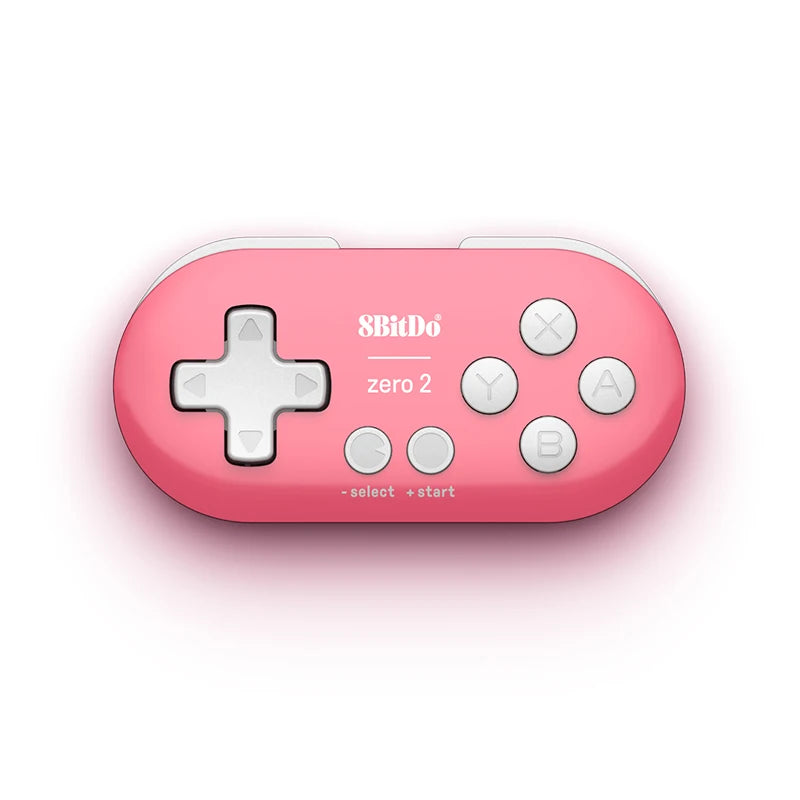
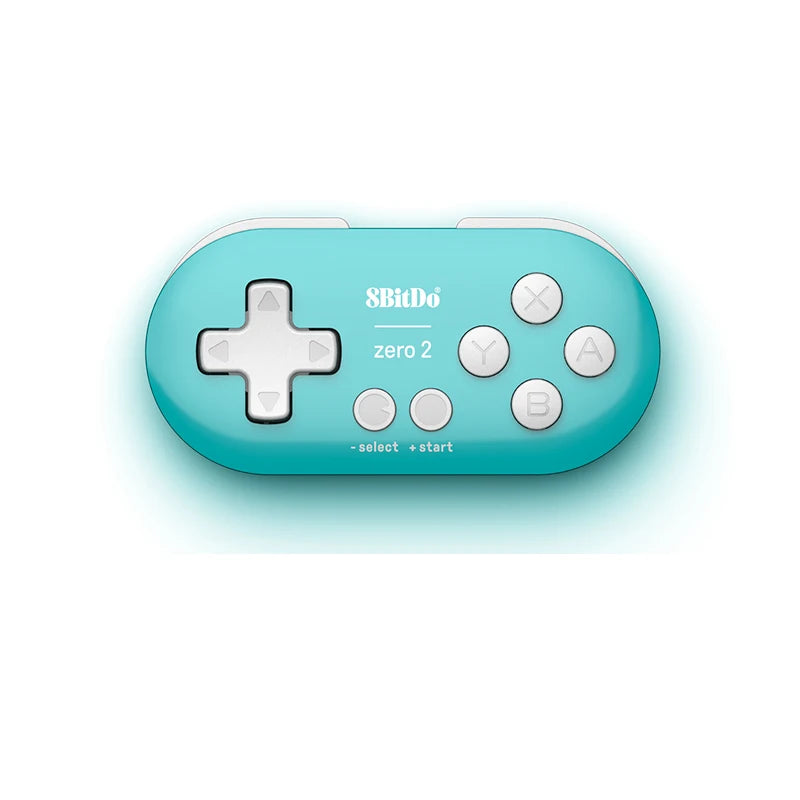
8BitDo Zero 2: 20.7 grams of controller on the end of a keyring
The Zero 2 is 73 mm long and weighs 20.7 g. That is less than a bunch of keys. It pairs over Bluetooth with a Switch, a PC or a phone, offers four modes including a keyboard mode, and works as well as a backup controller as it does as a game remote for an emulator sitting on a shelf.
What it does
- 73 × 36.5 × 14.7 mm and 20.7 g: the smallest controller in the range.
- Four modes: X-input, D-input, Switch mode and keyboard mode, selected when pairing.
- Switch and Switch 2 supported, as well as Windows and Android.
- 8 hours of battery life claimed on a 180 mAh battery, recharged in 1 to 2 hours.
- Keyboard mode lets you control an emulator or a media player that does not expect a controller.
What it doesn't do
- No analogue stick. The Zero 2 only has a D-pad and buttons. It suits 8-bit and 16-bit games; as soon as a game calls for a stick — PlayStation, Nintendo 64, PSP — it is not enough.
- Neither vibration nor gyroscope: the manufacturer mentions neither on this model.
- No lower triggers: its size does not allow for them.
- The format calls for medium-sized hands at most, or short sessions.
- It does not connect to an original retro console without a dedicated Bluetooth receiver, sold separately.
- Supplied without games, in compliance with the law.
Compatibility
Stated by the manufacturer for Switch (3.0.0 and later), Switch 2 (20.1.1 and later), Windows and Android, over Bluetooth. The four modes — X-input, D-input, Switch and keyboard — cover most desktop and mobile emulators. macOS and Apple devices are not listed for this model.
Getting started
No disassembly, no soldering. The mode is selected with the pairing button combination: hold a different button depending on whether you want X-input, D-input, Switch or keyboard mode. These combinations are given in the manufacturer's instructions. Charging is via the included USB cable.
In the box
- 1 8BitDo Zero 2 mini controller
- 1 USB cable
- 1 manufacturer's instruction leaflet
See also: the full 8BitDo range and our retro controllers.
8BitDo Zero 2 mini Bluetooth controller for Switch, PC and Android — 20.7 g, keyring size
20.7 g, four modes including a keyboard mode, 8 hours of battery life. D-pad only: no analogue stick.
Ce qu’il y a dedans
- Bluetooth
En stock
📦Delivery in 10 to 18 days · ships within 3 to 5 days
ℹÀ partir de 150 €, la livraison s’effectue en Point Relais.
- 🇫🇷SAV français
réponse sous 1 jour ouvré - 🛡Garantie légale
2 ans - ↩14 jours
pour changer d’avis - 🔒Paiement sécurisé
CB · PayPal · Klarna
Smaller than a bunch of keys
Seven centimetres long, twenty grams on the scales: the Zero 2 fits in a jacket pocket without you feeling it. It is the controller you leave in your backpack or your desk drawer, the one that helps out when your main controller is flat, and the one you take along when space is tight.
Keyboard mode, the feature you would not expect
On top of the X-input, D-input and Switch modes, the Zero 2 can pass itself off as a keyboard. That is what makes it useful where a controller is not recognised: an emulator configured for keyboard, a media player, a mini PC sitting under the TV. The mode is chosen when pairing.
D-pad only: know what that rules out
The Zero 2 has no analogue stick, and that is not an oversight: it is the price of its size. For the NES, the Super Nintendo, the Mega Drive or the Game Boy, you will never miss one. For the PlayStation, the Nintendo 64 or the PSP, you need to move to a controller with sticks — the SN30 Pro or the Lite 2, for example.
What this controller can do
Verified manufacturer specifications · vérifié le
Ce qu’elle fait bien
- 20.7 g and 73 mm: the smallest controller in the range
- Four modes: X-input, D-input, Switch and keyboard
- Switch and Switch 2 supported
- Windows and Android over Bluetooth
- 8 hours of battery life claimed on 180 mAh
- Keyboard mode controls an emulator that does not expect a controller
Ce qu’elle ne fait pas
- No analogue stick: D-pad and buttons only
- Neither vibration nor gyroscope mentioned by the manufacturer
- No lower triggers
- Format unsuited to large hands or long sessions
- On an original retro console, a Bluetooth receiver is essential
- Supplied without games, in compliance with the law
Voir toute la fiche technique+
Contrôle
- Gâchettes
- L and R only, no lower triggers
- Croix directionnelle
- D-pad, no analogue stick
- Boutons arrière
- 0
- Retour haptique
- None
Connexion et réactivité
- Batterie
- 180 mAh
Connectique
- Bluetooth
- USB (charging)
Format
- Poids
- 21 g
- Dimensions
- 73 × 36.5 × 14.7 mm
Frequently Asked Questions
🕹️ Does it have analogue sticks?
No. The Zero 2 only has a D-pad and buttons. For games that require a stick — PlayStation, Nintendo 64, PSP — you need a controller with sticks.
⌨️ What is keyboard mode for?
For controlling software that does not expect a controller: an emulator configured for keyboard, a media player, a living-room mini PC. The controller then sends keystrokes rather than game inputs.
🎮 Does it work on Switch 2?
Yes, from firmware 20.1.1 according to the manufacturer. On the original Switch, from firmware 3.0.0.
📳 Does it vibrate?
No. The manufacturer mentions neither vibration nor gyroscope on this model: the format leaves no room for a motor.
🔋 What is the battery life?
180 mAh battery, 8 hours of play claimed for 1 to 2 hours of charging.
📦 What's in the box?
1 Zero 2 mini controller, 1 USB cable and 1 manufacturer's instruction leaflet.
🚚 What are the delivery times?
Delivery in 10 to 18 days, ships within 3 to 5 days.
🛡️ Which guarantee applies?
2-year legal guarantee of conformity. 14-day returns.
Why buy here rather than on a marketplace
It is a fair question. Here is the answer, straight.
Every listing is checked before publication: platforms actually supported, stick technology, connectivity, what the controller does not do. Many models never make it into the catalogue.
A question, a pairing problem, a return: you write, a human replies within 1 business day. In French.
The 2-year legal warranty of conformity is handled by us — not by a form on the other side of the world. And 14 days to change your mind, with no need to justify yourself.
We do not claim to be the cheapest. We claim that you will know exactly what you are buying before you pay.
Read this before choosing
Our guides to controllers and what they can drive.

Pixel art: create your own designs for a Divoom display
Grid size, number of colours, outlines, animation: the guide to getting started in pixel art and displaying your own creations on a Divoom display.
2 min de lecture · publié le

Divoom pixel art speakers: which one should you choose?
Astrotoo, Ditoo-Pro, FlowToo, Tiivoo-2, Timebox-Evo, MiniToo, Fairy-OK: the seven Divoom speakers compared, by use and budget.
2 min de lecture · publié le

Times Frame or Times Frame Pure: which Divoom floating photo frame should you choose?
64 or 32 GB, three colours or just one, a dial or not: the real differences between the Times Frame and Times Frame Pure…
1 min de lecture · publié le