HDMI cables

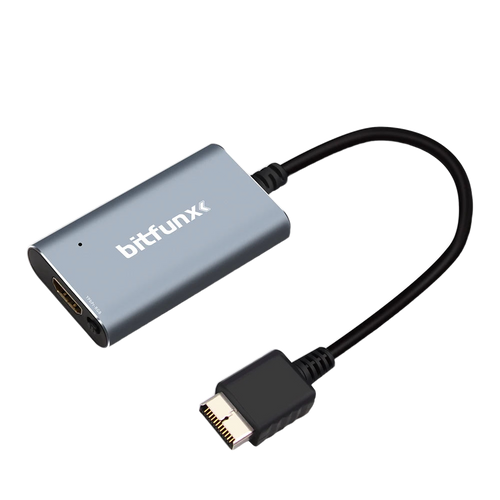
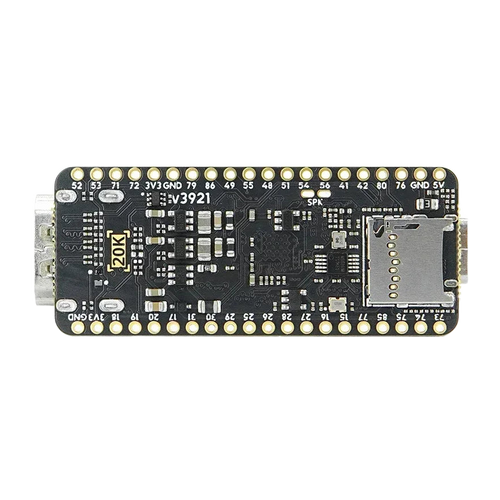
The HDMI cable is the last link between a console and the screen: it carries the picture once it has already been converted. This selection brings together a braided 48 Gbps HDMI 2.1 cable in 1 to 3 m and the solutions that produce an HDMI output from a retro source, from the PS1 and PS2 converter to the FPGA board.

26 items26 available right now
26 products

What an HDMI cable's bandwidth really changes in retro gaming

Bandwidth is chosen according to the resolution and refresh rate you are after

A 48 Gbps HDMI 2.1 cable covers 4K at 120 Hz and 8K at 60 Hz. That is far beyond what a retro source calls for: a BitFunx RGB and YPbPr converter outputs 1080p, and a Lynx II IPS screen kit comes out at 720p. The bandwidth becomes useful if the same cable also serves a PC or a recent console plugged into the same screen. Length matters more day to day: a 1 m cable is enough behind a monitor, a 3 m one becomes necessary to reach a wall-mounted TV.

An HDMI cable does not create an HDMI output

  • Source: a retro console with no digital output needs a converter, not just a cable.
  • Braiding: the braided sleeve protects against twisting and abrasion, it does not improve the picture.
  • Standard: a 48 Gbps cable stays backward compatible and adds no feature the console does not have.

What it doesn't do

An HDMI cable improves neither sharpness nor colours: the signal is digital, it either gets through or it does not. It does not reduce the latency of a converter upstream. And it does not replace a scaler: scaling a 240p or 480i picture remains the job of the conversion box or the TV.

Scalers & image processing · Connecting your console · Cables & connectors · Retro video cables · Workshop & modding

Questions fréquentes

Does an HDMI 2.1 cable improve a retro console's picture?
No. The HDMI signal is digital: either it arrives intact, or it shows visible dropouts. A 48 Gbps cable is useful if the same screen also takes a 4K 120 Hz source, but it changes nothing about a 1080p output from a PS1 or PS2 converter.
Which HDMI cable length should you choose?
Reckon on 1 m for a converter sitting right behind the screen, 2 m for a classic TV unit and 3 m if the screen is wall-mounted or the console is some way off. The cable on offer comes in those three lengths, with a braided sleeve to limit wear at the bending points.
Can I plug my PS2 straight into HDMI with this cable?
No, the PS2 has no HDMI output. You need a converter in between, for instance a BitFunx model that accepts RGB and YPbPr and outputs 1080p. The HDMI cable then links that box to the TV.