
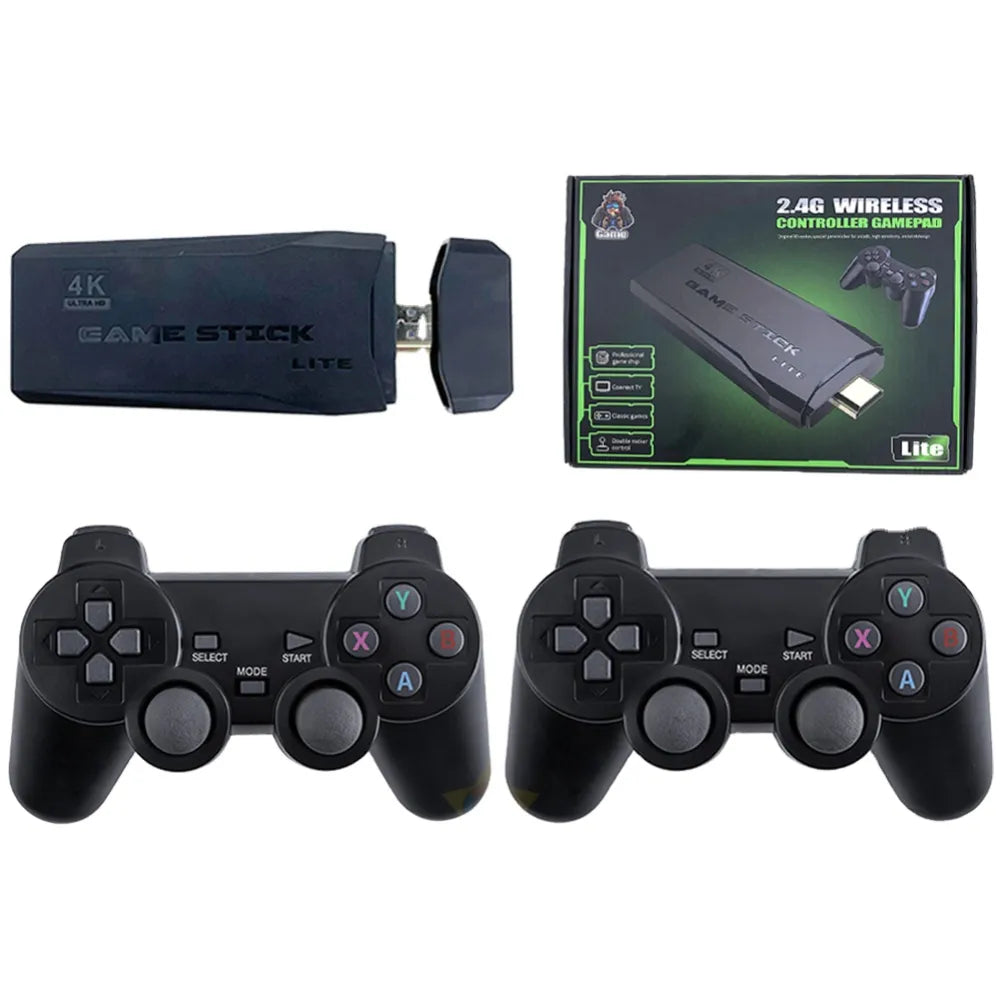
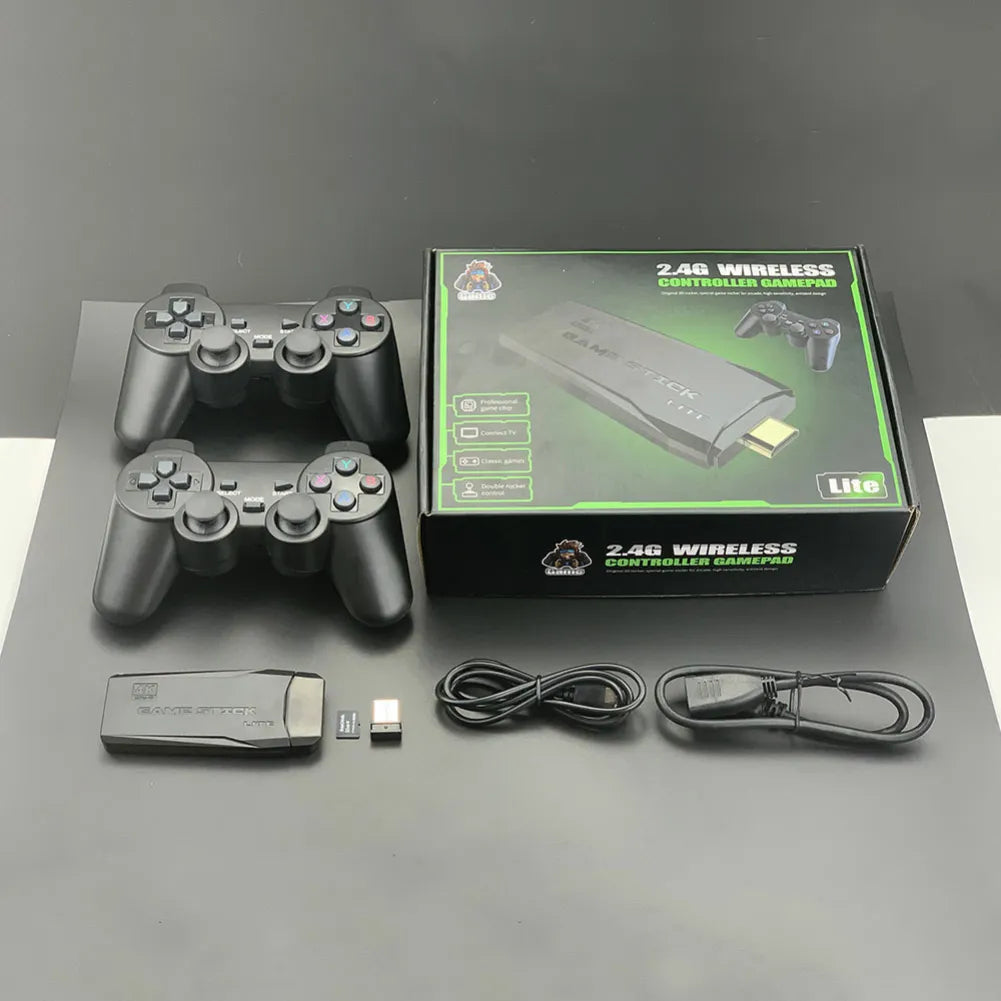
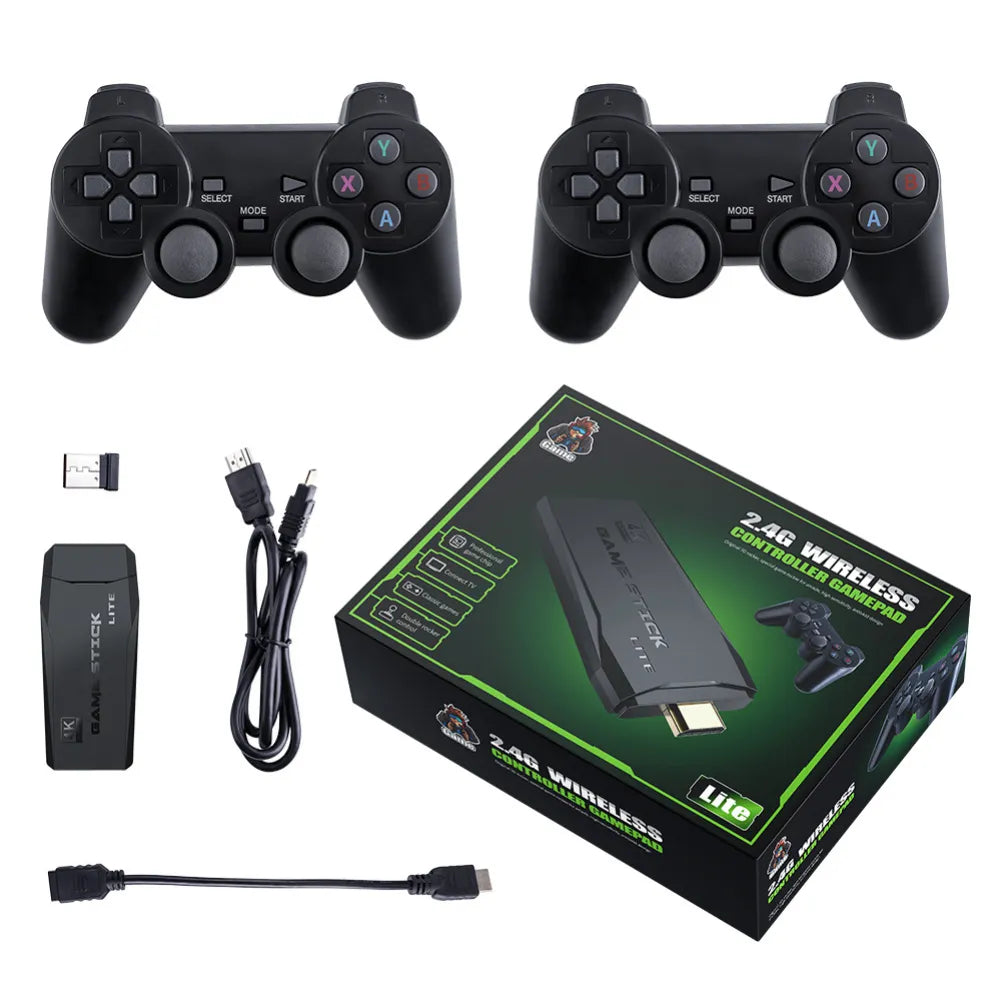


4K retro gaming console: 128GB, 2 controllers, 20,000 games
Plug and play! 4K HDMI , 20,000 pre-installed games , 2 x 2.4GHz wireless controllers . Plug & play , 9 emulators , instant fun.
The Game Stick transforms your TV into a retro gaming arcade: 20,000 games on 64GB , 4K output via HDMI , and two 2.4GHz controllers for two-player gaming. Plug & play installation: simply plug it in, power it via USB , and choose your language; 9 emulators cover classic consoles.
Strengths
- Plug & play HDMI 4K : clear image, instant start-up.
- Multiplayer : 2 wireless 2.4GHz controllers, 10m range, low latency.
- XXL Library : 20,000 games , 9 emulators , 20 languages .
Express installation
Connect the stick to your TV's HDMI input, power it via USB , and launch the interface. Choose your emulator and language , and you're good to go: no complicated setup, it's plug & play .
XXL Retro Catalogue
Enjoy 20,000 games on 64GB and add your titles via TF card (up to 64GB ). Rediscover cult hits in a clean and stable 4K output.
Stable wireless multiplayer
The two 2.4GHz controllers offer a smooth response and a range of 10m for couch co-op, versus and retro evenings with friends.
Why should I buy the M8 4K retro gaming console?
It combines plug & play simplicity, 4K image quality, 20,000 games , and 2 wireless controllers . You'll enjoy low latency, a variety of emulators , and a multi-language system for playing alone or with a friend, without complicated settings.
Technical specifications
4K Retro Gaming Console ( Game Stick ): GB2 CPU, 2GB DDR3 , 64GB storage ( TF card expandable up to 64GB ), 2 x 2.4GHz controllers ( 10m range), 1:1 FPS output, 9 emulators and 20 languages . 1-2 players, HDMI connection and USB power supply.
- Memory: 64 GB ( TF card) • Expansion: up to 64 GB
- Processor: GB2 • RAM: DDR3 2 GB
- Controllers: 2 wireless 2.4GHz • Range: 10 m
- Built-in games: 20,000+ • 9 emulators supported
- Languages: 20 (FR, EN, ES, IT, PT, KO…)
- Output: HDMI 4K , FPS 1:1
- Modes: 1–2 players , multi-language
- Box contents: M8 stick, 2 controllers, 2.4G receiver, USB cable, HDMI extension cable, manual
Usage tips
Connect the stick to the TV's HDMI input and power it via USB . Select the correct HDMI source. To exit a game, press and hold SELECT + START for 2 seconds. If a controller loses connection, move closer to the 2.4GHz receiver and restart the pairing process.
Also check out our collection of portable consoles .
Express installation
Connect the stick via HDMI, power it via USB, and access a clear interface: choose an emulator, your language, and then your game. Zero complex configuration, it's plug & play.
Evolving catalog
With 20,000 games on 64GB and the expandable TF card, you can explore cult hits and add your favorite titles for a setup that grows with you.
Stable wireless multiplayer
The two 2.4GHz controllers offer a smooth response and a range of 10m: perfect for couch co-op, versus and retro evenings with friends.
Frequently Asked Questions
FAQ – Retro Gaming Console
How does it work?
• Connect the console to the HDMI port of your TV, computer monitor or projector.
• Insert the USB receiver onto the key, then turn on the 2.4 GHz wireless controllers via the switch on the top.
• Power the key with the micro-USB cable (AC adapter not included, recommended: 5V/2A).
• The console starts automatically as soon as it is powered on and turns off when you turn off the TV.
• Browse the menu to search, sort your games and add favorites in just a few clicks.
Is it compatible with current screens?
Yes. Thanks to the HDMI connector, the retro gaming console is compatible with the vast majority of devices. modern televisions and monitors, for a clear image (up to 4K depending on the screen). Adapters (DP/mini-DP/VGA) may be required for some displays – not supplied.
Which consoles and games are included?
The console includes over 20,000 games from iconic platforms: NES , Super NES , Mega Drive/Genesis , MAME (Arcade) , Neo-Geo , Game Boy , Game Boy Color , Game Boy Advance and PlayStation 1 . Examples of cult titles: Metal Slug , Streets of Rage , Crash Bandicoot , Tekken , Mortal Kombat .
Do I need to download or install any software to start playing?
No. The microSD card is pre-loaded: connect the console to your screen, power it on and play! It's truly plug & play .
Are the included controllers wired or wireless?
The included controllers are wireless and connect via 2.4 GHz ( USB receiver to be plugged into the key). They operate on batteries (not included) . For longer battery life, we recommend using alkaline or rechargeable Ni-MH batteries.
How do I quit a game?
Press SELECT + START simultaneously for ~2 seconds to open the system menu. then select " Quit the game ".
How do I save or load a game?
To safeguard :
1) Open the menu with SELECT + START (or by pressing both joysticks).
2) Select " SAVE STATE " to save your progress.
Load :
1) Reopen the menu with SELECT + START (or both joysticks).
2) Select “ LOAD STATE ”.
3) Choose the backup to restore.