
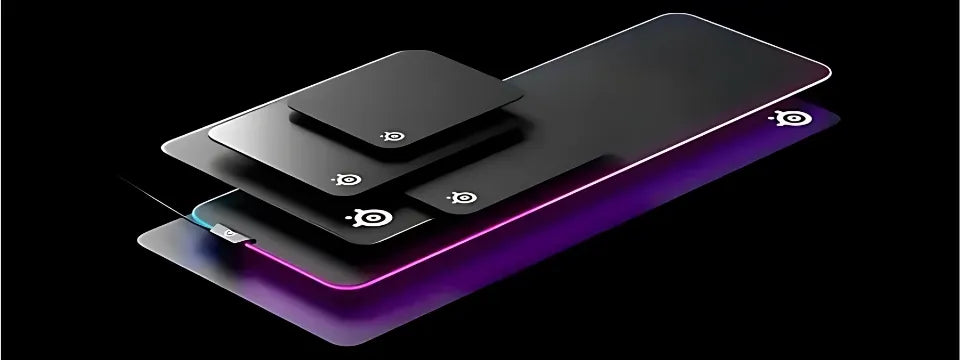
A complete guide to choosing the right gaming mouse pad
A mouse pad is often overlooked when setting up a gaming setup. Yet, it plays a crucial role in getting the most out of your mouse, improving both your precision and comfort. Choosing the right mouse pad guarantees optimal performance.
How much should you invest in a gaming mouse pad?
Mouse pads are among the most affordable accessories for gamers: prices start around €10 for basic models and can go up to €180 for high-end ones. Size, materials, and features (like RGB backlighting) greatly influence the cost. For example, you can find a sturdy and decorative XXL Japanese Dragon mouse pad for €14.90 , or opt for a Corsair MM700 RGB Extended for €159.90 offering customizable RGB lighting and an ultra-smooth surface. If you're on a budget, prioritize durability and comfort.
How to choose the right mouse pad?
-
Non-slip base
A textured rubber base is essential to prevent the mousepad from slipping on your desk. This is crucial for intense gaming sessions.
-
Surface: speed or control
- Smooth: promotes fast gliding for games requiring quick movements, like on the Arcane Jinx & Vi & Silco XXL .
- Rugged: offers better precision and control for tactical games, like the Corsair MM300 Pro Medium .
-
Stitched edges and wrist rests
Reinforced edges offer better wear resistance. An integrated wrist rest is useful for long sessions, reducing fatigue and wrist pain.
-
Flexible or rigid?
Rigid mousepads, like the Corsair MM800 Polaris RGB (15 zones) , stabilize gliding on uneven surfaces. Flexible mousepads, such as the SteelSeries QcK Heavy XXL , offer optimal portability. Semi-rigid models combine stability and flexibility for an ideal compromise.
What size should you choose for your mouse pad?
- Small: perfect for tight spaces or high-sensitivity players, like the SteelSeries QcK Mini .
- Large: ideal for those who play at low sensitivity and need more amplitude, like the Thousand Sunny One Piece XXL .
- Extended: covers the keyboard and mouse area for a uniform surface, like the League of Legends Jinx RGB XXL .
Thickness: an important criterion
The thickness typically varies between 0.2 mm and 9 mm. Thin rugs are suitable for small areas, while thicker rugs offer greater comfort and absorb unevenness.
Design and features
Choose a design that suits you: understated or bold. RGB models, like the Razer Goliathus Chroma M , offer customizable lighting and visual indicators synchronized with your game.
Maintaining your mouse pad
By hand
- Clean with warm water and mild soap.
- Wipe gently with a clean cloth.
- Air dry for 48 hours.
In the machine
- Wash on a delicate cycle with a mild detergent.
- Use a cold cycle.
- Dry flat, without a tumble dryer.
Conclusion
A good mouse pad improves your comfort and performance. Choose one that suits your needs and maintain it regularly to extend its lifespan. Transform your gaming experience with the right mouse pad!